
Vandaag of morgen in huis

Kwaliteit gegarandeerd

Welkomstaanbiedingen ontgrendelen: GRATIS bezorging | Tot 80% korting | Gratis 30 dagen JoyPlus-proefperiode
Download de app
By: Joybuy Product Recommendation OfficerDate: July 14, 2026
Your new camera shoots in 8K, or you've just picked up the Nintendo Switch 2. You'll quickly notice your old memory card can't keep up, resulting in long load times and stuttering recordings. The demand for faster, larger storage is greater than ever, and the microSD Express card was developed to meet that need.
This new generation of memory cards promises performance comparable to an SSD, but in a format that fits in the palm of your hand. But what exactly is SD Express, and which card is right for your device and use case? In this article, we'll help you understand the specifications and provide concrete recommendations so you can make an informed decision.
Before you make a choice, it's helpful to consider a few things. The technology is relatively new, and compatibility is essential.
Not every device can leverage the speed of an SD Express card. These cards use a PCIe/NVMe interface, which must be physically present in the card reader of your camera, drone, or console. Most new high-end devices released after 2025, such as the Nintendo Switch 2, support this standard. A microSD Express card is, however, backwards compatible: you can use it in an older device with a UHS-I slot, but it will operate at the lower UHS-I speed. Therefore, always check your device's specifications.
The term fast microSD card takes on a new meaning with Express. While traditional UHS-I cards reach speeds of around 170-200 MB/s, microSD Express cards can achieve speeds of up to 880 MB/s or even higher, according to manufacturers. This is crucial for data-intensive tasks, such as recording with a memory card for 8K video or minimizing load times for large games. Pay attention to the read and write speeds; for recording, write speed is most important, while for playback or loading files, read speed is what counts.
The required storage capacity depends entirely on your usage. A 256GB memory card is a popular sweet spot for many users. For a gamer on the Nintendo Switch 2, this provides space for a solid number of games. For a videographer shooting in 8K, a larger capacity of 512GB or 1TB may be desirable. Keep in mind that 8K video files are enormous; a few minutes of footage can take up tens of gigabytes.
Based on specifications, compatibility, and use case, we've rounded up some interesting options for you.
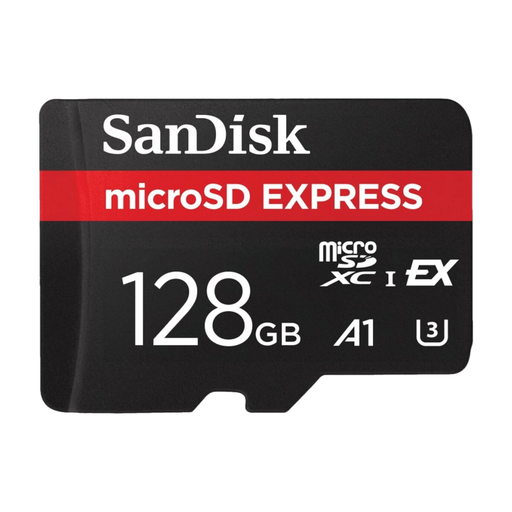
Why It Stands Out: This SanDisk Express card is designed for professionals working with large files. The card uses the PCIe Gen 3-NVMe interface to deliver speeds comparable to portable SSDs, according to SanDisk.
The manufacturer specifies a read speed of up to 880 MB/s and a write speed of up to 480 Mb/s. This makes the card highly suitable for smoothly recording 5.3K video and preparing for future 8K content. According to SanDisk, its ThermAdapt technology ensures the card stays cool under heavy loads.
Pros:
Who Is It For? This card is a logical choice for content creators with a compatible 8K camera or drone who need the highest possible transfer speeds to accelerate their workflow.
View the SanDisk Express microSD Card – 128GB
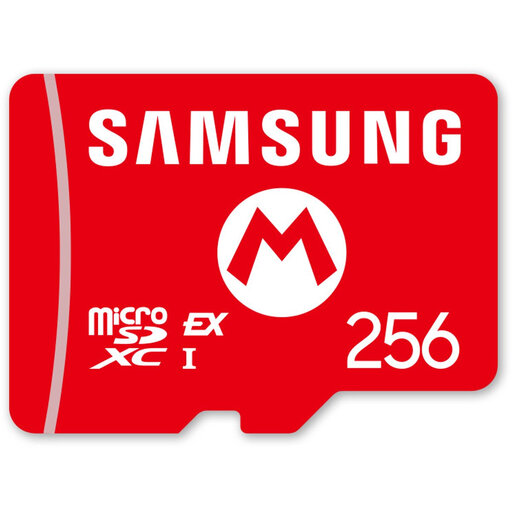
Why It Stands Out: This Samsung microSD Express card is officially licensed for the Nintendo Switch 2 and offers a generous storage capacity of 256GB. This is the designated Nintendo Switch 2 memory card for gamers who want to expand their game library without worrying about load times.
Samsung specifies a sequential read speed of up to 800 MB/s, which can significantly reduce game load times compared to older cards. The official license guarantees compatibility and performance with the new console.
Pros:
Who Is It For? This is the go-to choice for Nintendo Switch 2 owners looking for a reliable and fast memory expansion that's guaranteed to work.
View the Samsung microSD Express Card – 256GB
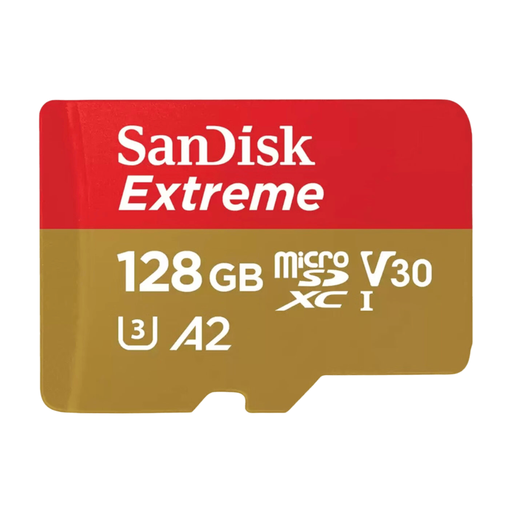
Why It Stands Out: Don't have a device that supports SD Express yet, but still need a fast and reliable card for your current smartphone, drone, or camera? Then the SanDisk Extreme microSDXC is a solid option. This is a UHS-I card, not to be confused with Express.
According to SanDisk, this card offers read speeds of up to 160 MB/s and write speeds of up to 90 Mb/s. Thanks to its V30 and A2 ratings, it's suitable for recording 4K UHD video and smoothly running apps on a smartphone.
Pros:
Who Is It For? Users with devices that use the UHS-I standard (like the original Nintendo Switch, many drones, and pre-2025 cameras) who are looking for a reliable, fast card at an accessible price.
View the SanDisk Extreme microSDXC Card – 128GB
The world of memory cards can be technical. If you're not sure which card the recipient needs, or you want to give them the freedom to choose for themselves, a Joybuy Gift Card lets them pick out the perfect memory card or other tech accessory. A flexible choice for any occasion.
1. What is the difference between microSD Express and a regular microSD card (UHS-I/II)? The main difference is the underlying technology. Traditional microSD cards use the UHS bus, while microSD Express uses the much faster PCIe and NVMe protocols—the same technology found in modern SSDs. This results in significantly higher read and write speeds, provided the device supports it.
2. Can I use a microSD Express card in my old phone or camera? Yes, you can. The microSD Express standard is designed to be backwards compatible with the UHS-I interface. When you insert an Express card into an older device that only supports UHS-I, the card will function at the maximum speed of that UHS-I port. You will not benefit from the extra speed of Express.
