
Vandaag of morgen in huis

Kwaliteit gegarandeerd

Welkomstaanbiedingen ontgrendelen: GRATIS bezorging | Tot 80% korting | Gratis 30 dagen JoyPlus-proefperiode
Download de app
A microSD card seems simple to choose: decide on the storage capacity, compare the price and insert the card into your device. But problems often only arise after you’ve bought one. A card may be too slow for 4K video, turn out to be incompatible with an older smartphone or offer less storage than you expected from the label.
Use these practical checks to compare a microSDXC card by capacity, speed, intended use and compatibility. That way, you won’t pay for specifications your device can’t make use of.
A high read speed is useful for transferring files, but write speed is what matters most when recording video. A camera or drone needs to write data continuously. So, as well as the maximum read speed, check the UHS and Video Speed Class ratings.
Also look out for the phrase ‘up to’. The stated speed is a maximum achieved under specific conditions. Actual performance depends on the device, card reader, file type and interface used.
A 512GB microSD card or 1TB microSD card offers plenty of space, but not every device supports these capacities. Older smartphones, tablets, cameras and handheld consoles may have a lower limit. Check the manual or the manufacturer’s website.
A 64GB card is usually classed as microSDHC; cards from 64GB upwards are generally referred to as microSDXC. Your device must support the relevant file system and card type.
A low price doesn’t automatically mean a card will be suitable. If the write speed, speed class or manufacturer details aren’t provided, it’s difficult to tell whether the card is right for a smartphone, drone or camera. If possible, choose a model with verifiable specifications, clear warranty information and a profile that suits how you’ll use it.
Choose the storage capacity based on your files and how often you want to clear the card:
The space actually available will be lower than the stated capacity because of formatting and system use.
When looking for a fast microSD card, you’ll come across several ratings:
So, a V30 microSD card won’t automatically be suitable for every 4K camera. Always check the requirements of your camera, drone or console.
A UHS-I card will only deliver the promised interface performance if your device and card reader are compatible. A card with an SD adapter can also be used in a standard SD slot, for example in some cameras or laptops. The adapter doesn’t change the speed of the microSD card.
Water resistance, shock resistance, temperature resistance and X-ray protection are manufacturer specifications. They don’t guarantee that your data won’t be lost. Always back up important photos, videos and documents.
The selection below matches specific product specifications to different uses. Speeds are maximum stated values; actual speeds may vary from one device to another.
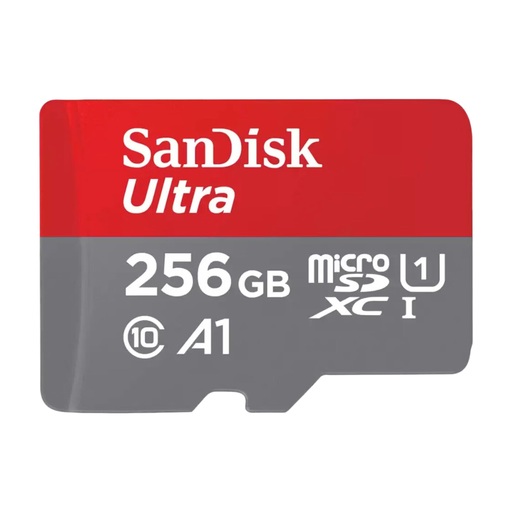
Why it suits this profile: This capacity offers room for photos, Full HD video and apps on compatible Android smartphones and tablets, without going straight for a card designed for intensive 4K recording.
The card clearly lists its capacity, UHS-I interface and A1 rating. This makes it easier to compare its intended use with a card that doesn’t provide full specifications.
256GB storage, a read speed of up to 150 MB/s according to the product specifications, and an SD adapter included.
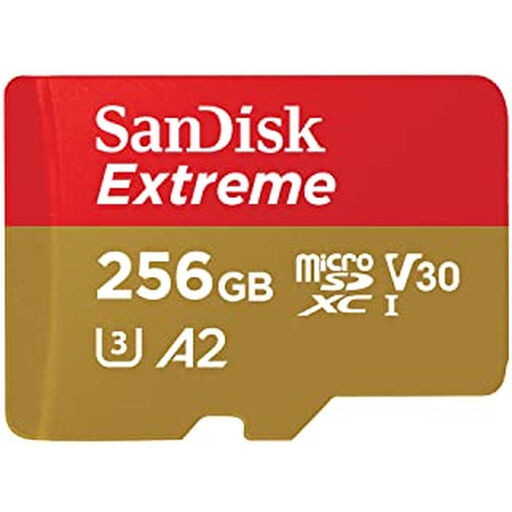
Why it suits this profile: A sensible choice for anyone wanting to use one card in an Android smartphone, camera, drone, action camera or Nintendo Switch, provided the device is compatible.
The stated A2, UHS-I and V30 ratings make it clear that this model offers more than just a high read speed.
Product specifications state speeds of up to 160 MB/s for reading and 90 MB/s for writing, 256GB storage and an SD adapter.
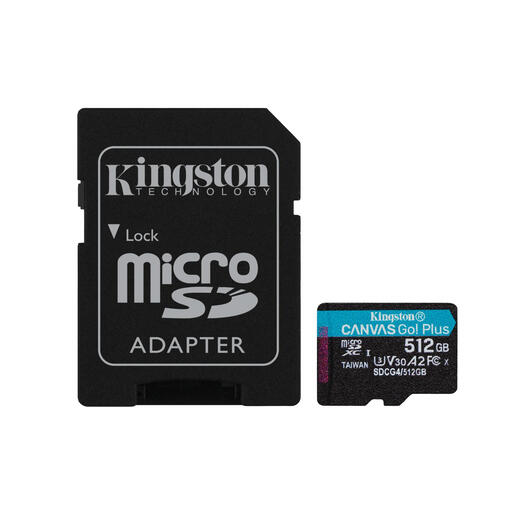
Why it suits this profile: This 512GB microSD card is aimed at drone and action camera users, mobile gamers and Android device owners who store lots of files.
The combination of A2, U3 and V30 gives you more context than the stated transfer speed alone. However, check whether your host device can make use of these standards.
According to the product specifications: read speeds of up to 200 MB/s, write speeds of up to 160 MB/s, support for 4K UHD applications and an SD adapter.
A microSD card with an adapter is handy for equipment with a standard SD slot. Keep the adapter and card dry, dust-free and protected from bending or dropping.
We’ve put together a complete, up-to-date list of products that fully meet these strict selection criteria and current European safety regulations.
Check your camera or drone’s requirements. A U3 or V30 microSD card is often used for 4K video, but the device’s maximum write speed and compatibility are still key. A higher class won’t automatically make a device that only supports a lower speed run faster.
Its lifespan depends on the number of write cycles, the conditions it’s used in, storage quality and the device. Cards in dash cams, security cameras or used for daily filming are written to more often than cards used for the occasional photo. Replace a card if error messages appear or files become corrupted, and always keep important data in a second location.
It depends on how you’ll use it. A 1TB card can be handy for large video archives, games and lots of photos. For a typical smartphone user, 128GB or 256GB is often enough. Before buying, check that your phone, tablet, camera or console supports 1TB and find out which file system it requires.
