
Vandaag of morgen in huis

Kwaliteit gegarandeerd

Welkomstaanbiedingen ontgrendelen: GRATIS bezorging | Tot 80% korting | Gratis 30 dagen JoyPlus-proefperiode
Download de app
The "Storage Full" notification always pops up at the worst possible moment. Whether you're trying to capture a priceless memory with your camera, download a new game on your Nintendo Switch, or need your dash cam to save crucial footage, a full or slow memory card is a major source of frustration. The microSD card market is filled with technical jargon like U3, V30, and A2, which doesn't make the choice any easier.
This guide is here to help. As a Joybuy Product Recommendation Officer, I cut through the specs and marketing claims to provide you with practical advice. This way, you can make an informed decision and choose a microSD card that perfectly suits your device and needs.
Before you buy a micro sd card, it's helpful to understand three key features: speed, capacity, and durability.
A card's speed determines how quickly data can be read and written. This is crucial for smooth video recording and fast app loading. Pay attention to the following symbols:
high-speed micro sd card often has a U3 rating.sd card for a camera or drone.phone's memory card.The required storage capacity depends entirely on your usage.
256gb micro sd card provides plenty of space for a large collection of games on an sd card for nintendo switch, hours of 4K video footage, or thousands of photos.1tb micro sd card is an investment for those who want to get the most out of their equipment.Not all cards are created equal. For devices that continuously write data, like a dash cam or a security camera, a standard card isn't always the best choice. In that case, look for "High Endurance" or "Endurance" cards. These are specifically designed to reliably store thousands of hours of footage, often under harsh conditions. A micro sd for a dash cam needs to be durable.
Based on product specifications and intended use cases, we've highlighted some of the top options for you.
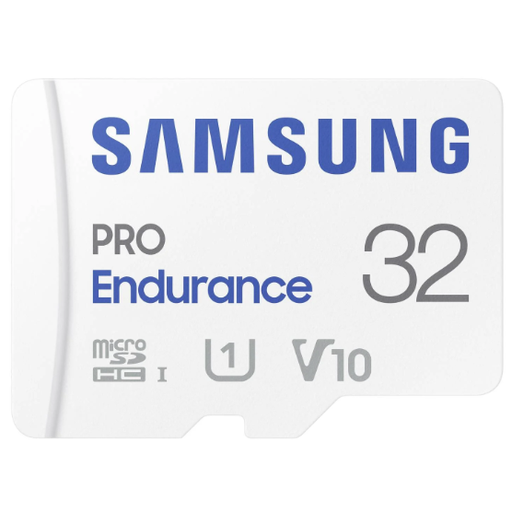
Why It Stands Out: This card is specifically designed for continuous recording. According to Samsung, it can handle up to 140,000 hours of data processing, making it highly suitable for always-on devices.
Pros:
Who Is It For? Ideal for users of dash cams, security cameras, and bodycams who need a reliable card for non-stop recording.
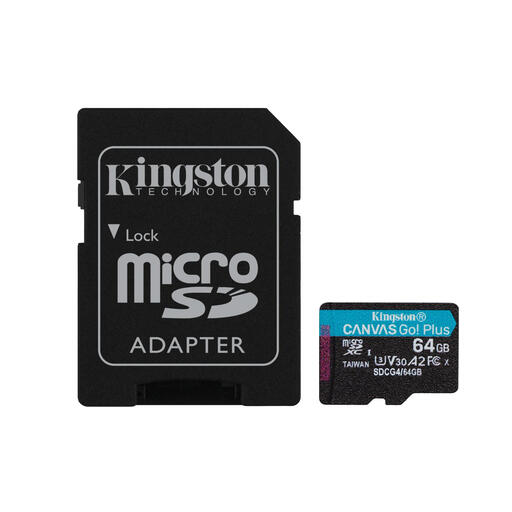
Why It Stands Out: The combination of high read speeds (up to 200 MB/s), U3 and V30 ratings, and the A2 app performance class makes this a versatile and high-speed card.
Pros:
Who Is It For? An excellent choice for mobile gamers, drone pilots, and action cam users who value speed and responsiveness.
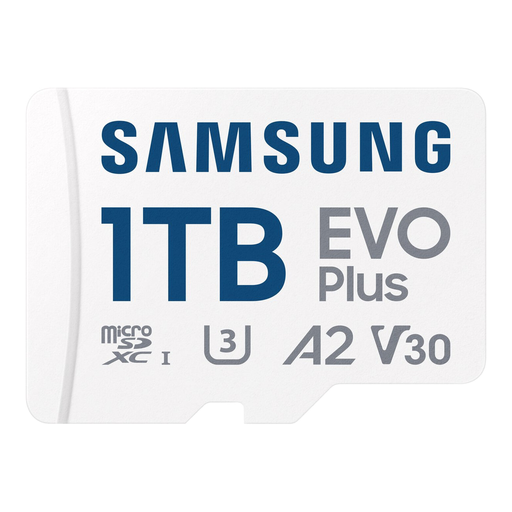
Why It Stands Out: Its massive 1 terabyte storage capacity. With this card, you'll almost never have to worry about running out of space, whether you're storing games, 4K videos, or your entire photo library.
Pros:
Who Is It For? For the power user: avid Nintendo Switch players, content creators, and anyone looking to max out the storage on their smartphone, tablet, or drone.
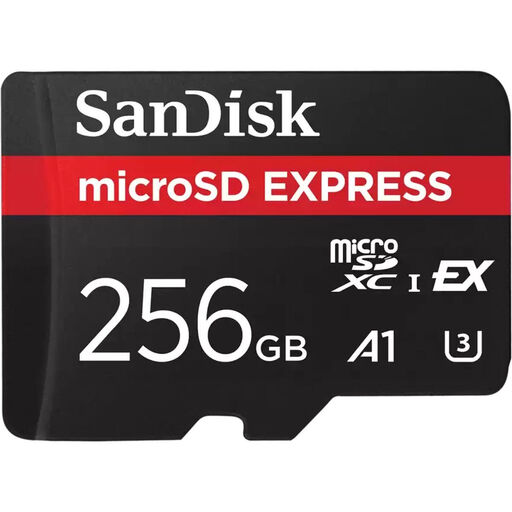
Why It Stands Out: This card uses the new microSD Express standard with a PCIe/NVMe interface, resulting in speeds comparable to a portable SSD. This is a glimpse into the future of memory cards.
Pros:
Who Is It For? For professionals and enthusiasts working with the latest technology who need the highest possible performance for handling large files.
The right microSD card is highly dependent on your personal situation and the equipment you use. If the options above aren't exactly what you need, a wider range is available.
1. What kind of microSD card do I need for my Nintendo Switch? For the Nintendo Switch, a card with high read speeds is recommended to minimise game loading times. Look for a card with a UHS-I interface and a U1 or U3 speed class. An A1 or A2 rating is a plus. In terms of capacity, 128 GB or a 256gb micro sd card is a great starting point, depending on how many digital games you plan to install.
2. What do the speed classes (U, V, A) on an SD card mean? These are standards that guarantee a card's minimum performance for specific tasks.
3. Can I use any microSD card in my dash cam? Technically, yes, but it's not recommended. A micro sd for a dash cam must withstand constant overwrites and the extreme temperatures inside a car. Therefore, you should opt for a "High Endurance" card. These are purpose-built for the reliability and lifespan required for continuous recording.
Joybuy Product Recommendation Officer
