
Vandaag of morgen in huis

Kwaliteit gegarandeerd

Welkomstaanbiedingen ontgrendelen: GRATIS bezorging | Tot 80% korting | Gratis 30 dagen JoyPlus-proefperiode
Download de app
By: Joybuy Product Recommendation OfficerPublished on: 07-09-2026
Looking for a new microSD card but feeling overwhelmed by the options? The packaging is covered in codes like U3, V30, A2, and terms like microSDXC. It can be tough to figure out which memory card you actually need for your smartphone, camera, drone, or Nintendo Switch.
This guide is designed to bring clarity. We'll explain what to look for and provide concrete recommendations based on product specifications, so you can make an informed choice without getting lost in marketing jargon.
Before you buy a memory card, it's helpful to understand a few basic principles. The capacity in gigabytes (GB) is important, but the card's speed and type are just as crucial for performance.
A fast microSD card is essential for smoothly recording high-resolution video and quickly loading apps. Look for the following indicators:
Not every card is suitable for every task. The choice heavily depends on the device you'll be using it in.
Based on specifications and use cases, we've highlighted some popular choices for you.
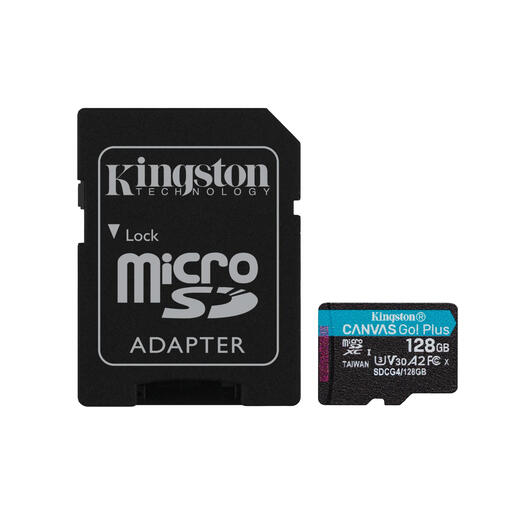
Why it stands out: The Kingston microSD Canvas Go Plus is a versatile card that excels in various situations. With both V30 and A2 ratings, it's suitable for 4K video recording and also performs strongly in mobile devices and gaming consoles.
Specifications:
Who is this for? This is an excellent all-rounder for content creators, drone pilots, and mobile gamers looking for a single card that can be used for multiple purposes. The combination of speed for video and apps makes it a flexible choice.
View the Kingston Canvas Go Plus 128GB
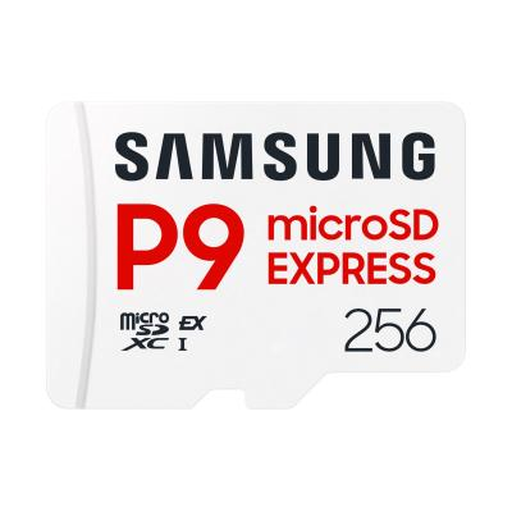
Why it stands out: This Samsung microSD card uses the new SD Express interface, resulting in exceptionally high speeds. According to the manufacturer, the card achieves read speeds of up to 800 MB/s, which is comparable to some internal SSDs.
Specifications:
Who is this for? This card is aimed at users who want to get the maximum performance out of their equipment. Think professional photographers who need to transfer large RAW files quickly or gamers with a device that supports SD Express (like potential future consoles). It's a future-proof card.
View the Samsung P9 Express 256GB
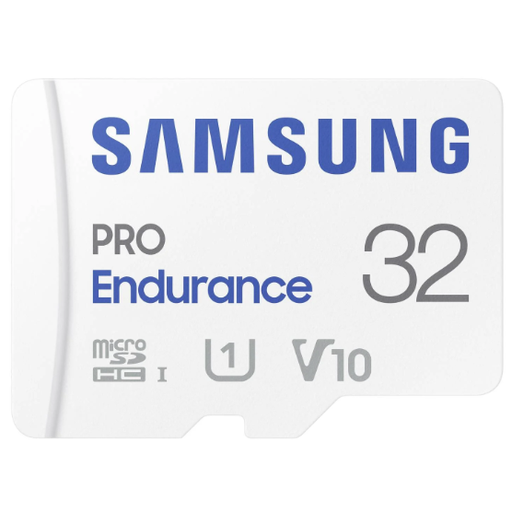
Why it stands out: Samsung's PRO Endurance line is specifically designed for one task: continuous recording. According to Samsung, this card is engineered to last for up to 140,000 hours of recording time, making it ideal for always-on devices.
Specifications:
Who is this for? This is the go-to card for anyone looking for a reliable dashcam memory card or storage for an IP security camera. The focus here isn't on top speed, but on maximum reliability and lifespan under demanding conditions.
View the Samsung PRO Endurance 32GB
These recommendations cover some common needs, but of course, there are many more options available. Perhaps you're looking for a different capacity, another brand, or a card for a very specific application.
Check out our full range of microSDXC cards and find the perfect match for your device.
The main difference is storage capacity. MicroSDHC (High Capacity) cards have a capacity of up to 32 GB. MicroSDXC (Extended Capacity) cards offer capacities from 64 GB up to 2 TB. Most modern devices, such as 4K cameras and recent smartphones, require a microSDXC card to reach their full potential. Always check your device's manual to see which types are supported.
The Nintendo Switch supports microSD, microSDHC, and microSDXC cards. While almost any card will work, for a better gaming experience, a microSD card for the Nintendo Switch with an A1 or A2 rating is recommended. This ensures that games installed on the card load faster.
This depends entirely on your usage. For a dashcam, 32 GB or 64 GB is often sufficient, as old footage is overwritten. For a smartphone or Nintendo Switch, microSD 128GB is a popular starting point, while avid gamers or photographers often opt for microSD 256GB or more. For recording long 4K videos, the largest possible capacity is recommended, such as 512 GB or 1 TB.
