
Vandaag of morgen in huis

Kwaliteit gegarandeerd

Welkomstaanbiedingen ontgrendelen: GRATIS bezorging | Tot 80% korting | Gratis 30 dagen JoyPlus-proefperiode
Download de app
Ever get the "Storage Full" notification on your smartphone, camera, or Nintendo Switch right when you need it most? Expanding your storage with a microSD card seems simple, but the bewildering array of specifications like U3, V30, A2, and SDXC can be confusing. This guide is designed to help you make the right choice, based on technical specifications and your intended use case.
Before making a purchase, it's helpful to consider a few technical details. This ensures you buy a card that not only fits but also performs optimally in your device.
The most prominent specification is storage capacity. Cards are generally classified into two types:
A 128GB memory card or a 256GB micro SD therefore falls into the microSDXC category. It's crucial to check the maximum capacity your device supports. Older devices may not be compatible with the newer microSDXC cards.
A fast SD card is essential for specific tasks. The speed is indicated by various classes:
Always check the manual or the manufacturer's website for your device. Look for the maximum supported storage capacity and the recommended speed class. For example, a Nintendo Switch memory card benefits from a high read speed to reduce game loading times, while a professional camera needs a high write speed to save 4K footage seamlessly.
Based on specifications and use cases, we've highlighted some popular choices for you.
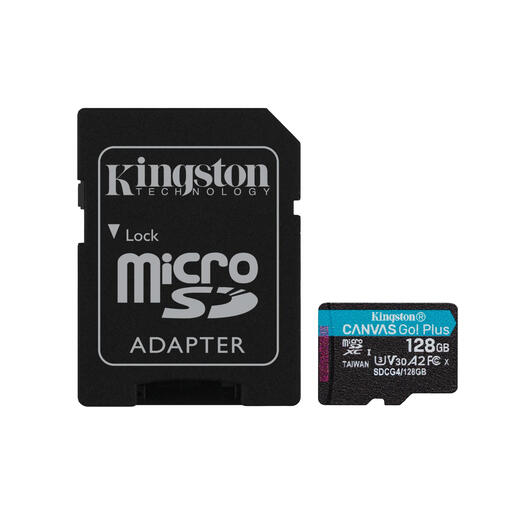
Why It Stands Out: This Kingston memory card is a versatile powerhouse. With a read speed of up to 200 MB/s and a write speed of 100 MB/s, it's designed for demanding tasks. The combination of U3, V30, and A2 classifications makes it suitable for virtually any modern device.
Pros:
Who It's For: Content creators, drone pilots, and Android users who need a reliable and fast card for capturing high-resolution footage and running demanding applications.
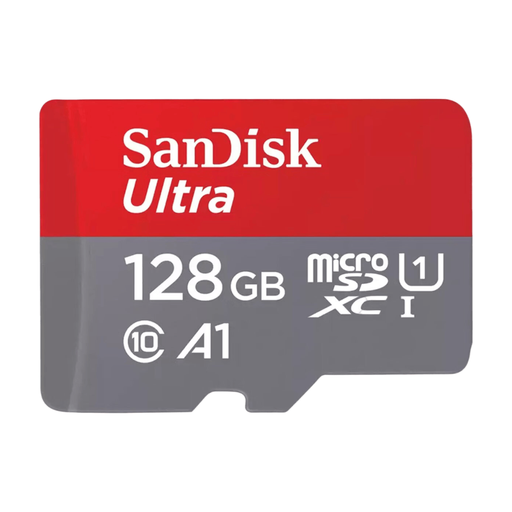
Why It Stands Out: The SanDisk micro SD Ultra series is known for its reliability and excellent price-to-performance ratio. This card is a popular choice for expanding storage in Android smartphones and tablets for everyday use.
Pros:
Who It's For: Ideal for the average smartphone and tablet user looking for an affordable and reliable way to expand storage space for photos, videos, and apps.
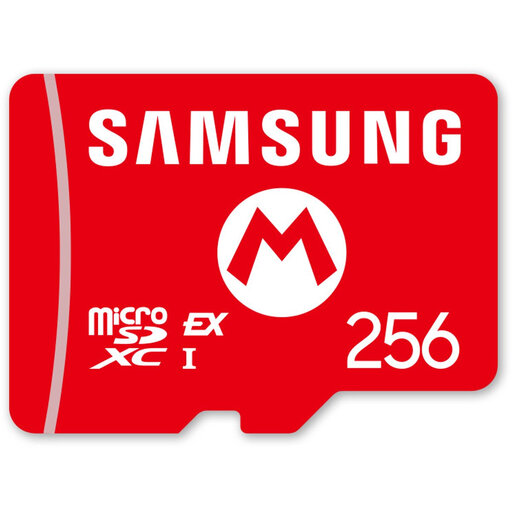
Why It Stands Out: This card is specifically designed with the future of gaming in mind. Thanks to the new SD Express interface, it achieves read speeds that far surpass traditional microSD cards. This is a next-generation Nintendo Switch memory card.
Pros:
Who It's For: Gamers who are preparing for the Nintendo Switch 2 and demand the fastest possible load times and performance.
Found the right microSD card for your camera or drone? Large video files require not only fast storage but sometimes also editing. If you frequently convert videos for different devices or platforms, the right software can save you a lot of time. Check out our selection of video converters to streamline your workflow.
What's the difference between microSDHC and microSDXC? The main difference is storage capacity. MicroSDHC cards go up to 32 GB and use the FAT32 file system. MicroSDXC cards start at 64 GB and use the exFAT file system. Check if your device supports exFAT, otherwise it won't recognise a microSDXC card.
Can I use any microSD card in my Nintendo Switch? For the original Nintendo Switch, Switch Lite, and OLED model, most microSD, microSDHC, and microSDXC cards will work. For the best experience, a card with a high read speed (UHS-I) is recommended. However, for the upcoming Nintendo Switch 2, cards with the new SD Express standard, like the recommended Samsung card, will be necessary to take advantage of the higher speeds.
How important is the A1/A2 classification for a memory card in a smartphone? This classification is very important if you plan to install apps on the microSD card. 'A' stands for Application Performance Class. An A2 card offers significantly faster random read and write operations than an A1 card or a card without this classification. This translates to faster app start-up and a smoother user experience.
