
Vandaag of morgen in huis

Kwaliteit gegarandeerd

Welkomstaanbiedingen ontgrendelen: GRATIS bezorging | Tot 80% korting | Gratis 30 dagen JoyPlus-proefperiode
Download de app
The 'Storage Almost Full' notification pops up on your screen again. Sound familiar? Whether you need more space for your photos, want to install apps on your smartphone, record 4K videos with your camera, or expand your game console's library, a good microSD card is often the solution. But the world of memory cards is filled with technical terms like SDXC, U3, and A2. This guide will help you understand the specifications and make the right choice for your device and needs.
As a Joybuy Product Recommendation Officer, I'm here to help you see past the marketing claims and make an objective choice based on what's important to you.
Before you make a choice, it's helpful to consider three key factors: capacity, speed, and durability.
Storage capacity is often the first thing people look at. It ranges from a few gigabytes to an impressive 1TB memory card. However, it's crucial to check what capacity your device supports. Older devices might only work with microSDHC cards (up to 32 GB), while most modern devices can handle microSDXC cards (64 GB and up). A 128GB microSD is a popular middle ground, but always check the specifications of your phone, camera, or console to avoid disappointment.
A high-speed memory card isn't necessary for everyone, but it's essential for specific tasks. The speed is indicated by various classes:
Using the memory card in an action camera, drone, or for industrial applications? Then pay attention to its robustness. Many cards from brands like SanDisk microSD and Samsung microSD are manufacturer-rated to be protected against water, extreme temperatures, X-rays, and shocks. For professional or industrial use, there are special cards designed to function under even tougher conditions.
Based on specifications and applications, we've listed some interesting options for you.
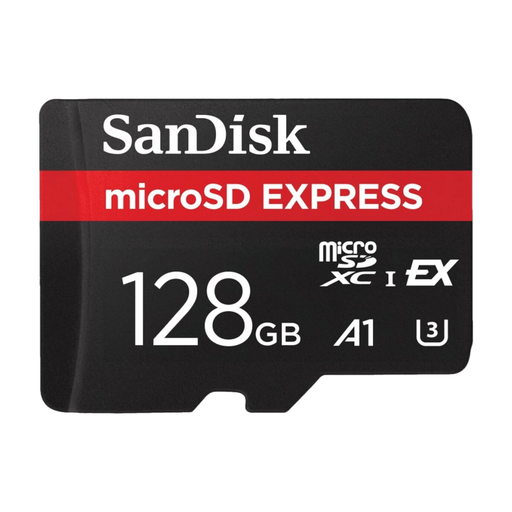
Why It Stands Out This card uses a PCIe Gen 3-NVMe interface, a technology you typically find in high-speed SSDs. This results in exceptionally high transfer speeds, moving large files in seconds.
Advantages
Who Is It For? This card is aimed at creative professionals and demanding users who work with high-resolution content. Think of videographers shooting in 5.3K or 8K and photographers who need to transfer large RAW files quickly.
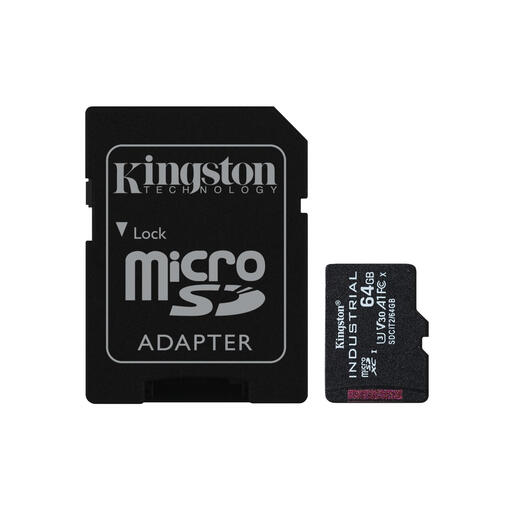
Why It Stands Out The Kingston Industrial is built for reliability under extreme conditions. Its wide operating temperature range of -40°C to 85°C makes it suitable for environments where a standard memory card would fail.
Advantages
Who Is It For? Ideal for industrial applications, such as in data loggers, security cameras that record continuously, or in-vehicle equipment. Also a solid choice for adventurers using their action camera or drone in extreme climates.
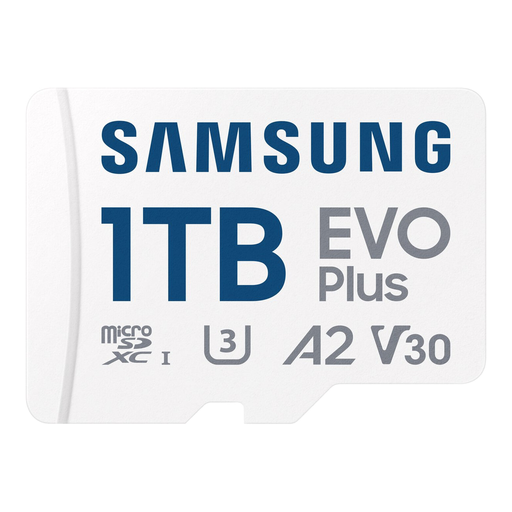
Why It Stands Out The massive 1 TB storage capacity is its main feature. With this card, you'll almost never have to worry about running out of space, whether you're storing games, 4K videos, or thousands of photos.
Advantages
Who Is It For? Perfect for users who need maximum storage. Think of avid gamers with a Nintendo Switch or Steam Deck, smartphone users with an extensive media collection, or drone pilots who make long 4K recordings.
These recommendations cover specific needs, from extreme speed to maximum storage. If your ideal memory card isn't here, don't worry. We have a wide range for every application and budget.
View our full range of microSD cards here
The main difference is the size. A microSD card is significantly smaller and is used in compact devices like smartphones and action cameras. A standard SD card is larger and fits in most digital cameras and laptops. Many microSD cards come with an adapter so you can also use them in an SD card slot.
The easiest way is to consult the manual or the specifications on your device manufacturer's website. Pay close attention to two things: the supported type (usually microSDXC) and the maximum supported capacity (e.g., up to 512 GB or 1 TB).
Not necessarily. The speed should match your use case. For storing documents or lower-resolution photos, a standard card is often sufficient. For recording 4K video, taking burst photos, or running apps from the card, a high-speed memory card with the correct U, V, or A classification is essential. Your device must also support the higher speeds to take full advantage of them.
