
Vandaag of morgen in huis

Kwaliteit gegarandeerd

Welkomstaanbiedingen ontgrendelen: GRATIS bezorging | Tot 80% korting | Gratis 30 dagen JoyPlus-proefperiode
Download de app
A microSD card seems simple enough: choose a capacity, pay and insert the card. In practice, problems often arise because of the wrong speed, limited device compatibility or a card that offers less storage than expected. This can lead to choppy video recordings, apps that don’t work properly or a Nintendo Switch that doesn’t recognise the card.
As Joybuy Product Recommendation Officer, I filter through the key product specifications and match them to what you need the card for. This helps you avoid paying for a large number of gigabytes when the card isn’t suitable for your smartphone, drone or camera.
A high read speed is useful when transferring photos and videos. For recording 4K video, the write speed and Video Speed Class are particularly important. A card with an impressive marketing figure for read speed may still be less suitable for a camera or drone if its sustained write speed doesn’t meet the device’s requirements.
A microSDXC card usually uses the exFAT file system and offers capacities from 64 GB upwards. First, check whether your device supports microSDXC. Older smartphones, cameras or tablets sometimes only accept microSDHC cards, which have a lower maximum capacity.
Also bear in mind the actual amount of free space. Manufacturers usually calculate storage in decimal gigabytes, while your device reserves some space for formatting and system files.
Brands sometimes state that their cards are protected against water, temperature extremes, shocks or X-rays. According to the manufacturer’s own information, this means the card offers resistance under certain conditions. It doesn’t mean your data will automatically be safe after prolonged submersion, if the casing is damaged or if the device develops a fault. Always back up important photos and videos.
The right capacity depends on your files and how you use the card.
For a microSD card for Nintendo Switch, always check the instructions for your specific console model. A card that works with a standard Switch isn’t automatically suitable for a newer model with microSD Express support.
UHS-I refers to the card’s interface. Actual speed also depends on the card reader and device. U3 indicates a minimum sustained write speed of 30 MB/s under the relevant classification. V30 is the Video Speed Class for a minimum sustained write speed of 30 MB/s, and is often chosen for 4K recording.
A V30 microSD card is therefore a more suitable choice for a camera, drone or GoPro than a basic card with only Class 10. However, your camera must also support the resolution, bitrate and card standard you’re using.
The A1 microSD card and A2 microSD card designations relate to performance when handling small read and write operations, such as loading apps. A2 can offer higher performance on paper, but the results depend on your smartphone, software and card reader. A1 is often enough if you’re only storing photos. For apps and mobile gaming, A2 may be a better fit.
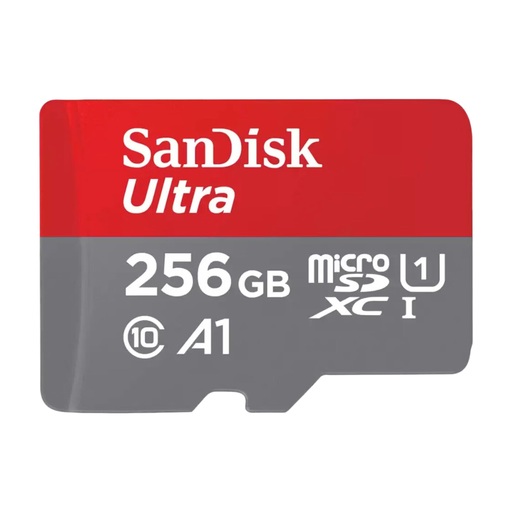
Why it suits this user: This card offers 256 GB of storage for Android smartphones and tablets, without the need to go straight for a card designed for intensive 4K recording.
The product information lists Android compatibility, an A1 rating and suitability for Full HD video. Do check the maximum capacity supported by your device.
256 GB storage, UHS-I, A1 and an SD adapter included, according to the product specifications.
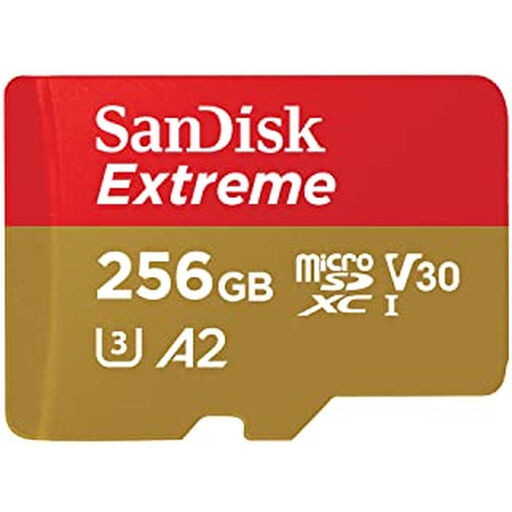
Why it suits this user: The combination of 256 GB, A2 and V30 is a good fit for anyone looking for one card to use with a smartphone, camera, drone, GoPro or Nintendo Switch.
V30 and UHS-I provide a clearer indication of video performance than a high read speed alone. The manufacturer also states that the card is protected against water, shocks, temperature extremes and X-rays.
A2, UHS-I, V30 and an SD adapter. The product page lists read speeds of up to 170 MB/s and write speeds of up to 80 MB/s; actual performance depends on the device.
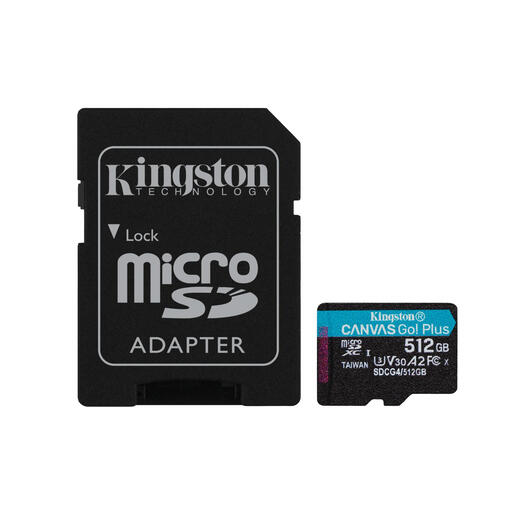
Why it suits this user: This 512GB microSD card is designed for extended storage, 4K recording, drones, action cameras and mobile games.
U3 and V30 make the card more suitable for continuous video recording than a basic card. Check beforehand that your device supports 512 GB.
According to the product specifications: read speeds of up to 200 MB/s, write speeds of up to 160 MB/s, A2, U3, V30 and an SD adapter included.
A fast microSD card will only achieve its stated speeds if the card reader and host device are also suitable. A microSD Express card, such as the Samsung P9 Express 256GB, can offer much higher read speeds according to the product specifications, but it requires a compatible microSD Express interface. In a UHS-I device, the card may perform at more limited speeds.
We’ve put together a complete, up-to-date list of products that meet these strict selection criteria and the applicable European safety requirements.
Lifespan depends on capacity, write load, temperature and quality. Frequent recording and overwriting, for example in a dash cam or security camera, puts more strain on flash memory than everyday photo and app use. Back up your files regularly and choose a card suited to the way you plan to record.
128 GB may be enough for photos, music and a limited number of videos. If you store lots of apps, offline films or 4K video, you may be better off with a 256GB microSD card or a 512 GB card. First, check the smartphone’s maximum supported card capacity.
Look for at least U3 and V30, as well as compatibility with your camera, drone or GoPro. A 4K microSD card with a high read speed alone isn’t automatically suitable for continuous recording. Check the manual for the required bitrate and card class.
