
Vandaag of morgen in huis

Kwaliteit gegarandeerd

Welkomstaanbiedingen ontgrendelen: GRATIS bezorging | Tot 80% korting | Gratis 30 dagen JoyPlus-proefperiode
Download de app
Published on: 22-07-2026 | By: Joybuy Product Recommendation Officer
The "Storage Full" notification always seems to pop up at the worst possible moment. Whether you're about to record an important video, install a new game on your Nintendo Switch, or simply want to take more photos with your smartphone. A good microSD card is the solution, but the abundance of specifications and codes can be overwhelming.
This article is designed to be a practical guide. We'll help you understand the technical details so you can make an informed choice that suits your device and needs. We cut through the marketing jargon and focus on what really matters: capacity, speed, and compatibility.
Before you buy an SD card, it's helpful to understand three key specifications. These determine whether a card is suitable for your purposes.
Storage capacity, expressed in gigabytes (GB), is often the first thing people look at. How much you need depends on your usage:
128GB microSD card offers a great balance for gamers (e.g., as a Nintendo Switch memory card), photographers, and for storing Full HD videos.256GB microSD card is recommended if you regularly film in 4K with a camera or drone, or have a large game library.The speed of a memory card is crucial for performance. A fast SD card prevents stuttering during video recording and long loading times. The symbols on the card indicate the minimum guaranteed write speed:
SD card for a camera or microSD for a drone that records in 4K.Always check which card formats your device supports. The two most common are:
An older device that only supports SDHC cannot read SDXC cards. Conversely, an SDHC card will work in a device that supports SDXC.
Based on specifications and applications, we have selected a few cards that excel in different scenarios.
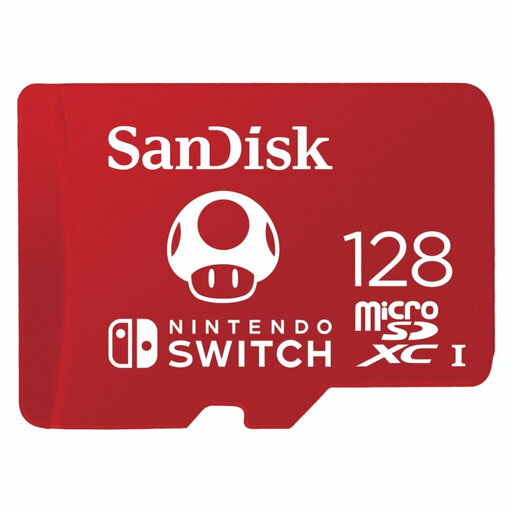
Why It Stands Out This SanDisk microSD card offers an excellent balance of speed, capacity, and durability. With a read speed of up to 100 MB/s and a write speed of up to 90 MB/s, it's fast enough for most applications, from gaming to recording Full HD video.
Pros
Who Is It For? Ideal for Nintendo Switch users who want to expand their game library and expect fast loading times. It's also a solid choice for smartphone and tablet users looking for a reliable all-around memory card.
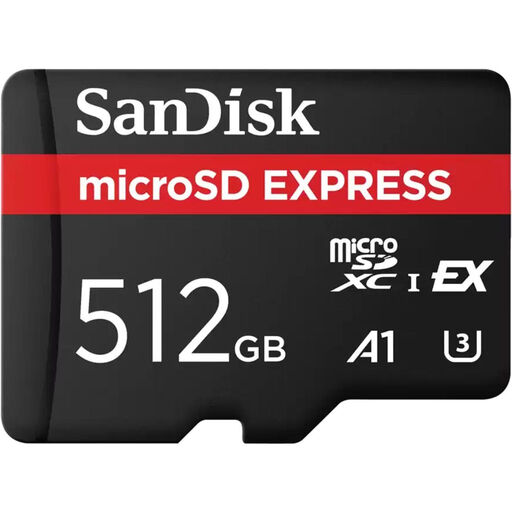
Why It Stands Out This card is engineered for pure performance. Thanks to the PCIe Gen 3-NVMe interface, it delivers speeds, according to SanDisk, up to 4.4 times faster than traditional UHS-I cards. This makes it extremely suitable for processing very large files.
Pros
Who Is It For? Professional content creators, videographers, and drone pilots who work with 4K or 8K resolutions and have no time to waste when transferring data. This is a card for those who demand maximum performance.
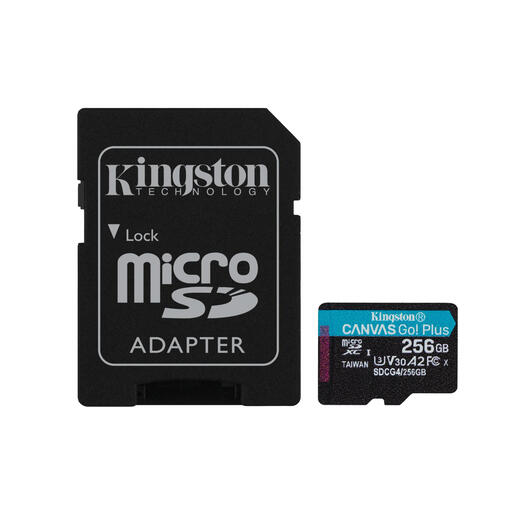
Why It Stands Out This Kingston SD card is a versatile powerhouse. It combines high speeds with the A2 classification, making it perfect for devices where both media storage and app performance are important. The included SD adapter increases its compatibility.
Pros
Who Is It For? An excellent choice for users of action cameras, drones, and for mobile gamers. The combination of fast video recording and enhanced app performance makes this a flexible and powerful 256GB microSD card.
If the perfect card for you isn't listed here, or if you're looking for a different capacity or a specific brand, don't worry. Every device and every user has unique needs. Fortunately, a wide range of options is available.
Check out our full range of memory card storage devices for more capacities and brands.
These are speed classes that guarantee a minimum level of performance.
The Nintendo Switch supports microSD, microSDHC, and microSDXC cards. While most cards will work, Nintendo recommends a card with a high read speed (UHS-I) for the best experience and shorter game loading times. A 128 GB or 256 GB card is a popular choice among gamers.
The difference lies in the maximum storage capacity. MicroSDHC (High Capacity) cards have a capacity of 4 GB to 32 GB. MicroSDXC (Extended Capacity) cards offer a capacity from 64 GB to 2 TB. It is important to check if your device supports SDXC, especially if you want to use a card of 64 GB or larger.
