
Vandaag of morgen in huis

Kwaliteit gegarandeerd

Welkomstaanbiedingen ontgrendelen: GRATIS bezorging | Tot 80% korting | Gratis 30 dagen JoyPlus-proefperiode
Download de app
Choosing a new microSD card can be overwhelming. The packaging is covered in codes like A2, U3, and V30, while you're bombarded with various speeds and capacities. The wrong card can lead to stuttering 4K videos, slow loading times on your Nintendo Switch, or even lost files on your camera.
This article serves as a practical guide. We'll explain the most important specifications and provide concrete recommendations for different scenarios. This will help you make an informed choice that suits your device and usage needs.
By Joybuy Product Recommendation Officer, July 20, 2026.
Before we dive into the products, here are a few key points to help you understand the specifications.
The speed listed on the packaging (in MB/s) is often the maximum read speed. However, the write speed and the minimum guaranteed speed are just as important. This is what speed classes were created for.
Therefore, a fast microSD card for all-around use will often have the A2 U3 V30 designation.
Most modern devices, from cameras to drones, require a microSDXC card. This stands for "Extended Capacity" and includes all cards with 64GB of storage or more. Cards up to 32GB are the microSDHC type. Always check your device's specifications to see the maximum supported capacity. For most users, a 256GB microSD offers a good balance between storage space and price.
Are you using the memory card in a dashcam, drone, or for industrial purposes? Then reliability and durability are crucial. Look for specifications such as:
Based on specifications and applications, we have selected some of the most popular and functional microSD cards.
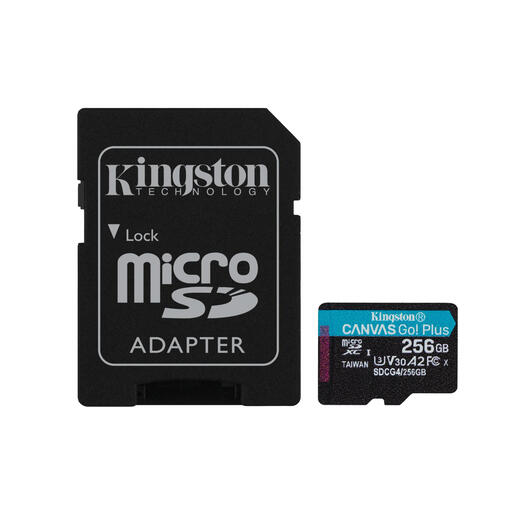
View the Kingston Canvas Go! Plus 256GB →
Why It Stands Out This Kingston microSD is an excellent all-rounder. With read speeds of up to 200 MB/s, you can transfer large files quickly. The combination of U3, V30, and A2 specifications makes it suitable for virtually any consumer application, from smooth 4K videos on your drone to fast loading times on your game console.
Pros
Who Is It For? For content creators, drone pilots, and gamers looking for a reliable and fast memory card. It's a popular choice as a memory card for a camera, smartphone, or as a microSD for Nintendo Switch.
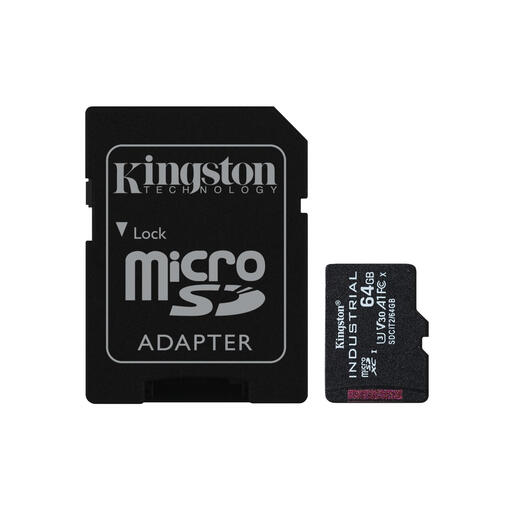
View the Kingston Industrial 64GB →
Why It Stands Out This card is built for extreme conditions. The focus isn't on top speed, but on maximum reliability and durability. It operates in a wide temperature range from -40°C to 85°C and is designed to write thousands of hours of data.
Pros
Who Is It For? This is a true industrial microSD card. It's ideal for business applications, dashcams, security systems, and other devices that operate 24/7 in potentially demanding environments.
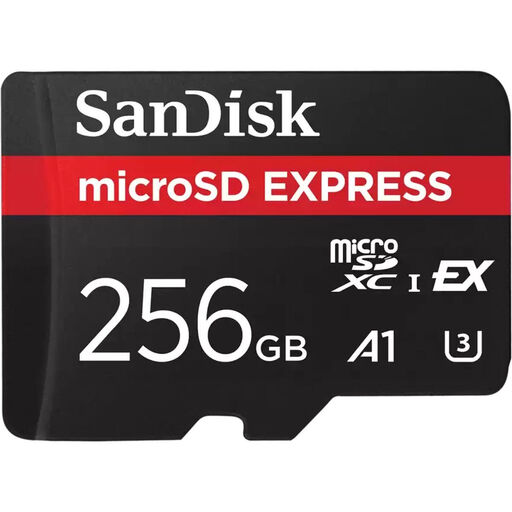
View the SanDisk Express 256GB →
Why It Stands Out The SanDisk Express card brings SSD-like performance to the microSD format. Thanks to SanDisk microSD Express technology, which uses a PCIe/NVMe interface, this card achieves speeds up to 4.4 times faster than traditional UHS-I cards. This makes it ready for the future of 8K video and data-intensive workflows.
Pros
Who Is It For? For professional videographers and photographers who work with very large files and want to minimise data transfer wait times. To achieve maximum speeds, a compatible card reader (like the SanDisk PRO-READER) and host device are required.
Is the perfect card for your specific camera, drone, or project not listed here? Many more models are available with different capacities and speeds.
Explore our full range of high-speed SD & MMC cards →
The main difference is storage capacity. MicroSDHC (High Capacity) cards go up to 32GB. A microSDXC card (Extended Capacity) offers capacities from 64GB up to 2TB. Most modern devices support SDXC, but it's always a good idea to check your device's specifications before purchasing a card of 64GB or larger.
Yes, you can. Most high-speed cards are backwards compatible. If you insert a fast microSD card (like a UHS-I U3) into an older device that only supports lower speeds, the card will work, but only at the maximum speed supported by the device. You won't benefit from the card's full speed potential.
For the Nintendo Switch, a card with high read speeds and an A1 or A2 Application Performance Class is recommended. This ensures that games installed on the card load quickly. A 256GB microSD is a popular capacity, as it provides enough space for a sizeable collection of digital games. The Kingston Canvas Go! Plus is an example of a suitable card.
