
Vandaag of morgen in huis

Kwaliteit gegarandeerd

Welkomstaanbiedingen ontgrendelen: GRATIS bezorging | Tot 80% korting | Gratis 30 dagen JoyPlus-proefperiode
Download de app
A full phone, a glitching dashcam, or not enough space for games on your Nintendo Switch. These are common problems that a microSD card can quickly solve. But the market is flooded with options, and the specifications can often look like a secret code. Many people fall into marketing traps and buy a memory card that isn't right for their needs, leading to frustration and wasted money.
As a Joybuy Product Recommendation Officer, I'm here to help you cut through the noise. We'll skip the exaggerated claims and focus on what really matters. Here are the most common pitfalls and how to avoid them.
Before you add an SD card to your shopping cart, it's crucial to understand these three common mistakes.
You don't need to be a tech expert to make the right choice. Pay attention to these three labels on the packaging. They tell you everything you need to know about performance.
These letters and numbers indicate the minimum guaranteed performance, which is much more reliable than an "up to" speed.
The capacity determines how much you can store. This is linked to the format:
Check your device's manual to see which format and maximum capacity are supported. An older device may not recognise a microSDXC card.
For devices that constantly write data, like a microSD for a dashcam or a security camera, a standard card is not enough. Look for cards specifically labelled as "High Endurance" or "Video Monitoring". These are designed to reliably record and overwrite thousands of hours of footage.
Below are some popular choices, matched with specific user profiles. This way, you can immediately see which card fits your needs without paying for specs you don't require.
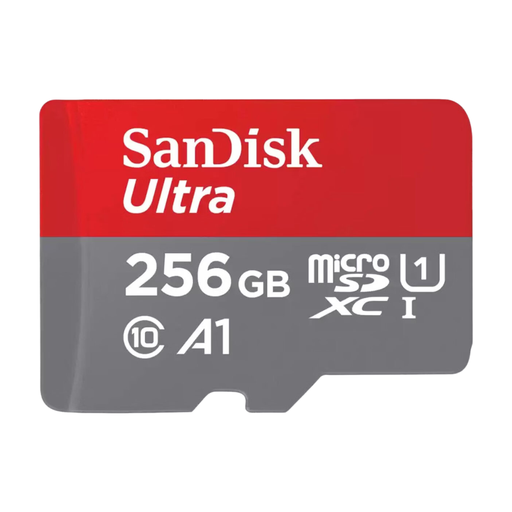
Why This Fits Their Persona: Perfect for those who need extra space for photos, videos, and apps on an Android phone. The 256GB capacity offers plenty of room, and the A1 rating ensures that apps run smoothly.
You're not paying for extreme (V60/V90) video speeds that you don't need for daily use, but you still get the A1-rating that is essential for app performance.
A great balance of price, capacity, and performance. The SanDisk Ultra is a reliable all-rounder for general use.
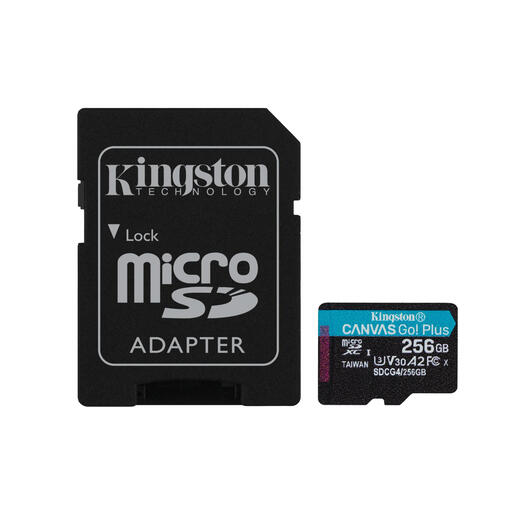
Why This Fits Their Persona: A microSD card for the Nintendo Switch primarily needs fast loading times. This card combines ample capacity with an A2-rating for smooth gaming performance.
Avoids the mistake of buying a card without an A-rating, which results in long loading screens. The A2 specification is the key to a good gaming experience here.
High read speed (up to 200 MB/s according to Kingston) and an A2-rating for fast loading times. The U3/V30 rating also makes it suitable for recording gameplay.
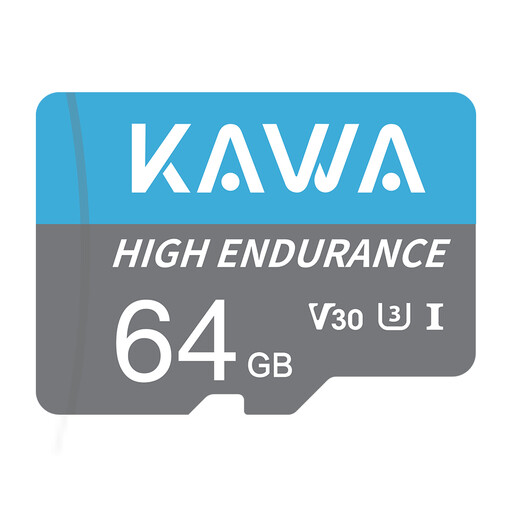
Why This Fits Their Persona: This card is specifically designed for continuous recording and overwriting. Ideal for a microSD for a dashcam, baby monitor, or security camera where reliability is paramount.
You avoid the pitfall of using a standard card that quickly fails due to constant write cycles. This High Endurance card is built for a longer lifespan under demanding conditions.
Designed for durability and reliability in continuous use. According to KAWA, the card is resistant to extreme temperatures, water, and X-rays.
We have compiled a complete, up-to-date list of products that fully meet these strict selection criteria and local regulations.
The easiest way is to consult your device's manual (smartphone, camera, etc.) or look up the specifications on the manufacturer's website. Pay attention to two things: the supported format (microSDHC or microSDXC) and the maximum capacity (for example, up to 128GB).
The main difference is the physical size. A microSD card is significantly smaller than a standard SD card. Many microSD cards come with an adapter, allowing you to use them in devices that have a slot for a larger SD card, such as many laptops and digital cameras.
Yes, it's a good idea to format a new memory card in the device you plan to use it in. This ensures optimal compatibility and performance. You can usually find the format option in your device's storage settings. Always back up important files before formatting a card, as this process erases all data.
