
Vandaag of morgen in huis

Kwaliteit gegarandeerd

Welkomstaanbiedingen ontgrendelen: GRATIS bezorging | Tot 80% korting | Gratis 30 dagen JoyPlus-proefperiode
Download de app
A full phone, a stuttering dashcam, or a Nintendo Switch that takes forever to load. Chances are, the culprit is a wrong or outdated microSD card. It seems like a simple purchase, but the market is filled with technical jargon and marketing claims that make it difficult to choose correctly. As a Product Recommendation Officer at Joybuy, I'll help you cut through the noise and focus on what really matters.
Before you buy a memory card, it's important to recognise the most common pitfalls. This will help you avoid a bad purchase and data loss.
To sidestep these pitfalls, you don't need to be a tech expert. Pay attention to the following three specifications to make an informed choice.
The speed of a microSD card is indicated by various symbols. Here's what they mean in practice:
Capacity determines how much you can store. The designation behind it determines whether your device can read the card at all.
Always check your device's manual. An older device that only supports SDHC will not recognise an SDXC card. Most modern devices are compatible with SDXC.
For devices that record 24/7, like a dashcam or an IP camera, a "High Endurance" card is not a luxury, but a necessity. These cards are specially designed to handle thousands of hours of data overwrites without performance degradation. A standard card could become unreliable within a few months under these conditions.
Based on these objective criteria, we have selected a few cards that fit specific user profiles.
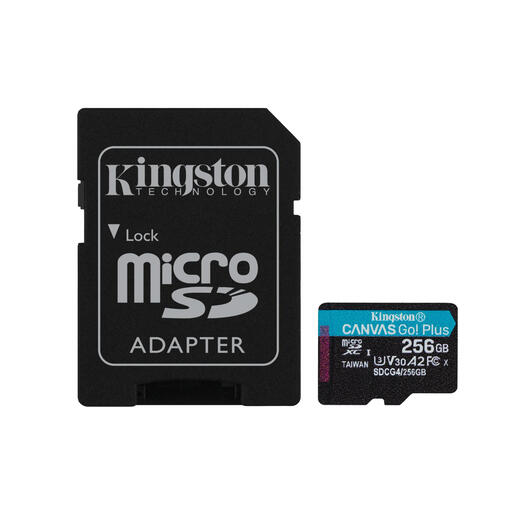
Why This Fits Their Persona: Ideal for the Nintendo Switch or an Android phone packed with games. The A2 memory card classification ensures noticeably faster loading times for games and apps, while the 256GB micro SD capacity offers enough space for a substantial digital game library.
This card bypasses the speed trap. Instead of just focusing on storage, it delivers the A2 performance that is essential for minimizing loading screens.
Good balance between app loading speed (A2) and video recording speed (V30). Includes an SD adapter for broad compatibility.
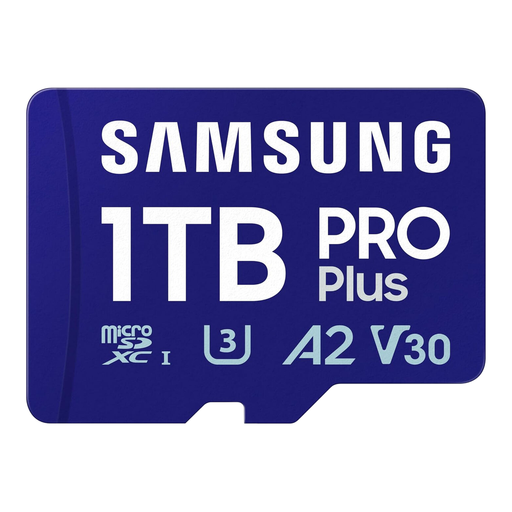
Why This Fits Their Persona: For the serious photographer or drone pilot who makes no compromises. The massive 1TB micro SD card capacity and high, reliable write speeds (U3, V30) are built for long 4K recording sessions without stutters or data loss.
Prevents stuttering 4K recordings by providing a guaranteed minimum write speed. This is a reliable choice from a top-tier brand, unlike cheap cards with unrealistic specs.
Massive storage capacity combined with high, reliable read and write speeds. According to Samsung, the card offers protection against water, temperature, and other elements.
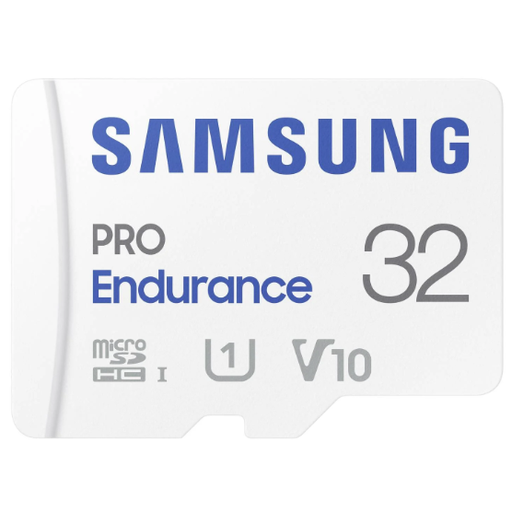
Why This Fits Their Persona: This is the designated dashcam SD card. It is specifically designed for the demanding task of continuous recording and overwriting, 24 hours a day. Reliability is more important here than maximum speed or capacity.
Tackles the 'wrong card for the job' pitfall. According to Samsung, this card is designed for up to 140,000 hours of recording, whereas a standard card could fail after just a few months.
Engineered for extreme durability and reliability in continuous use. Optimised for handling large video files.
We've compiled a complete, up-to-date list of products that fully meet these strict selection criteria.
The easiest way is to check your device's manual or specifications. Look for two things: the maximum supported capacity (e.g., "up to 256GB") and the supported type (SDHC or SDXC). Virtually all devices made after 2015 support SDXC, which means cards of 64GB and larger will work.
The difference lies in reliability, speed, and durability. A cheap, unbranded card often won't achieve its advertised speeds, leading to poor performance. More importantly, they have a much higher risk of data loss due to the use of inferior memory chips. Brands like Samsung, SanDisk, and Kingston invest in quality and offer warranties, which justifies the higher price.
Yes, it's highly recommended to format a new card directly in the device you plan to use it in (i.e., in your camera, Nintendo Switch, or dashcam). This process optimises the card for that specific device, ensuring the best performance and compatibility. Remember to back up any files on the card first, as formatting erases all data.
