
Newsreader who can hear room echo
You’re speaking in an untreated room and can stay close to a fixed microphone. In that case, clear speech matters more than a spacious-sounding recording.


For clear news bulletins in an untreated room, speaking close to the microphone and keeping it in a fixed position aimed at the speaker are good starting points; a microphone won’t treat the room’s acoustics. Choose USB for recording directly to a computer, USB and XLR if you want both connection options, or XLR only if you already have a suitable interface or mixer. The right choice also depends on your recording setup and where you’ll be reading from.
You’re speaking in an untreated room and can stay close to a fixed microphone. In that case, clear speech matters more than a spacious-sounding recording.
You’re looking for a simple USB recording setup and want to monitor your voice during a test recording, without first setting up a separate audio interface.
You already have a mixer or audio interface, or plan to use one. Choose a microphone connection that suits your recording setup.
Suitable for: recording directly to a computer without a separate audio interface.
Bear in mind: a USB-only model doesn’t offer an XLR connection for an existing mixer.
Suitable for: recording via USB now, with the option to use a mixer or audio interface later.
Bear in mind: the extra connection is only useful if it suits your current or planned setup.
Suitable for: connecting to a compatible mixer or audio interface you already own.
Bear in mind: for digital recording to a computer, you’ll usually also need a mixer with a digital connection or an audio interface.
Whichever connection you choose, make a short test recording from the spot where you plan to read your bulletin, then listen back to check how clear your voice sounds.
| What to consider | What should you check? | Who is this important for? |
|---|---|---|
| Clarity in an echoey room | Check the microphone’s pickup side, speaking direction and the space available for a fixed arm or stand. RØDE specifically recommends a speaking distance of around 5–10 cm for the PodMic USB; this isn’t a general recommendation for other models. | If I’m recording news in an untreated room, I want to be able to position the microphone close to me and point it in the right direction; around 36% of consumers prioritise reducing room echo. |
| Recording directly to a computer | Check that the exact model has USB and that the connection is compatible with your computer. | If I want to get started without a separate audio interface, a direct connection to my computer is important; around 29% of consumers prioritise this simple recording setup. |
| Monitoring your voice while recording | Check whether the model has a headphone output and direct monitoring. Make a test recording and listen back to it. | If I want to hear how my voice sounds while setting things up, headphone monitoring is important; around 21% of consumers prioritise this. |
| Connecting to an XLR setup | Check the XLR inputs, interface or mixer, and the cables you’ll need; check the connections on the exact model variant. | If I already have a suitable mixer or interface, I want to make sure the microphone will connect to it; around 14% of consumers make XLR compatibility their main consideration. |
A microphone won’t change the room’s acoustics. Recording from too far away can make reflections more noticeable and speech less clear.
Make a short recording from close up in the spot you plan to use. Treat a manufacturer’s claims about isolation as product claims, not a guarantee that it will work in your room.
Audio-Technica describes the AT2040 as a dynamic XLR model and the AT2040USB as a USB model. They’re different variants with different connection options.
Before buying, check the full model name and the variant’s output on the product page.
Recording close to the microphone and keeping a consistent position requires a place where you can set it up securely. Plosive sounds may also need attention when speaking from close range.
Check what’s included against your desk and reading position; don’t assume every model comes with the same stand, arm or pop filter.
Depending on what’s included, you may still need a suitable arm, stand or pop filter for your setup.
The PodMic USB is designed for close-miked speech and offers USB-C and XLR; the PodMic is an XLR model.
The MV7+ is a dynamic microphone for speech, with USB-C and XLR, designed for close-miking.
The Q2U is a dynamic microphone with USB and XLR, and comes with basic accessories according to the product specifications.
The AT2040USB is a USB model; the AT2040 is a dynamic microphone with XLR only.
This selection includes USB microphones for a fixed desktop setup, as well as portable and wireless microphones. Match the design and connection to your reading spot, then make a test recording to assess how the room sounds.
 No image available
A portable microphone setup could suit you if you want to wear the microphone close to the speaker; check whether that works for a fixed spot where you read bulletins.
The product name lists 2 TX, 1 RX and a charging case.
 No image available
This USB desktop microphone suits anyone looking for a fixed desk setup; make a test recording to hear how your voice sounds in your room.
The product name lists USB and a cardioid pickup pattern.
 No image available
The product name describes a compact USB microphone for desktop use; check that a fixed position suits the way you read aloud.
The name lists USB and a tap-to-mute function.
 No image available
A portable lavalier microphone could suit you if you want to wear the microphone close to the speaker; consider whether a wireless setup works for your regular reading spot.
The product name lists a wireless lavalier microphone and a Type-C interface.
 No image available
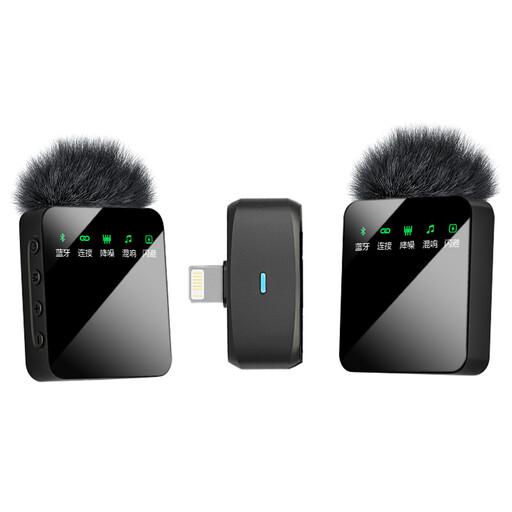
A portable lapel microphone could suit you if you want to wear the microphone close to the speaker; check that the stated interface is compatible with your recording device.
The product name lists a dual-mic design and an iOS interface.
No. For news recordings, microphone placement and the balance between direct voice and reflected sound are important. A dynamic microphone used at close range is one option, but that doesn’t mean every condenser microphone is unsuitable.
RØDE recommends speaking into the front of the PodMic USB from a distance of around 5–10 cm. Use the pop filter, keep your distance as consistent as possible while reading, and listen back to the test recording. Don’t automatically apply this distance to other models.
For digital recording to a computer, you’ll usually need an audio interface or a mixer with a digital connection. Also check that your existing setup has the right XLR cable and monitoring; an XLR microphone on its own isn’t a complete computer recording setup.
There isn’t one general yes-or-no answer. The Dutch Data Protection Authority describes various legal bases for processing and a possible exception for journalistic use; how these apply depends on the purpose and circumstances of the recording and publication. If you’re only recording your own voice, this specific question about other people’s personal data doesn’t apply.