
Speaker recording their own summary
You mainly want to listen back to your own explanation and can position a microphone on your clothing or near where you’re recording.


If you’re mainly recording your own summary, choose a microphone close to your mouth. For questions and contributions around a table, a speakerphone or another group setup is more suitable. If you want to record without a laptop, look for a recorder that saves audio itself. Test the positioning and the entire recording setup in the hall: distance, echo, connection and the recording mode you choose will all affect what you can listen back to later.
You mainly want to listen back to your own explanation and can position a microphone on your clothing or near where you’re recording.
Your summary includes questions or contributions from several people. Decide in advance which seats need to be picked up by the microphone.
You want to create a recording in the hall without relying on a computer during the meeting.
| What to consider | What should you check? | Who is this important for? |
|---|---|---|
| Main speaker’s voice | Where will the speaker be standing, how close can the microphone be, and can you make a test recording there? | If you mainly want to listen back to your own explanation, choosing a microphone close to your voice is important. Around 36% of consumers give clear audio from the main speaker top priority. |
| Questions and contributions | Work out how many people will speak, where they’ll be sitting and whether contributions from around the room need to be audible. | If your summary includes questions or contributions, you’ll want to know whether the setup can pick up other speakers too. Around 29% of consumers prioritise contributions from several people. |
| Recording independently | Check storage, power, available space and whether you can play back a test file. | If you don’t want to use a laptop or phone during the meeting, you’ll need a way to save the audio as a file independently. Around 21% of consumers make this their top priority. |
| Connecting to your equipment | Check the port, whether you need an adapter and whether the recording app uses the external microphone as its input. | If you want to use your existing phone or computer, the microphone must actually connect to your device and recording app. Around 14% of consumers make this their top priority. |
A microphone close to the speaker is designed to pick up their voice; it won’t automatically record questions from further away in the room clearly.
Decide in advance which contributions you need to hear back, and test from the furthest speaking position too.
A speakerphone doesn’t automatically save a recording file. You’ll need a recording function on the connected device for that.
Check the entire setup, from the microphone input to a saved file that you can play back.
A wired microphone will only work if its connection is compatible with the recording device, or if you have the right adapter.
Check the exact connection and test the microphone with your device before the meeting.
According to Zoom, reflections can reduce clarity when you place the H1essential directly on a table.
Test the position and listen back to the recording. Zoom suggests using a tripod as an alternative to placing it directly on the table.
The Shure MVL is a wired lavalier microphone for recording through a compatible mobile device. It may suit situations where one speaker is the focus.
The H1essential combines built-in microphones with microSD recording and a USB microphone function. It may suit you if you want to record a speaker independently.
The Wireless GO (Gen 3) is a two-channel wireless system for selected speakers who need to be able to move around.
The Speak2 55 is a speakerphone for conversations around a table and use with connected equipment.
These Joybuy products are designed for a range of setups: conversations around a table, standalone recording, wireless transmitters worn by speakers and a microphone close to one speaker.
 No image available
A speakerphone to consider for contributions around a meeting table.
Check how your recording file is created and saved on the connected device.
 No image available
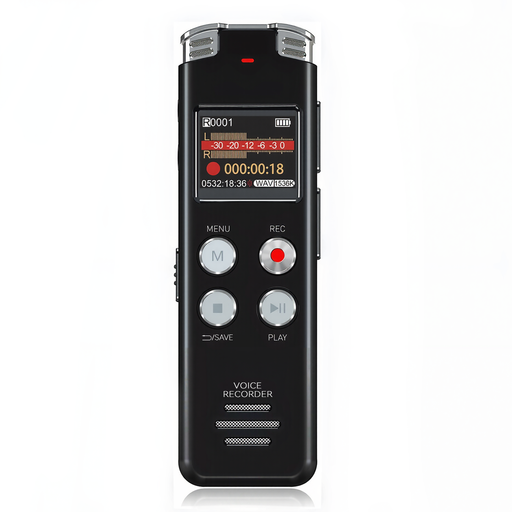
A voice recorder to consider if you want to record audio independently in the hall.
The product name lists 32 GB, a case and a 30-hour battery life.
 No image available
A portable recorder to consider if you want to capture a summary as audio independently.
The product name lists 128 GB of storage and an LCD screen.
 No image available
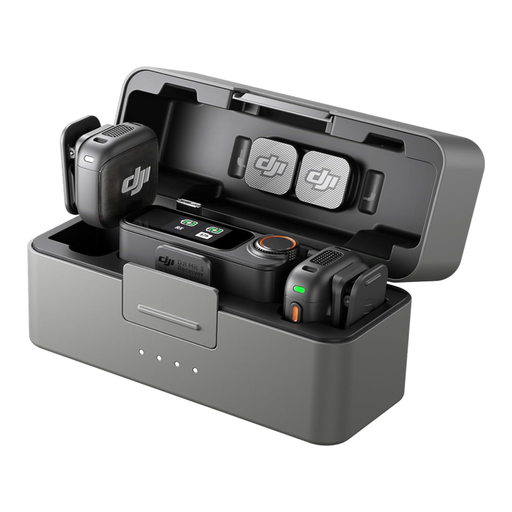
A wireless transmitter set to consider for one or two selected speakers.
The product name lists two transmitters, one receiver and a charging case. Check that the receiver connects to your recording device.
 No image available
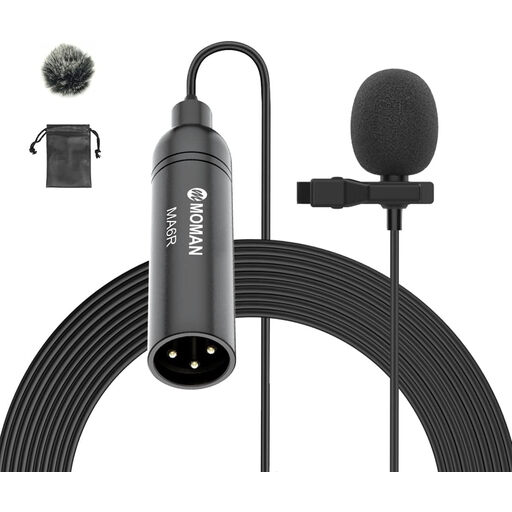
A lavalier microphone to consider if you mainly need to record one speaker’s voice close to the microphone.
The product name lists an omnidirectional microphone, a 6 m cable and a 3.5 mm connection. Check that the connection is compatible with your device.
Not unless the connected device has a recording function. Before the meeting, check that the right microphone is selected as the input and that the software actually saves a file.
Position the recorder so it picks up the intended speaker clearly, and make a test recording. For the H1essential, for example, Zoom recommends using a tripod because direct contact with a table can cause reflections that reduce clarity.
Check that a wired microphone fits the port on your phone and whether you need an adapter. For a recorder, also check that you have the required storage and power, and that you can play back a test file.
That depends on who is recording, which conversations can be heard and what you do with the file. According to the Dutch Data Protection Authority, identifiable voices may be personal data; organisations processing personal data must, among other things, identify an appropriate GDPR legal basis and inform the people concerned. There is a limited exception for purely personal or household use. Ask the organiser what arrangements apply to this meeting before you record or share anything.
Not automatically. Vrije Universiteit Amsterdam describes a restriction in its own student regulations for lectures; that rule doesn’t determine what arrangements apply at an event run by another organiser. So check with the community centre or event organiser.