
Active hybrid group speaker
You talk to people in the room as well as online, and want to speak clearly without losing touch with your fellow students.


When choosing a headset for your own participation, focus on the microphone, the connection and how much you want to stay in touch with the room. A single-sided headset leaves one ear free; a double-sided or over-ear model may suit you if you want to hear online speakers more clearly. If the whole group needs to be heard through one device, consider a shared audio setup rather than a personal headset.
You talk to people in the room as well as online, and want to speak clearly without losing touch with your fellow students.
You want to follow explanations and contributions from remote participants clearly, so you’re thinking about fit, voice quality and how much the headset isolates you from the room.
You use different laptops or rooms and mainly need a suitable connection, straightforward setup or freedom to move around.
In a small hybrid study space, first decide whether you’ll be speaking online, listening to conversations or helping the whole group join in through one setup.
| What to consider | What to look for | Who should prioritise this? |
|---|---|---|
| Your voice | Compare the microphone and controls on the exact version; test your voice in your meeting app. | If you speak regularly and want remote participants to follow what you say, clear speech is the priority; around 33% of consumers consider this their main concern. |
| Online voices and the room | Decide whether you want to keep one ear free or prefer more isolation. | If you need to follow online contributions and comments from fellow students beside you at the same time, balancing listening with staying connected to the room matters; around 27% of consumers give this top priority. |
| Comfort | Consider the style, headband and ear cushions; try the fit if you can. | If you wear the headset for a long study session, you’ll want it to remain comfortable; around 20% of consumers put comfort first. |
| Connection and mobility | Check the connection on the exact version and decide whether you want to use a wired or wireless headset. | If you switch between laptops or study spaces, you’ll want a headset that works with your device and gives you the freedom to move around you need; around 20% of consumers start with connection and mobility. |
A personal headset is designed for the person wearing it and won’t automatically replace a microphone for the whole room. Zoom Support lists multiple computers with active audio in one room as a possible cause of echo. So, if the group is joining together, agree which device will handle the room’s audio.
A headset is primarily designed to pick up sound for and from the person wearing it. If everyone in the room needs to speak, a personal headset won’t necessarily work as a shared audio setup.
Decide who needs to be heard remotely, and choose one audio setup for the group to use when speaking together.
Microphone noise reduction affects what other participants hear through your microphone; noise cancelling for the wearer affects the sounds you hear. They are different features.
Check both features separately on the exact version. Choose extra isolation only if you don’t need to keep track of the people around you all the time.
A product range may include versions with different connections or platform features. For example, Logitech lists USB-A and USB-C versions of the H390, while Jabra distinguishes a Teams-certified version within the Evolve2 30 range.
Before buying, check the full model version, connection and any meeting-platform features you need.
The H390 is a wired option for a fixed computer setup; the Zone Vibe 100 is a wireless over-ear model.
The IMPACT SC 30 USB ML is a wired, single-sided headset for anyone who wants to keep one ear free.
The Evolve2 30 SE range includes wired headsets with different connection and platform versions.
The Blackwire 3200 series includes wired UC headsets with different connection and wearing options.
The wired VoIP Headset 5000 (Teams) is an option if you’re looking for a Teams version with USB-C or USB-A connectivity.
These products are designed for joining group conversations online, with both wired and wireless options.
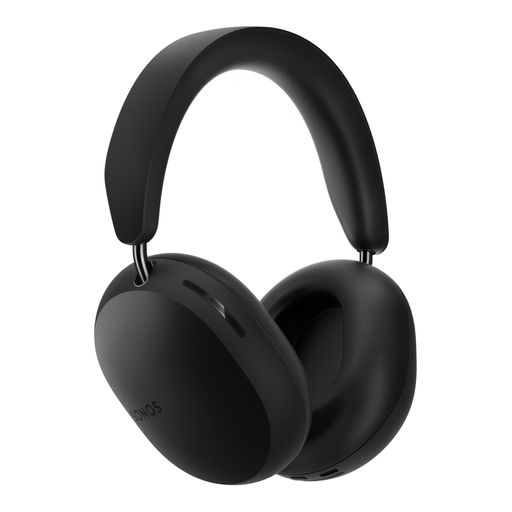 No image available
A good fit if you’re looking for a wireless over-ear design and want to stay connected to the room during a conversation.
The product name specifies Bluetooth and an over-ear design. Don’t wear the headset while it’s charging, as stated in the product information.
 No image available
A wired USB headset to consider if you join online group conversations from a fixed computer setup.
The model name specifies USB and a wired connection. Check that the connection is compatible with the laptop or computer you use.
 No image available
This wired USB headset is an option to compare if you join an online conversation from a computer.
The product name specifies USB and a wired connection. Check in advance that it’s compatible with your device.
 No image available
A model to compare if you’re looking for a headset for calls from a computer; check the connection on this version.
 No image available
A wired headset to consider if you make online calls and need a USB Type-A connection.
The product name specifies USB Type-A. Treat the noise-cancelling description as a product claim, not a guarantee that you’ll be clearly understood in your room.
Don’t assume so: a personal headset is designed for the person wearing it. If everyone in the room needs to be able to speak, consider a shared audio setup and agree which devices will have their audio switched on. Zoom Support lists multiple computers with active audio in one room as a possible cause of echo.
In Teams, select your preferred speaker and microphone, then make a test call. Also check whether you’re muted and adjust the available noise reduction settings if needed.
For an online purchase, you generally have up to 14 days after delivery to change your mind, subject to exceptions, according to ACM ConsuWijzer. You’re also entitled to a product that meets the terms of the agreement; if there’s a problem, the seller must provide a solution. The exact rules depend on the purchase and the circumstances.