
Active online speaker
You ask questions or give a presentation from the classroom and want to be able to position the microphone and mute it quickly when others nearby are talking.


A personal headset is a sensible starting point if one person is speaking online, but it won’t automatically make everyone at the table easy to hear. Choose mono if you also want to hear classmates sitting beside you, or stereo if the voices online take priority. Check the connection too, and test the microphone and mute controls in the app you’ll be using. A wired headset means you won’t need to charge a battery, while a wireless one lets you move around, but you’ll need a suitable connection and enough charge.
You ask questions or give a presentation from the classroom and want to be able to position the microphone and mute it quickly when others nearby are talking.
You’re following online group members but also want to hear what classmates sitting beside you are saying. A mono headset is one style worth comparing.
You use different laptops or move around during the session. The connection, cable and any wireless pairing will all influence your choice.
First decide whether only you or everyone at the table needs to speak online. Then compare the listening style, connection and freedom of movement for your classroom setup.
| What to consider | What to look for | Who is this important for? |
|---|---|---|
| How clearly others can hear you | Compare an adjustable microphone boom with an easily accessible mute control. Test the headset in the app you’ll be using, with typical classroom noise in the background. | If I’m asking questions or giving a presentation, I want to be able to position and mute my microphone quickly. This matters to around 36% of consumers who prioritise being heard clearly. |
| Listening online and in the classroom | Compare mono, which leaves one ear free, with stereo, which covers both ears. Try the headset on in the classroom. | If I want to follow both online participants and classmates sitting beside me, I want to know how much of the classroom I can still hear through the headset. Around 29% of consumers want to combine both conversations. |
| Connection and app | Check the connection on the exact version you’re considering and whether it comes with an adapter. Then select the headset as the microphone and speaker in the app. | If I want to use the headset with my teaching device, the connection and audio settings need to work with it. Around 21% of consumers prioritise compatibility. |
| Fit and freedom of movement | Consider the style and cable length. If you choose a wireless model, check the connection and make sure the battery is sufficiently charged. | For a long session, I want a style that feels comfortable to wear; if I’m moving around, the cable or wireless connection matters too. Around 14% of consumers give the greatest weight to comfort or freedom of movement. |
A headset microphone is designed to pick up the wearer’s voice. That doesn’t automatically mean other people in the room will be easy to hear online.
First decide who needs to speak to remote participants, then test the setup with the equipment you’ll be using during the session.
If everyone at the table needs to speak online, you may need a separate group audio setup.
A claim about outgoing audio doesn’t mean you’ll hear less classroom noise. Two ear cups can also make it harder to follow the conversation at the table.
Assess the microphone and listening experience separately, and try mono or stereo in the room where you plan to use the headset.
Connections can vary between versions. What’s more, a plug that fits doesn’t always mean the microphone will work with your device.
Check the connection on the exact version, microphone support and which adapter is included with it. If an adapter is missing or the connection isn’t suitable, you may need to make an extra purchase.
You’ll also need a suitable wireless connection and a sufficiently charged battery.
Test the pairing and mute controls beforehand. If you’ll be staying in one place during the session and don’t want to manage a battery, compare a wired version too.
The H390 is a wired USB computer headset with a microphone boom and in-line controls. Compare the exact USB-A or USB-C version.
The Ayda range includes a wired USB headset and a separate wireless version. Features vary by model.
The wired Evolve2 30 SE is a conversation-focused headset worth comparing for online group work.
The Blackwire 3200 series is worth considering if you want to compare mono and stereo.
The wired IMPACT 100 series includes mono and stereo versions for computer calls.
This selection includes wireless headsets and headphones, as well as a wired headset to compare for online conversations. For each version, check that the microphone and connection suit your teaching device and how you’ll use it.
 No image available
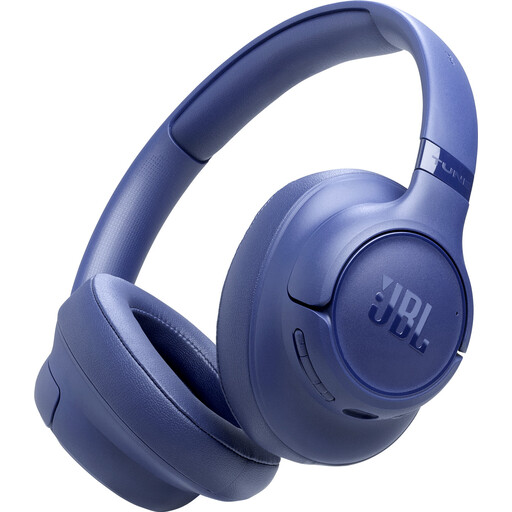
Compare this wireless version for online group conversations, and check that its connection and microphone are suitable for your teaching device.
The product name mentions noise cancelling; that alone doesn’t tell you how well you’ll hear classmates beside you or how clearly others will hear you.
 No image available
A wireless option to compare if you want to move around during the session. Check the pairing beforehand and make sure the microphone works with your calling app.
The product name lists a 60-hour battery life and four microphones. The stated battery life isn’t guaranteed for every use case.
 No image available
Compare this wired headset if you’ll be staying in one place during the call. Check that your teaching device’s connection supports both the microphone and audio.
 No image available
Compare this headset for online conversations, and check that its connection and fit suit your classroom setup and expected session length.
 No image available
Compare this headset if you want to join a call wirelessly. Before buying, check that the connection and microphone work with your teaching device and calling app.
Don’t assume that it can. A personal microphone boom is designed for the wearer, so first decide who needs to speak online and test the complete setup if other people in the room also need to be heard.
Check the connection and mute setting, select the right microphone and speaker in your calling app, then make a test call. If a web app can’t access your microphone, also check the microphone permission settings in your browser.
According to ACM ConsuWijzer, online purchases generally come with a cooling-off period of up to 14 days after delivery; check which exceptions apply to your purchase. If a product breaks sooner during normal use, the seller must put it right free of charge, according to ACM ConsuWijzer.
Don’t assume that buying a headset gives you permission to make recordings. The Dutch Data Protection Authority highlights the need for agreements about filming students and teachers, and about making and storing recordings. Before recording, check your educational institution’s rules and what consent or other legal basis applies in your situation.