What should you consider when choosing?
First decide whether you’re mainly interested in the instrument, the room or recording independently. Then check that the recording equipment and connections are suitable for your teaching setup.
| What to consider |
What to look for |
Who should prioritise this? |
| Keeping the instrument clear |
Try the microphone at different distances and listen back. Pay attention to both the instrument and the sound of the room. |
If I mainly want one instrument to stand out above classroom noise, I consider both the microphone’s position and its pickup pattern. Around 36% of consumers prioritise instrumental clarity. |
| Recording without a computer |
Check that the device can record independently and what storage and power it needs. Zoom and Tascam describe their models as standalone recorders; check the storage and power requirements for each model. |
If you want to record in different teaching locations without a connected computer, a standalone recorder is particularly useful. Around 29% of consumers prioritise recording independently. |
| Connecting and monitoring |
Check that the USB microphone works with your recording device and that you can monitor through headphones while recording. |
If I’m recording at a fixed location with a compatible computer, I want a simple connection and the ability to assess the microphone’s position. Around 21% of consumers prioritise ease of use with a computer. |
| Complete recording chain |
Check which cables, power, storage and mounting equipment you already have. The Shure PGA81 requires 48 V phantom power; whether an XLR cable is included depends on the version. |
If you want to avoid missing essential connection or positioning equipment, check your entire setup before buying. Around 14% of consumers make a complete recording chain their top priority. |
Joybuy products for this recording need
This selection includes wireless microphones, USB microphones, a lavalier microphone and a portable player with voice recording. Check each product to make sure its connection and recording method suit an acoustic demonstration in your classroom.
 No image available
DJI Mic Mini 2S (2 TX + 1 RX + Charging Case)
A wireless microphone set with transmitters and a receiver; check that the receiver’s connection is suitable for your recording device.
The product name lists two transmitters, one receiver and a charging case.
View at Joybuy
 No image available
DJI Mic 3 (1 TX + 1 RX)
A wireless microphone with a transmitter and receiver; check that the receiver connects to the device you want to record with.
The product name lists one transmitter and one receiver.
View at Joybuy
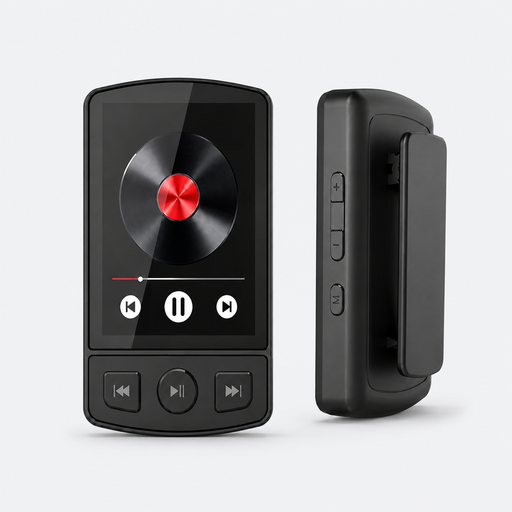 No image available
MP3 Player Bluetooth 5.2 with Clip
A portable player with voice recording; check that this recording method is suitable for the demonstration you want to capture.
The product name lists Bluetooth 5.2, a clip and support for a TF card up to 128 GB.
View at Joybuy
 No image available
Razer Seiren V3 Mini Quartz USB Microphone
A USB microphone for recording with a compatible computer; check the connection and that you can position the microphone close enough to the instrument.
The product name lists tap-to-mute.
View at Joybuy
 No image available
SYNCO S8 Lavalier Microphone
A lavalier microphone for use with a compatible device; check that the connection fits and that this positioning is suitable for recording the instrument.
The product name lists smartphones, PCs, laptops and cameras as compatible devices.
View at Joybuy
Frequently asked questions
Where should I position the microphone for an acoustic guitar?
For an acoustic guitar, DPA Microphones suggests starting between the fretboard and the soundhole. Move the microphone and listen back: close-miking can reduce other sounds, but it can also change the instrument’s tone. Assess the position separately for other instruments.
Can a USB microphone save a demo without a computer?
The RØDE NT-USB Mini and Audio-Technica AT2020USB-X are designed to record through a connected, compatible device, not to save recordings independently. If you want to record without a computer, compare standalone recorders and check their storage and power requirements.
What should I check before buying a recording setup?
Check which cables, connections, power, storage and mounting equipment you need for your chosen setup. The Shure PGA81 requires 48 V phantom power; the PGA81 versions differ in whether an XLR cable is included.
Can I record identifiable voices of pupils?
This depends on the purpose and circumstances of the recording. According to the Dutch Data Protection Authority, identifiable audio recordings are personal data. If a school processes this type of data, it must establish the applicable GDPR legal basis in advance and inform pupils and parents; consent is one possible legal basis, but it is not automatically the only one. Where possible, limit the recording to the demonstration you intend to capture.
What warranty rights apply to a consumer purchase in the Netherlands?
When you make a consumer purchase in the Netherlands, you have a legal guarantee that the product will work as it should. According to the Dutch Government, there is no fixed statutory warranty period; the retailer is your point of contact if something goes wrong.


