
Home worker with weak Wi-Fi in their workspace
Wants to stay connected during calls in a room where distance, walls or another floor limit coverage. Where you position your mesh nodes and how they connect to each other are important considerations.


Start by looking at where your video calls are dropping out, then work out whether the problem is Wi-Fi coverage, the connection between mesh nodes or your internet upload speed. TP-Link and NETGEAR describe Ethernet backhaul as a way to connect mesh nodes by cable; this can be useful if distance or walls are affecting the wireless connection. When sharing files via the cloud, your internet connection’s upload speed also matters.
Wants to stay connected during calls in a room where distance, walls or another floor limit coverage. Where you position your mesh nodes and how they connect to each other are important considerations.
Shares files while others are on video calls and wants to know where Ethernet ports are available and whether mesh nodes can be connected by cable.
Wants a stable connection for video calls and enough internet upload capacity, even when files are being transferred at the same time.
First, work out where the connection is falling short: at your workspace, between mesh nodes or at your internet connection. This will help you assess whether cabling, node placement or upload speed needs attention.
| What to consider | What to check before buying | Who should pay particular attention? |
|---|---|---|
| Coverage in your workspace | Identify rooms where the connection drops out and check whether a mesh node can get a good wireless signal there or be connected by cable. | If my workspace is behind walls or on another floor, I want to know whether a mesh node can maintain a connection to the rest of the network. Around 33% of consumers prioritise coverage in their workspace. |
| Local file transfers | Check the Ethernet ports on the exact model and see whether your computer, storage device and mesh nodes can be connected by cable. | When I share large project files across my home network, I want to know whether my devices can be connected by cable. Around 27% of consumers say local file transfers are their main consideration. |
| Video call stability | Assess the connection in your workspace as well as the available internet upload speed when several people are online; app requirements depend on the call mode being used. | If I’m on video calls at the same time as other people, I want to know whether the connection in my workspace will remain stable. Around 27% of consumers prioritise call stability. |
| Set-up and additional costs | Check the router or access point mode, the connection instructions, and which additional security features are included or require a subscription. | If I want to keep my existing router, I want to know in advance how mesh connects to it and which features cost extra. Around 13% of consumers prioritise an easy set-up and keeping additional costs under control. |
A stated wireless data rate doesn’t tell you what the connection will be like in your workspace. Video calls also depend on your internet connection and the settings in the app you’re using.
First, work out whether the bottleneck is coverage, the connection between mesh nodes, local file transfers or internet upload speed.
Distance and building materials can also affect the connection between that mesh node and the rest of the network.
Plan the connection between the nodes too, and consider Ethernet backhaul where network cabling is available.
Wired backhaul may require extra installation work or a suitable network cable.
TP-Link lists a free basic plan for HomeShield and charges for the Pro version, so the features available may depend on the plan you choose.
Check which features are included with your chosen model and assess optional services separately.
A subscription for additional features may involve ongoing costs.
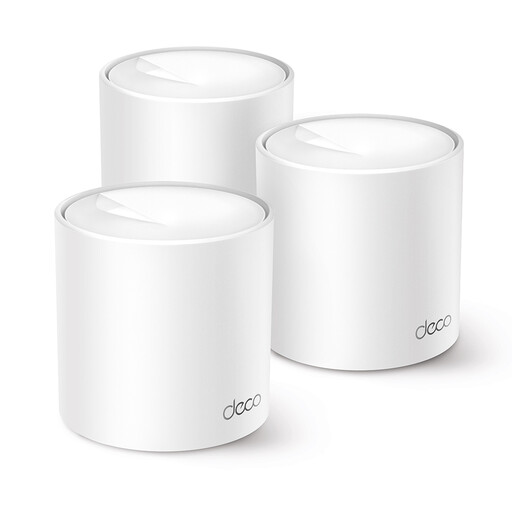
The Deco X50 is a Wi-Fi 6 mesh option for anyone looking for access point mode or the option of wired backhaul.
The ZenWiFi BD4 is a dual-band Wi-Fi 7 option to compare if faster wired connections are important to you.
FRITZ!Mesh Set 1700 and compatible FRITZ! products may be worth considering if you already use FRITZ! equipment or want to extend your LAN.
Orbi is worth comparing if you’re weighing up satellite placement and wired connections for work devices.
The products below are TP-Link Deco mesh sets designed to provide coverage across several rooms. They differ in Wi-Fi generation, Ethernet ports and cabling options.
 No image available
Suited to a multi-room mesh set-up if you need wired backhaul or want to connect work devices by cable.
Wi-Fi 6; three units; optional Ethernet backhaul; three Gigabit Ethernet ports per unit.
 No image available
A good fit if you’re looking for a mesh set with several Ethernet ports per unit for wired work devices.
Tri-band Wi-Fi 6E; three units; two 1-Gigabit ports and one 2.5-Gigabit port per unit.
 No image available
Suited to anyone looking for a mesh set for several rooms who wants to connect wired devices to the mesh nodes.
Tri-band Wi-Fi 6E; three units; three Gigabit Ethernet ports per unit.
 No image available
A good fit if you want to use PoE to power the mesh nodes during installation.
Wi-Fi 6; three units; two Ethernet ports per unit. The product description specifies PoE, which allows power and data to travel through a single Ethernet cable.
 No image available
Suited to anyone looking for a mesh set with several nodes to support simultaneous connections at home.
Dual-band Wi-Fi 6; three nodes; OFDMA and MU-MIMO.
No. Mesh can improve your connection indoors, but it won’t increase the capacity of your internet plan. If you’re sharing files via the cloud and making video calls at the same time, check the connection at your router too. The bandwidth needed for calls depends on the app and its settings. Zoom lists separate requirements for different HD calls.
Follow the instructions for your exact set and mode. TP-Link describes different ways to connect Deco devices: in router mode, satellites must be connected behind the main Deco, while access point mode allows for other connection options. Check which mode works with your existing router.
No. TP-Link lists a free basic HomeShield plan and charges for Pro. In the Netherlands, consumer purchases are also covered by a legal guarantee: ACM ConsuWijzer explains that you’re entitled to expect the product to do what you could reasonably expect it to do. This is separate from the stated length of a manufacturer’s warranty.
Radio equipment sold in the Netherlands must meet the relevant European requirements and carry the correct CE marking. The Dutch Authority for Digital Infrastructure specifically lists Wi-Fi routers as equipment to which this marking applies. Check the marking on the exact model.
Online consumer purchases generally come with a statutory cooling-off period of up to 14 days after delivery; ACM ConsuWijzer explains the exceptions. The cooling-off period for a distance purchase is separate from your rights if a product is faulty, damaged or inaccurately described. Check the terms and conditions that apply to your purchase too.