What should you look for?
First, check the signal where you listen. Then see whether the mesh points can reach each other reliably there, and whether an extra point or a cable would suit your home and existing router.
| What to consider |
What should you check? |
Who should pay particular attention? |
| Signal where you listen |
Test the connection where you download your audiobook and check where you could position the points. |
If you download audiobooks in the attic, you’ll want good coverage there in particular. Around 36% of consumers prioritise signal where they listen. |
| Connection between points |
Check that the points can reach each other reliably, and see whether Ethernet backhaul is possible. |
If you have floors that make connections difficult, you’ll want to avoid a mesh point having a weak signal of its own. Around 29% of consumers prioritise the connection between floors. |
| Cost and performance you need |
Compare the number of points in the system and check for any cables, hire terms or paid services. |
If you mainly download audiobooks, you won’t want to pay for features or speeds you don’t need. Around 21% of consumers prioritise value for money. |
| Connection and management |
Check the setup instructions for your router and see which app or account the system requires. |
If you have an existing provider-supplied router, you’ll want to know in advance how to connect and configure the system. Around 14% of consumers prioritise connection and management. |
Mesh systems at Joybuy
Below are mesh systems with two or three units to compare for Wi-Fi across different floors. The number of units alone doesn’t predict whether you’ll get coverage where you listen. Before buying, check that the specific version carries the correct CE marking; the Dutch Authority for Digital Infrastructure sets out the requirements that apply to radio equipment.
 No image available
TP-Link Deco E4 (3-pack)
A three-unit system to compare if you want to position several mesh points.
The product name specifies dual-band Wi-Fi 5 (802.11ac) and 2.4 GHz and 5 GHz bands.
View at Joybuy
 No image available
ASUS ZenWiFi BT8 (2-pack)
A two-unit system to compare if you want to start with two mesh points.
The product name specifies tri-band Wi-Fi 7 (802.11be) on the 2.4 GHz, 5 GHz and 6 GHz bands.
View at Joybuy
 No image available
TP-Link Deco M4 (3-pack)
A three-unit system to compare if you want to position several mesh points.
The product name specifies dual-band Wi-Fi 5 (802.11ac) and 2.4 GHz and 5 GHz bands.
View at Joybuy
 No image available
TP-Link Deco X50 (3-pack)
A three-unit system to compare if you want to position several mesh points and may want to expand later.
The product name specifies dual-band Wi-Fi 6 (802.11ax). The product information says you can expand the system with another Deco.
View at Joybuy
 No image available
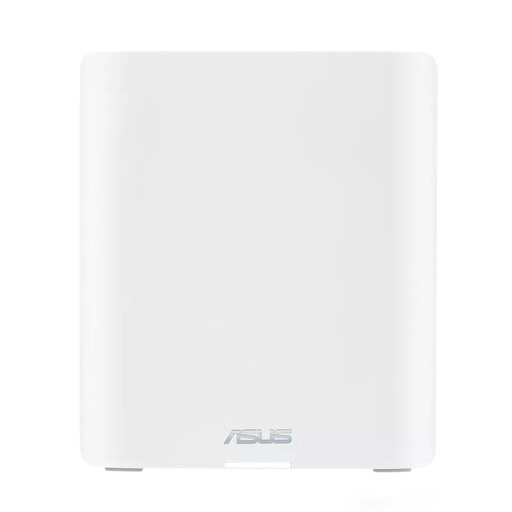
ASUS ZenWiFi BT10
A mesh system to compare if you’re also considering Wi-Fi 7 for other devices.
The product name specifies tri-band Wi-Fi 7 (802.11be), three internal antennas and the 2.4 GHz, 5 GHz and 6 GHz bands.
View at Joybuy
Frequently asked questions
How can I tell if I need a third mesh point?
After setting up the first points, check both the signal where you listen and the connection between the furthest point and the rest of your network. A three-storey home doesn’t automatically need exactly three points; layout and obstacles matter too, as the Dutch Consumers’ Association and KPN explain.
Do I need to replace my existing provider-supplied router?
Not necessarily. FRITZ! describes how to set up the FRITZ!Mesh Set behind both a FRITZ!Box and a router from another brand, with a different configuration for each. Check the instructions for the specific system and your modem before choosing.
What can I do if only audiobook downloads are failing?
As well as checking your Wi-Fi signal, look at the settings in your audiobook app. Audible, for example, describes settings for download quality and downloading over Wi-Fi only. These settings alone don’t tell you anything about a mesh system’s performance.
What should I know about security?
Use a strong password for your router or Wi-Fi network. The Dutch Data Protection Authority lists a strong password as an important consideration when setting up a smart device.
What are my rights when I buy a mesh system online?
When you buy from a business online, you’ll often have a 14-day cooling-off period, according to the Dutch Government. The legal guarantee entitles you to a product that works as it should. Check the terms that apply to your purchase, and distinguish between the cooling-off period and your rights if a product is faulty.
Do I need a licence to use Wi-Fi at home in the Netherlands, and what should I check on the equipment?
According to the Dutch Authority for Digital Infrastructure, Wi-Fi can be used licence-free on certain frequencies, provided you meet the conditions for those frequencies. Radio equipment newly placed on the market must meet European requirements and carry the correct CE marking. Check the specific version and follow the setup instructions.


