
Vandaag of morgen in huis

Kwaliteit gegarandeerd

Welkomstaanbiedingen ontgrendelen: GRATIS bezorging | Tot 80% korting | Gratis 30 dagen JoyPlus-proefperiode
Download de app
Choppy video calls in the attic, the dreaded loading icon while streaming in the bedroom, or a complete ‘Wi-Fi dead zone’ in the garden. For many people, these are recognisable frustrations. A traditional router, no matter how powerful, often struggles to deliver a stable signal to every corner of a home with multiple floors or concrete walls.
A mesh Wi-Fi system is designed to solve this problem. Instead of a single central point, a mesh network consists of multiple stations (also called ‘nodes’) that work together. They create one large, seamless network with whole-home Wi-Fi. You can walk from the living room to the attic while your phone automatically and without interruption switches to the strongest signal.
In this article, we'll help you make the right choice. We'll discuss what to look for and highlight several popular TP-Link Deco models that suit different situations and budgets.
Before you buy a TP-Link Deco system, it's wise to consider a few specifications. This ensures you choose a system that fits your home and internet usage.
The Wi-Fi standard determines the maximum speed and efficiency of your network.
The coverage of a mesh system is expressed in square metres. A set of two or three stations is usually sufficient for an average family home. The advantage of a multi-room Wi-Fi system like TP-Link Deco is that you can easily expand it later with an extra station if you want to improve Wi-Fi coverage.
Look at the number and type of Ethernet ports on each station. Do you have devices you prefer to connect with a wire, such as a PC or a game console? Then multiple Gigabit ports per station are a plus. The total speed (expressed in Mbps or Gbps) indicates the system's theoretical capacity. A higher speed is better for households with a high-speed fibre connection and heavy data traffic.
Based on specifications and functionalities, we have selected a number of TP-Link Deco systems that offer a solution for various needs.
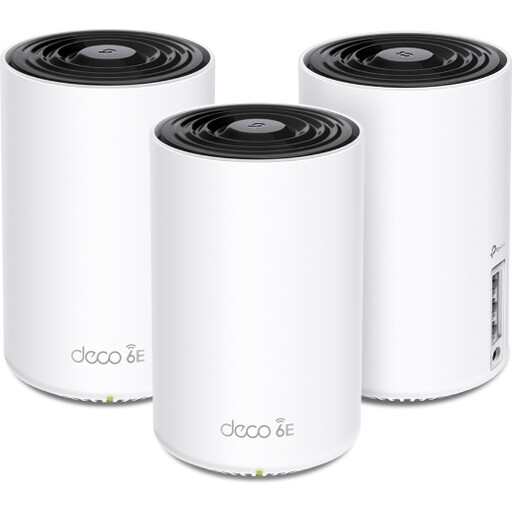
Why it stands out: The Deco XE75 uses the Wi-Fi 6E standard. The addition of the 6 GHz band provides an exclusive, high-speed connection between the Deco stations (backhaul) or for your newest devices, resulting in very stable internet with minimal interference.
Advantages:
Who is this system for?: For households with a fast internet connection and many modern devices that support Wi-Fi 6E. Ideal for home workers, gamers, and tech enthusiasts who want a future-proof and powerful network.
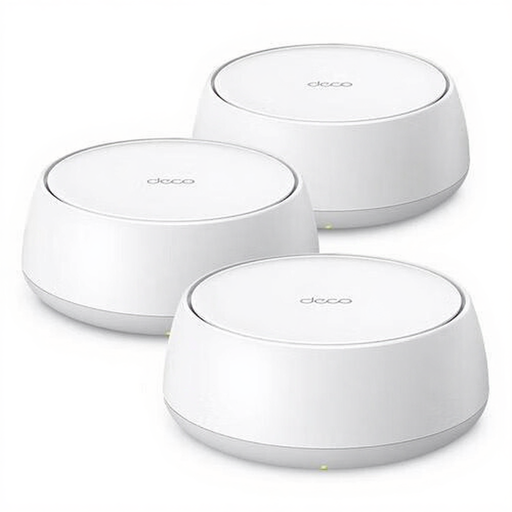
Why it stands out: This is one of the first accessible Wi-Fi 7 mesh systems. It brings the very latest technology to your home network, with a focus on extremely high throughput and low latency thanks to features like Multi-Link Operation (MLO).
Advantages:
Who is this system for?: For early adopters and users who want to get the absolute maximum out of their network. If you invest in the latest smartphones, laptops, and smart home gadgets, this system ensures your network is ready for the future.
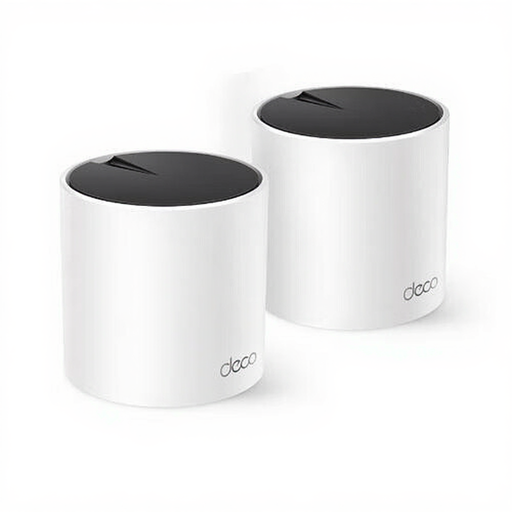
Why it stands out: The Deco X55 is an excellent all-rounder. It offers the benefits of a Wi-Fi 6 mesh system – speed, capacity, and efficiency – in a compact and affordable package. The 2-pack is a great starting point for most homes.
Advantages:
Who is this system for?: For most families and home workers. It provides a significant upgrade over a standard router and delivers reliable performance for streaming, online meetings, and daily internet use throughout the house.
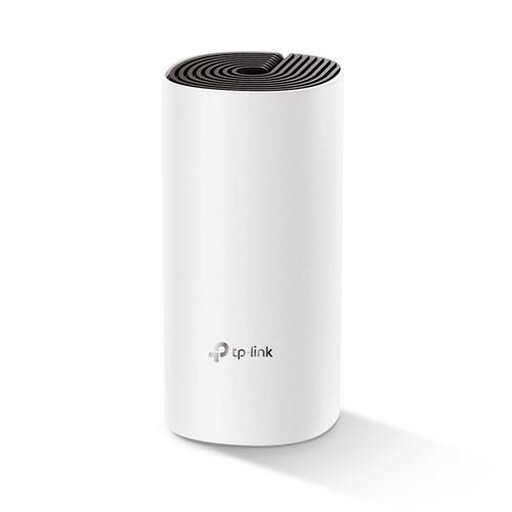
Why it stands out: The Deco M4 is a very accessible entry point into the world of mesh Wi-Fi. Although it uses the Wi-Fi 5 standard, it delivers much more stable and broader coverage than a standalone router or a simple Wi-Fi repeater. This 1-pack is ideal for addressing a specific problem area or as a starting point for a smaller apartment.
Advantages:
Who is this system for?: For users in smaller homes or apartments looking for an affordable solution to improve Wi-Fi coverage. Also a great choice if you want to expand an existing Deco network cost-effectively.
The world of networking equipment is vast. The TP-Link Deco models mentioned above are popular choices, but there are more options that might better suit your specific situation. If you are looking for other brands, configurations, or specific router types, you can browse our full range.
A Wi-Fi repeater (or extender) picks up the signal from your router and re-broadcasts it. This creates a second, separate network and often halves the speed. A mesh Wi-Fi system creates a single, seamless network. The stations communicate intelligently with each other to always give your device the fastest and most stable connection, without speed loss.
Yes, the installation of systems like TP-Link Deco is typically very straightforward. An app on your smartphone guides you through the process step-by-step. You connect the first station to your modem, and the app then helps you place the other stations in the right spots in your home.
Yes, mesh Wi-Fi systems like the TP-Link Deco are universal and work with the modems of all internet providers, including KPN, Ziggo, Odido, and others. You simply connect the main station to your provider's modem with an Ethernet cable.
Kind regards,
Joybuy Product Recommendation Officer
