
Vandaag of morgen in huis

Kwaliteit gegarandeerd

Welkomstaanbiedingen ontgrendelen: GRATIS bezorging | Tot 80% korting | Gratis 30 dagen JoyPlus-proefperiode
Download de app
Choppy video calls in the attic, a Netflix show that constantly buffers in the bedroom, or a 'dead zone' in the garden with no signal. Sound familiar? For many households, a weak or unstable Wi-Fi signal is a daily source of frustration. A traditional router often struggles to provide a strong signal throughout an entire house, especially with concrete floors and walls.
A mesh Wi-Fi system is designed to solve this problem. Instead of a single central point, it uses multiple stations (nodes) that work together to create one large, seamless, and powerful Wi-Fi network. This ensures you have stable internet everywhere in your home.
In this article, we'll help you make the right choice. We'll explain what to look for and highlight several popular options based on their specifications and use cases.
Before you make a decision, it's helpful to understand a few key specifications. This will ensure you choose a system that fits your home and internet usage.
The Wi-Fi standard determines the maximum speed and capacity of your network.
The primary function of a mesh system is to extend your Wi-Fi range. Most kits come with two or three nodes. A general guideline is:
Keep the layout of your house in mind. Concrete walls and floors dampen the signal more than wooden structures.
No one wants to spend hours dealing with complicated network settings. Fortunately, most modern mesh systems, like the TP-Link Deco series, are designed for ease of use. A smartphone app guides you through the installation step-by-step. You can use the same app to easily manage your network, set up a guest network, or configure parental controls.
Based on specifications and various user needs, we have listed a few popular options for you.

Why it stands out: The Deco X10 offers the benefits of Wi-Fi 6 at an accessible price point. According to the manufacturer, TP-Link, this system delivers speeds up to 1,500 Mbps and can efficiently handle many connected devices thanks to OFDMA and MU-MIMO technology. This makes it a solid choice for most modern households.
Advantages:
Who is it for? For families and remote workers who want a reliable upgrade to Wi-Fi 6 to eliminate lag during streaming and video calls, without opting for the most expensive model.
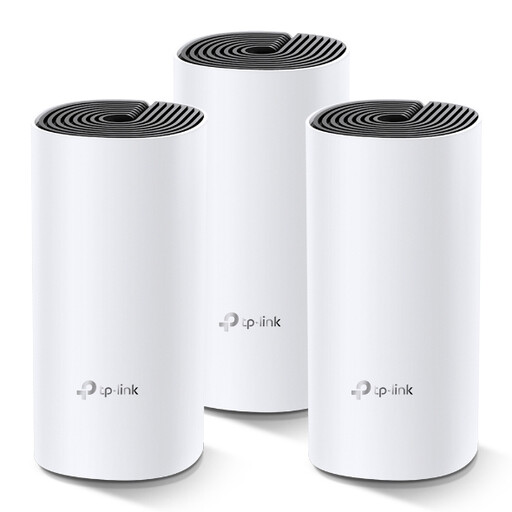
Why it stands out: The Deco M4 is a highly popular and proven solution for anyone seeking a reliable multi-room Wi-Fi network without needing the latest Wi-Fi 6 features. With three nodes, this kit offers excellent coverage for most family homes.
Advantages:
Who is it for? For households looking for a simple and effective solution to eliminate Wi-Fi dead zones. If your internet usage mainly consists of browsing, emailing, and streaming on a few devices at once, the Deco M4 is a smart choice.
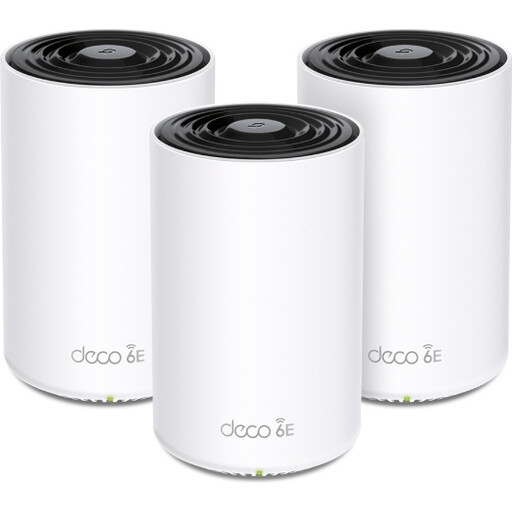
Why it stands out: The Deco XE75 is a powerhouse that utilizes the latest Wi-Fi 6E technology. In addition to the 2.4 GHz and 5 GHz bands, this system features an exclusive 6 GHz band. This results in extremely high speeds and minimal interference, even in environments crowded with other Wi-Fi networks.
Advantages:
Who is it for? For the demanding user. Think of avid gamers who want the lowest possible ping, households running multiple 4K or 8K streams simultaneously, and tech enthusiasts who want to future-proof their network.
A mesh Wi-Fi system is an excellent solution for whole-home coverage. However, depending on your budget, home, and specific needs, another solution might also be suitable. If you're curious about more options, such as powerful standalone routers or other networking equipment, we invite you to explore further.
Explore our full range and find the best router for your situation.
A Wi-Fi extender (also known as a repeater) picks up your router's signal and rebroadcasts it. This often creates a second network name (e.g., 'MyWifi_EXT') and can cut your speed in half. A mesh system creates one large, seamless network with a single name. Your devices automatically and seamlessly switch to the strongest node without dropping the connection. This provides a much more stable and user-friendly experience.
This depends on the size and layout of your home. As a rule of thumb, you can plan for one node per floor, or one per 75-100 square meters. For an average family home, a three-node kit is usually a good starting point to get a strong signal everywhere, from the basement to the attic.
No, most modern systems are designed for ease of use. Brands like TP-Link provide a smartphone app that guides you through the installation in simple steps. Usually, it's a matter of connecting the first node to your modem and then plugging the other nodes into outlets in strategic locations around your home. The app does the rest.
