
Seminar attendee working behind the kitchen
You want the video and audio in your workspace to remain stable. The Consumers’ Association (Consumentenbond) points out that walls, ceilings and other obstacles can disrupt the Wi-Fi signal.


First, check whether the problem lies with your internet connection or the Wi-Fi in your workspace. If the kitchen weakens the connection between mesh points, ethernet backhaul is a good option if you can run a cable. If you can’t, consider wireless mesh or powerline, but test the connection where you plan to use it.
You want the video and audio in your workspace to remain stable. The Consumers’ Association (Consumentenbond) points out that walls, ceilings and other obstacles can disrupt the Wi-Fi signal.
You can connect your workspace by cable and want to connect a mesh point without relying on Wi-Fi for the link between rooms.
You’re looking for a connection between rooms using Wi-Fi or existing electrical wiring, and want to find out which option works in your home.
| Concern | What to look for | Who is this important to? |
|---|---|---|
| Stable calls | Compare a wired connection with Wi-Fi at your meeting spot, then try a test call there. | If I want to use video and audio without interruptions during a seminar, I need to know how the connection performs at my workstation. Around 36% of consumers prioritise call stability above all else. |
| Connection beyond the kitchen | Work out where you could place an intermediate point and test whether it can maintain a usable connection to the main unit. | When the kitchen is between my router and workspace, I need a route that works in both places. Around 29% of consumers prioritise the connection between rooms. |
| Installation without a network cable | Try positioning wireless mesh points or test powerline using your existing wiring. | If I can’t run a cable to my workspace, I want to find a practical connection that doesn’t require a new network cable. Around 21% of consumers put this installation option first. |
| Cost and management | Work out how many points you need and check what installation and management methods the system requires. | When I mainly want to avoid unnecessary points and complicated management, I focus on what my home actually needs. Around 14% of consumers prioritise cost and management above all else. |
A problem with your internet connection, modem placement or weak Wi-Fi doesn’t always call for the same solution.
First, compare a wired connection with Wi-Fi at your workstation, and try repositioning the equipment you already have.
A quoted coverage area doesn’t tell you whether the connection between mesh points will remain strong enough in your home. The Consumers’ Association (Consumentenbond) notes that walls, ceilings and other obstacles can disrupt the Wi-Fi signal.
Check the connection in the places where you plan to use it and try a call there before relying on extra coverage.
According to TP-Link, actual powerline speeds can vary depending on the conditions of your electrical installation.
Test the connection using your existing sockets before relying on this option.
The Deco X50 supports ethernet backhaul, while the Deco PX10 combines Wi-Fi with powerline backhaul.
According to ASUS, the ZenWiFi AX (XT8) has a separately configurable 5GHz band for backhaul, as well as an ethernet option.
The Mesh Set 1600 3-pack is a Wi-Fi 6 set with three points.
NETGEAR lists tri-band Wi-Fi 7 and wired connections among the features of the Orbi 870 series.
These Joybuy products are mesh Wi-Fi systems for the home. The options listed include models with different Wi-Fi bands and, for some models, a wired backhaul option.
 No image available
A tri-band mesh option to consider if you want to extend Wi-Fi between rooms.
2-pack; 2.4 GHz, 5 GHz and 6 GHz bands; Wi-Fi 7 (802.11be).
 No image available
Consider this model if a wired backhaul option suits the cable route in your home.
Dual-band with 2.4 GHz and 5 GHz bands; Wi-Fi 7 (802.11be). The product description lists wired backhaul options.
 No image available
A three-point set to consider if you want to cover several areas in your home and can use ethernet backhaul.
3-pack; dual-band Wi-Fi 6 (802.11ax). The product description lists optional ethernet backhaul.
 No image available
A tri-band mesh option to consider when you want to extend Wi-Fi between rooms.
Tri-band with 2.4 GHz, 5 GHz and 6 GHz bands; Wi-Fi 7 (802.11be).
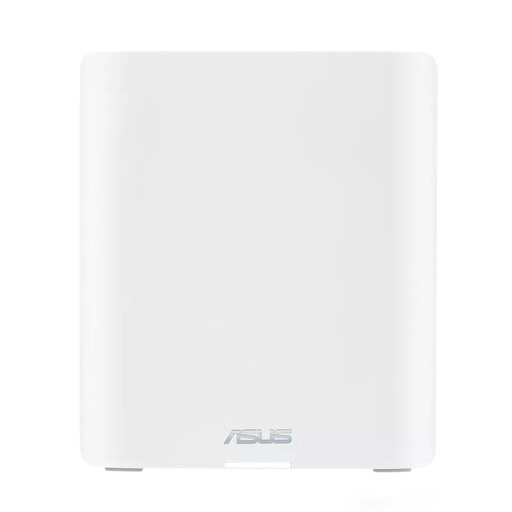 No image available
Consider this model if you want to compare tri-band mesh systems and could use a wired connection between points.
Tri-band with 2.4 GHz, 5 GHz and 6 GHz bands; Wi-Fi 7 (802.11be). The product description lists ethernet connections.
First, test your internet connection using a computer connected by network cable, then compare it with Wi-Fi at your meeting spot. If the wired connection is also poor there, adding a mesh point alone won’t fix the problem with your connection.
According to TP-Link, in router mode you connect the satellite to the LAN side of the main Deco unit or to a switch connected to it. Connection options differ in access point mode; after installation, check in the Deco app that ethernet backhaul is active.
No. Advertised Wi-Fi speeds are product specifications and don’t, by themselves, tell you how a call will perform at your workstation. Check the connection there and remember to take your internet connection into account too.
According to ACM ConsuWijzer, the seller is responsible for the statutory guarantee if the product doesn’t do what you could reasonably expect from it. Depending on the circumstances, the seller may repair or replace the product free of charge, or refund you. This doesn’t mean every mesh set has the same fixed guarantee period.
According to the Dutch Authority for Digital Infrastructure (Rijksinspectie Digitale Infrastructuur), Wi-Fi can be used on the designated frequencies in the Netherlands without a permit or any notification or registration requirement. Use equipment that complies with the applicable rules and check that it carries the correct CE marking.