What should you look for when buying?
The percentages relate to consumers considering mesh Wi-Fi across several floors for this project scenario. Each consumer has one main purchasing priority.
| What to consider |
What to look for when buying |
Who is this more important for? |
| File transfers |
Check for wired backhaul support, the available LAN ports and how your storage device connects. |
If you regularly share large files between workstations and storage, you’ll want to know how the mesh nodes connect to each other. File transfers are the top priority for around 33% of consumers in this scenario. |
| Coverage on each floor |
Consider where you could position the nodes and check whether you can add a compatible mesh node later. |
If you work on different floors, you’ll want reliable Wi-Fi at every workstation. Coverage is the top priority for around 27% of consumers in this scenario. |
| Existing router |
Check the network mode, compatibility with your current equipment and the ports you need. |
If you want to keep your current router, it’s important that the new system works with it. Keeping the existing network is the main priority for around 20% of consumers in this scenario. |
| Security and management |
Check the available security settings, firmware updates and guest access options. |
If project devices are accessible over the network, you’ll want to know how to manage and update it. Security and management are the top priorities for around 20% of consumers in this scenario. |
Mesh products at Joybuy
These products are mesh systems and extenders for providing coverage and sharing project files across several floors. For radio equipment placed on the market in the Netherlands, check that the applicable EU conformity documentation and CE marking match the exact version being sold. The European Commission explains these requirements for radio equipment.
 No image available
TP-Link Deco X50 Wi-Fi 6 mesh system (3-pack)
This system is suited to a set-up with three mesh nodes and wired devices.
The product description lists three gigabit ports per node. TP-Link lists optional wired backhaul for the Deco X50 range.
View at Joybuy
 No image available
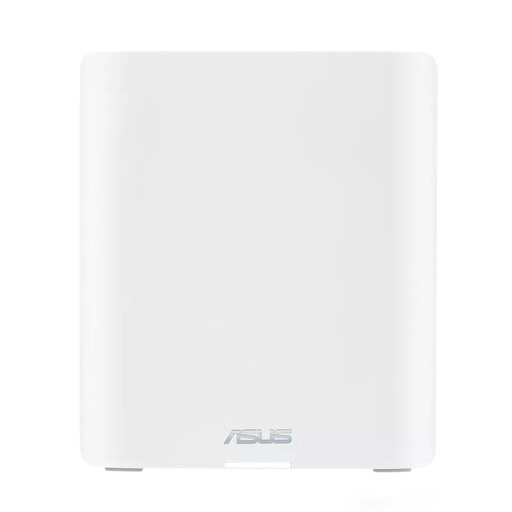
ASUS ZenWiFi BT10 Wi-Fi 7 mesh system (2 nodes)
This system is an option if two mesh nodes are suitable for the floors you want to connect.
The product description lists Wi-Fi 7 on the 2.4, 5 and 6GHz bands, along with 10-gigabit Ethernet ports.
View at Joybuy
 No image available
TP-Link Deco XE75 Pro Wi-Fi 6E mesh system (3-pack)
This three-node system could suit a set-up where you want to connect several floors.
The product description lists three Ethernet ports per node, including a 2.5-gigabit port.
View at Joybuy
 No image available
TP-Link Deco X50-PoE Wi-Fi 6 mesh system (3-pack)
This system is suited to a multi-node set-up where PoE support is important.
The product description lists two Ethernet ports per node and WPA3.
View at Joybuy
 No image available
TP-Link Deco X50 Wi-Fi 6 mesh system (2-pack)
This two-node system could suit your needs if two mesh nodes are enough to connect your workstations.
The product description lists three gigabit ports per node. TP-Link lists optional wired backhaul for the Deco X50 range.
View at Joybuy
Frequently asked questions
Do you always need three mesh nodes for three floors?
No, three floors don’t automatically mean you need three nodes. The Consumers’ Association lists three nodes as an option for three floors, but recommends starting with two for most homes and adding more if needed. Check the signal in your own work areas.
Do I need to remove my existing router?
Not necessarily. Check whether your chosen system works with your current router and which network mode you need. ASUS lists access point mode for the ZenWiFi XT9; FRITZ! describes the FRITZ!Repeater 3000 AX as an extender that can also connect to a FRITZ!Box via LAN.
What maintenance does a mesh network need?
Keep your router software up to date and check your network’s security settings. Safe Internet recommends updating your router to help keep it secure.
What consumer rights apply when buying online in the Netherlands?
For online consumer purchases, you usually have a statutory 14-day cancellation period from delivery, with some exceptions. ACM ConsuWijzer explains this cancellation period. If a product is faulty, the seller is responsible for the statutory guarantee, as the Netherlands Authority for Consumers and Markets explains.
What product rules apply to a mesh router sold in the Netherlands?
Radio equipment placed on the market in the Netherlands must meet the applicable EU requirements for radio equipment. The European Commission explains, among other things, conformity assessment, the EU Declaration of Conformity and CE marking. Check that the documentation matches the exact version being sold.


