What should you look for when choosing?
First, check your internet connection and router placement. Then choose the number of nodes and how they connect based on where you can place them in your home.
These points are aimed at consumers who download course materials from the other side of a narrow hallway.
| What to consider |
What to look for |
Who is this important for? |
| Coverage in your study area |
Choose the number of nodes to suit your home and test the connection both in your study area and between the nodes. |
I want course files to download reliably in the room beyond the hallway too. Around 36% of consumers put coverage in their study area first. |
| The actual download bottleneck |
First test your connection using a cable, then compare your laptop’s Wi-Fi capabilities with those of the system. |
If download speed matters, I want to know whether Wi-Fi is the limitation before choosing another system. Around 29% of consumers prioritise download performance after carrying out this check. |
| Placement without a cable |
Check that there’s a suitable spot and a power socket where the nodes can maintain a wireless connection. |
I want to keep the hallway clear and avoid running a cable through it, but the extra node still needs to stay connected. Around 21% of consumers put cable-free placement first. |
| Purchase and running costs |
Compare the number of nodes included in each package and factor in the power consumption of continuous use. |
I don’t want extra hardware that my home’s layout doesn’t require, and I also consider the power used by the nodes. Around 14% of consumers put purchase and running costs first. |
Mesh Wi-Fi products at Joybuy
This selection includes mesh systems with two or more nodes, including models with a wired connection option. Check the exact package variant and think about where you can place the nodes in your home.
 No image available
TP-Link Deco BE68 2-pack
A two-node mesh system with the option of a wired or wireless connection between the nodes.
Tri-band Wi-Fi 7; app-based setup listed.
Joybuy
 No image available
TP-Link AX1800 Whole Home Mesh Wi-Fi 6 System, 2-Pack
A two-node system worth comparing if you’re looking for Wi-Fi 6 and the option of a cable connection between the nodes.
Wi-Fi 6; ethernet backhaul and setup using the Deco app listed.
Joybuy
 No image available
TP-Link Deco X50-PoE 2-pack
A two-node mesh system to consider if power and data can be supplied through a single ethernet cable.
Wi-Fi 6, dual-band (2,4 GHz/5 GHz) and PoE; two ethernet ports per node listed.
Joybuy
 No image available
TP-Link Deco X50 2-pack
A two-node mesh system worth comparing if you want to extend your Wi-Fi and may be able to run a cable between the nodes.
Wi-Fi 6, dual-band (2,4 GHz/5 GHz) and three gigabit ports per node; TP-Link lists optional ethernet backhaul.
Joybuy
 No image available
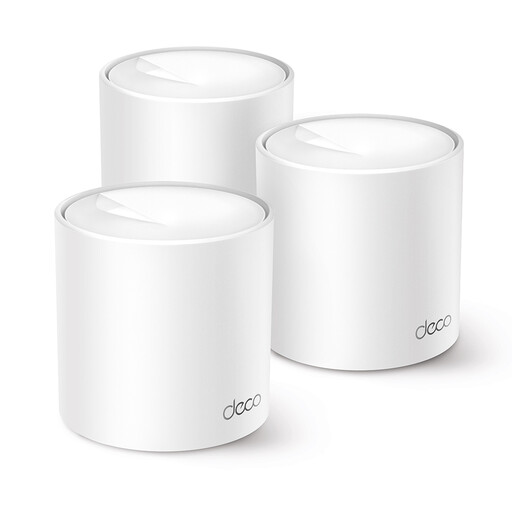
TP-Link Deco X10 Dual-Band Wi-Fi 6
An option worth comparing if app-based setup and mesh coverage matter to you; check how many nodes are included in this package variant beforehand.
Wi-Fi 6 and control via the Deco app listed. The product description says three mesh nodes are included; check the package contents and version details.
Joybuy
Frequently asked questions
Do you need three mesh nodes straight away for one room with weak Wi-Fi?
No, not necessarily. The Consumers' Association suggests starting with two nodes in many homes and adding more later if needed. Let your home’s layout guide your choice, and test the connection in your study area.
Does a mesh node need to go at the end of the hallway?
Not if it can barely connect to the other node from there. For a wireless connection, choose a spot with as few obstacles as possible and check the connection using the setup guide; somewhere halfway along may be more suitable.
What if course files also download slowly over a network cable?
In that case, check your internet connection first. If repeated wired tests give disappointing results, contact your provider. Mesh can improve wireless coverage in your home, but it won’t speed up a slow internet connection.
Who can help if a mesh system you’ve bought develops a fault?
In the Netherlands, you can contact the retailer about your statutory guarantee. A manufacturer’s guarantee is in addition to this; according to the Government of the Netherlands, there is no single fixed statutory guarantee period for all products.
What rules apply to mesh Wi-Fi sold in the Netherlands?
Radio equipment placed on the market in the Netherlands must meet the applicable requirements and carry a CE mark, as stated by the Dutch Authority for Digital Infrastructure. An online product page doesn’t prove that the item you receive carries the mark; check the device and contact the retailer if you’re unsure.


