
Creative professional uploading large portfolios
You regularly send large work files and want to know whether your broadband connection or the link to your garden office is limiting your upload speed.


First, measure your upload speed by your router and in your garden office: a mesh system won’t increase the speed of your broadband package. If you can run a network cable, ethernet backhaul is a well-founded option for connecting compatible nodes. TP-Link describes this connection for Deco as more stable and faster than Wi-Fi between the units, but that doesn’t predict the speed you’ll get at your location. If you can’t run a cable, test the connection in the positions you have in mind. For outdoor installation, choose a model designed for that purpose.
You regularly send large work files and want to know whether your broadband connection or the link to your garden office is limiting your upload speed.
There’s no network cable between your home and your workspace. You want to test the wireless connection in the positions you have in mind, or consider an alternative that uses your mains wiring.
You want to connect your garden office to the equipment you already use, and need to check whether an extension is compatible and can be connected and powered in your chosen position.
| What to consider | What to check before buying | Who is this important for? |
|---|---|---|
| Actual upload speed | Measure by your router and in your garden office under comparable conditions. Compare the results with the minimum, normally available and maximum upload speeds in your contract, as advised by ACM ConsuWijzer. | If you regularly send large portfolio files, you’ll want to know where the delay is occurring; around 36% of consumers make upload speed their top priority. |
| Connection between your home and garden office | Work out whether you can run a cable. If not, test the connection in the positions you have in mind for the nodes. | If you mainly need a usable connection over the distance to your garden office, assess the route on site; around 29% of consumers prioritise this connection. |
| Positioning, power and compatibility | Check whether the node will be indoors or outdoors, whether the exact model is compatible with your existing mesh system, and what power supply the installation requires. | If you want to expand an existing mesh setup, it’s important that the installation is practical and compatible with your equipment; around 21% of consumers put positioning and compatibility first. |
| Total cost and support | Include the cost of the nodes, cables and suitable power supply you’ll need. Also check the seller’s terms and warranty conditions. | If you want to avoid unnecessary equipment or installation costs, it helps to know the full cost; around 14% of consumers prioritise total cost. |
Your fixed broadband speed and the connection to your garden office are separate links. Upgrading your mesh system won’t increase the speed of your broadband package.
First, measure the speed by your router, then at your workspace. Compare the results before choosing a mesh route.
The node in your garden office needs a usable connection to your home network. Wi-Fi coverage at your workspace alone doesn’t tell you whether that connection is suitable for your uploads.
Test the positions you have in mind. Consider ethernet backhaul if you can run a cable.
Outdoor suitability and compatibility with an existing mesh network vary by model.
Check the installation guide and compatibility of the exact model before buying it or installing it outdoors.
Deco is worth considering if you want to expand an existing Deco network. The Deco X50-Outdoor is a dedicated outdoor model for positioning between your home and garden office.
The ZenWiFi BD4 Outdoor is an option for a compatible ASUS AiMesh setup.
The Orbi RBK763S is a mesh set designed for indoor use, with a separate wireless connection between the router and satellites.
Magic 2 WiFi 6 next combines powerline networking with Wi-Fi when there’s no data cable and the mains connection to your garden office proves suitable.
These products are mesh routers or systems for anyone looking to extend their network to a garden office. Check that the connections and compatibility suit the setup you choose.
 No image available
For a mesh setup where wired backhaul is an option. Check that the nodes and connections suit your cable route.
Configuration: 2-pack.
 No image available
A mesh router for extending your network to a garden office. Check which units you’ll need and whether the configuration suits your existing network.
Features listed in the product name: dual-band, Wi-Fi 7.
 No image available
A mesh router for extending your network towards your garden office. Check compatibility with your current network and the connection you want between the nodes.
Features listed in the product name: AX3000, dual-band, Wi-Fi 6.
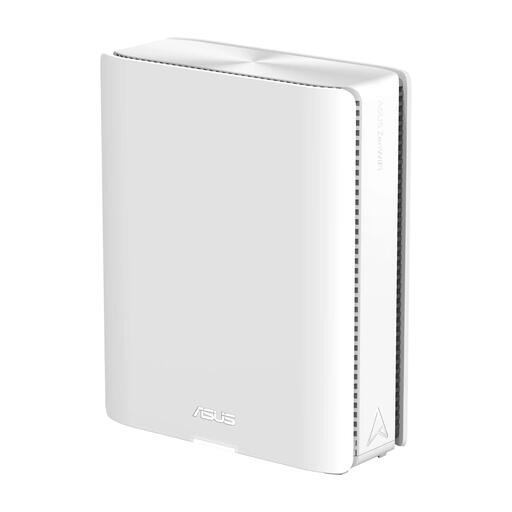 No image available
An option for expanding a mesh network. Check that the router and any extra nodes you plan to use are suitable for the AiMesh setup you have in mind.
Features listed in the product name: quad-band, Wi-Fi 7, white.
 No image available
An expandable mesh system for extending coverage towards your garden office. The stated expansion options are additional Velop Pro 7 nodes or compatible Linksys Cognitive Mesh devices.
Features listed in the product name: tri-band, Wi-Fi 7, white.
Not before you’ve taken some measurements. Compare your upload speed by the router with the speed in your garden office, and check the upload figures in your contract. A mesh node won’t change the speed of your broadband package.
In the Deco app, check the satellite to see whether its backhaul is shown as ethernet. First set up the units on the same network, then connect them using the recommended topology.
Don’t assume that you can: for outdoor installation, choose a model whose manufacturer specifies that it’s suitable for outdoor use and for your intended mounting method. For the Deco X50-Outdoor, the installation guide specifies, among other things, upright mounting and suitable protection for the power connection.
For a consumer purchase in the Netherlands, the product must meet what you can reasonably expect, and the seller is your point of contact if something goes wrong. According to the Dutch government, there is no fixed statutory two-year warranty period; any manufacturer’s warranty is in addition to your statutory rights.
According to the Dutch Authority for Digital Infrastructure, home Wi-Fi generally does not require a licence when you use the designated frequencies and comply with the conditions of use. This is not blanket permission to use any frequency, setting or outdoor setup; check the conditions for the specific device and how you plan to use it.