Who is this buying guide for?

Student with a glitchy video lesson

Want to keep your picture and sound connected while you study? It helps to distinguish between your internet connection and the Wi-Fi connection between your home and garden office. ACM ConsuWijzer and the Consumers’ Association offer practical advice on checking your internet connection and Wi-Fi.

Garden office user in a separate building

First, find out whether a wireless mesh node can get a usable connection from your home, or whether you need a cable or a suitable outdoor node. TP-Link and ASUS product information describes separate outdoor models; you’ll need to assess the connection at your own location.

Buyer with an existing home network

Want to expand your network without replacing the whole system? Check which mesh features work with your router and the product range you’re considering. TP-Link, ASUS and FRITZ! each describe their own expansion options.

What should you look for when buying?

Mesh with wired backhaul

Choose this if: you can run a suitable network cable between your home and garden office and want a stable connection between the mesh nodes.

Bear in mind: you’ll need to do some extra installation work and have the right connections. A cable between the nodes won’t automatically connect your laptop to the local mesh node by wire.

Wireless mesh

Choose this if: running a cable isn’t practical and the nodes can connect reliably to each other from their planned locations.

Bear in mind: the connection still depends on where you place the nodes and the wireless link between them, so test it in your garden office.

Outdoor node for your garden office

Choose this if: the mesh node needs to be mounted outdoors and you need a model designed for outdoor use.

Bear in mind: you’ll need suitable power, mounting and connections. For outdoor use with mains power, TP-Link requires the Deco X50-Outdoor to be plugged into a waterproof outdoor socket.

Your concern What to look for Who is this important for?
A lesson connection that doesn’t drop out Check whether the system supports Ethernet backhaul. Test your fixed broadband connection separately from a trial lesson at your workspace. If I want to keep my picture and sound connected during a lesson, I need to know whether the problem is with my broadband connection or the Wi-Fi to the garden office. Around 36% of consumers say keeping lessons running smoothly is their top priority.
Coverage to the garden office Test the connection at the intended locations. Check what setup a stated coverage area applies to. If my workspace is in a separate building, I need to know whether the mesh node there can get a usable connection to my home. Around 29% of consumers put coverage to an outbuilding first.
An installation that’s practical Decide whether the node will be indoors or outdoors. Check whether you can provide power, mounting and, if needed, an Ethernet connection at that location. If the node’s location depends on mounting or power, I want to be able to plan for those requirements before buying. Around 21% of consumers say a practical installation is their top priority.
Keeping existing equipment Check which router or mesh system you already have and whether an additional node will work with it. If I want to keep using my current network, I need to know whether I can simply expand it rather than buying a whole new system. Around 14% of consumers put keeping their existing equipment first.

Which buying mistakes can you avoid?

  • Assuming a stated coverage area guarantees a connection in your garden office

    A coverage figure for a home doesn’t necessarily tell you whether the connection between separate buildings will work at your location.

    Test the connection in your garden office before relying on the stated coverage.

  • Buying an extra wireless node without checking the connection between the nodes

    The mesh node in or near your garden office also needs a usable connection to the network. Ubiquiti recommends wired access points for performance and stability.

    First, assess the connection between your home and garden office. If you can run a cable, check whether your chosen system supports Ethernet backhaul.

  • Confusing a weather-resistant casing with a weatherproof power connection

    A casing designed for outdoor use doesn’t automatically tell you how to position the power supply and connections safely outdoors.

    Plan the power supply and mounting along with the location of the mesh node. For the Deco X50-Outdoor, follow TP-Link’s installation requirements for outdoor mains power.

Relevant mesh Wi-Fi brands

TP-Link

The Deco X50 is an indoor mesh product; the Deco X50-Outdoor is a separate model for extending a Deco network outdoors.

  • TP-Link says the X50-Outdoor has an IP65-rated casing and supports PoE or mains power, as well as wired or wireless connections.
  • These specifications don’t tell you how well the connection will work to your garden office. TP-Link has specific requirements for mains power and outdoor mounting.

ASUS

ZenWiFi BD4 is an indoor range with AiMesh; BD4 Outdoor is a separate outdoor model for use in a compatible ASUS setup.

  • ASUS specifies an IP65-rated casing, PoE and wired or wireless backhaul for BD4 Outdoor.
  • The coverage ASUS states is for an open, unobstructed environment, so it won’t tell you how well the product will work in your outbuilding.

FRITZ!

The FRITZ!Mesh Set 1700 is a three-piece indoor setup; the FRITZ!Repeater 3000 AX is another expansion option with LAN connections.

  • FRITZ! says the Mesh Set 1700 can be connected to an existing router via LAN, and that the 3000 AX can work with a FRITZ!Box via LAN.
  • These indoor products aren’t automatically suitable for outdoor mounting.

Ubiquiti

The UniFi U6 Mesh is an access point for indoor or outdoor installations, aimed at anyone considering a UniFi setup and PoE.

  • Ubiquiti specifies IPX5, PoE, Ethernet and wireless meshing for this model.
  • This access point is part of the UniFi management system, so it isn’t necessarily a like-for-like replacement for a consumer mesh node from another brand.

Mesh products at Joybuy

This selection includes mesh systems and an access point for anyone looking to set up a network to reach a garden office. Check that each model’s wired or wireless connection and connections suit your needs.

TP-Link Deco BE68 mesh system, 2-pack

TP-Link Deco BE68, 2-pack

An option to consider if you’re looking at a Deco mesh setup with two nodes. Check that the exact version supports the connection you need between the nodes.

Joybuy

TP-Link Omada EAP653 wireless access point

TP-Link Omada EAP653

An access point to consider for a setup with multiple access points. Check that Omada management suits your network.

The product name states 2976 Mbit/s and Power over Ethernet (PoE).

Joybuy

Linksys Velop Pro 7 tri-band mesh system

Linksys Velop Pro 7, tri-band

A mesh option to consider if you’re looking at a Linksys setup. Before expanding, check which Velop Pro 7 nodes work together.

The product name states tri-band Wi-Fi 7 and the 2.4, 5 and 6 GHz frequencies.

Joybuy

TP-Link Deco XE75 Pro mesh system, 3-pack

TP-Link Deco XE75 Pro, 3-pack

A Deco mesh system to consider if you want to use several nodes. Check the connection where your garden office is located.

The product name states tri-band Wi-Fi 6E and the 2.4, 5 and 6 GHz frequencies.

Joybuy
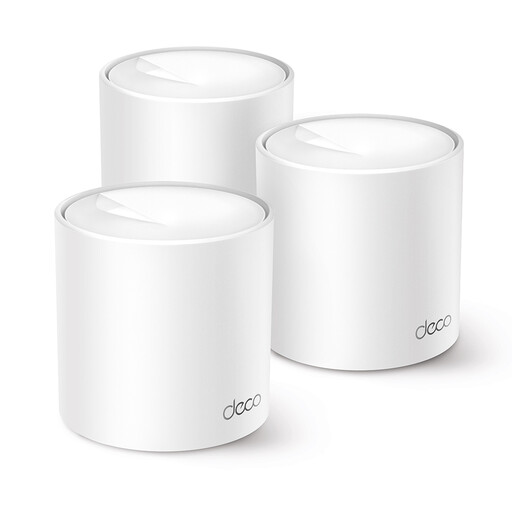
TP-Link Deco X10 mesh product

TP-Link Deco X10

A Deco option to consider if you want to expand an existing Deco network. Check that the specific version suits your current setup.

The product name states dual-band Wi-Fi 6 and the 2.4 and 5 GHz frequencies.

Joybuy

Frequently asked questions

How can I check whether mesh really improves my lesson connection?

First, test your fixed broadband connection, ideally using a network cable near the connection point. Then test the connection where you take your lesson. ACM ConsuWijzer recommends taking several measurements at different times. This can help you distinguish between problems with your broadband connection and Wi-Fi.

Can I mount a standard mesh node outdoors?

For outdoor mounting, use a model specified for that purpose. TP-Link says the Deco X50-Outdoor has an IP65-rated casing. For outdoor mains power, TP-Link requires a waterproof outdoor socket and protection for the connection and cable from rain. These instructions apply to this model and aren’t general guidance for all mesh nodes.

Do I need a licence for Wi-Fi in my garden office?

The Dutch Authority for Digital Infrastructure says that Wi-Fi in the Netherlands generally doesn’t require a licence, provided you use the designated frequencies and meet the conditions of use. Being licence-exempt doesn’t mean that every device setting or frequency can be used outdoors without restrictions.

What protection do I have if I buy online or a product is faulty?

ACM ConsuWijzer says that, for a standard online product purchase, you generally have 14 days from delivery to change your mind, subject to legal exceptions. You’re also entitled to a legal guarantee if a product used normally doesn’t meet the reasonable expectations you were entitled to have; the seller is responsible for this.

What should I look for in a Wi-Fi device sold in the Netherlands?

Wireless equipment placed on the market in the Netherlands must meet the applicable European CE requirements. Check the marking and the exact version: a declaration for a different hardware version doesn’t establish that the product being offered complies.
