Who is this guide for?

Designer who uploads large files

You regularly send large design files and want to find out whether your internet connection or the link to your garden office is limiting your upload speed. The Dutch Consumers’ Association recommends a wired test to assess your internet connection separately.

Home worker without a cable route

You can’t run an Ethernet cable and want to compare a wireless mesh point with powerline by testing the connection at your desk. TP-Link describes wireless and wired connections for Deco; devolo says that Magic adapters don’t work with older dLAN adapters.

Installing an outdoor access point

You want to mount an access point outdoors and need to check compatibility with your existing system, power supply and installation requirements. TP-Link and ASUS describe outdoor models with IP65 protection; check the power supply and installation requirements for your chosen model too.

What should you consider when choosing?

Wired backhaul

Suitable if: you can run an Ethernet cable to your garden office and want to use Wi-Fi there.

Things to consider: running a cable and possibly buying suitable extra equipment takes work; upload speed also depends on your internet connection.

Wireless mesh point or outdoor unit

Suitable if: running a cable isn’t practical and tests at the planned location show a usable wireless connection.

Things to consider: a weather-resistant casing doesn’t guarantee a good wireless signal through the wall to your office.

Powerline

Suitable if: you don’t want to run an Ethernet cable and the electrical wiring to your garden office proves suitable.

Things to consider: test the actual connection at the location; a powerline speed rating won’t tell you what upload speed you’ll get in your office.

What to consider What to look for Who is this important for?
Connection to the office Test the connection at your planned workspace; consider Ethernet backhaul if the wireless link is weak. I want to upload large files reliably from my garden office. Around 40% of consumers put the connection between home and office first.
Upload speed from your internet connection Compare a wired upload test at the main router with a test in your office. I want to know whether my internet connection is slowing down uploads before choosing extra Wi-Fi points. Around 33% of consumers put their connection’s upload speed first.
Outdoor installation and power Check the weather resistance, power supply and installation requirements for the specific model. I want to install an access point outdoors and need to consider its location and power requirements. Around 17% of consumers put suitable outdoor installation first.
Compatibility and installation Check that the model works with your existing mesh platform and find out what connections or power supply it needs. I want to extend my existing network without choosing equipment that isn’t compatible. Around 10% of consumers put compatibility and installation first.

Common buying mistakes

  • Confusing a stated Wi-Fi speed with your upload speed

    Combined Wi-Fi speeds don’t measure the upload speed provided by your internet connection. An extra mesh point won’t fix a limitation with the connection itself.

    First, test the upload speed using a wired connection at the main router, then compare it with a test in your garden office.

  • Buying an outdoor access point without testing the connection to your home

    A weather-resistant casing doesn’t tell you whether the wireless connection will be strong enough at your chosen mounting location.

    Test the location and compare a wireless connection with Ethernet backhaul. Follow the installation instructions for the specific model.

    Depending on your setup, you may need to run an extra cable, use a suitable power supply or choose a different location.

  • Assuming every satellite or powerline adapter is compatible

    Mesh systems and powerline adapters don’t automatically work together. For example, devolo says that Magic adapters aren’t compatible with older dLAN adapters.

    Check the full model number of your existing equipment and test powerline on the actual electrical circuit.

    If your existing setup isn’t compatible, you may need a different adapter or a suitable network base unit.

Brands to consider for a garden office

TP-Link Deco

Worth considering if you want to extend an existing Deco network or mount a Deco point outdoors.

  • TP-Link says the Deco X50-Outdoor has IP65 protection, two gigabit ports and can be powered via PoE or AC.
  • The stated coverage and combined Wi-Fi speed don’t measure upload performance through the walls of your garden office. Check the hardware version and the PoE power supply required.

ASUS ZenWiFi

An outdoor option to explore if you have or want to put together a suitable AiMesh setup.

  • ASUS lists IP65 protection and two 2.5G PoE ports for the ZenWiFi BD4 Outdoor.
  • The stated Wi-Fi speed of 3600 Mbps isn’t an indication of expected upload speed. Check compatibility with your existing ASUS model and the required power supply.

Ubiquiti UniFi

The U6 Mesh is an indoor and outdoor access point for anyone who manages or wants to set up a UniFi network; it isn’t simply a standalone mesh satellite for another brand.

  • Ubiquiti lists a gigabit network port and PoE power for the U6 Mesh.
  • Ubiquiti says the weather resistance applies when it’s installed using the supplied mount with the LED side facing upwards. You’ll also need to allow for the additional UniFi network setup.

devolo Magic

A powerline option to explore if you don’t want to run an Ethernet cable and the electrical wiring to your garden office proves suitable.

  • According to devolo, the receiving adapter in the Magic 2 WiFi next has two gigabit LAN ports, and Magic adapters work together.
  • Older dLAN adapters aren’t supported. The stated powerline speed doesn’t tell you how fast uploads will be over the electrical wiring in your office.

Mesh products on Joybuy for a garden office

These Joybuy products are mesh routers and systems for connecting a garden office to your home network. Check that each model is compatible with your existing mesh platform and offers the connections you need for your setup.

TP-Link Deco BE68 2-pack

TP-Link Deco BE68 2-pack

Worth considering if you want to extend a Deco mesh network and are weighing up a wired or wireless connection.

View on Joybuy

Huawei eKit OptiX FG736 BE3600 dual-band Wi-Fi 7 mesh router

Huawei eKit OptiX FG736 BE3600 dual-band WiFi 7 mesh router

A dual-band WiFi 7 mesh router to consider when building a mesh network; check that it’s compatible with your existing equipment first.

View on Joybuy

Linksys Velop Pro 7 tri-band WiFi 7

Linksys Velop Pro 7 tri-band WiFi 7

Worth considering if you’re building or extending a Velop Pro 7 mesh network; you’ll need compatible equipment to expand it.

View on Joybuy

TP-Link Deco XE75 Pro 3-pack tri-band WiFi 6E

TP-Link Deco XE75 Pro 3-pack tri-band WiFi 6E

A Deco mesh system to consider for a home or office network; check that it works with your existing Deco setup.

View on Joybuy
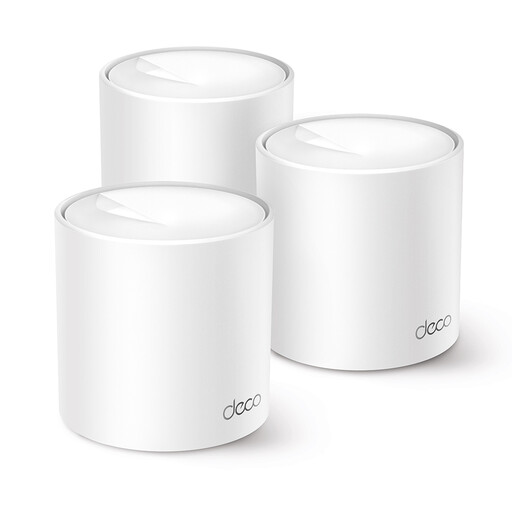
TP-Link Deco X10 dual-band WiFi 6

TP-Link Deco X10 dual-band WiFi 6

Worth considering if you want to build or extend a Deco mesh network; check which connections your setup requires.

View on Joybuy

Frequently asked questions about mesh Wi-Fi in a garden office

How can I tell whether mesh Wi-Fi will improve my design uploads?

First, test the upload speed using a computer connected to the main router with an Ethernet cable, then compare it with a test in your garden office. If the connection is already too slow at the router, an extra mesh point won’t fix it. If the link to the office is the main problem, look into placement or wired backhaul.

Can the TP-Link Deco X50-Outdoor be installed outdoors without a mains socket?

According to TP-Link, the Deco X50-Outdoor can be powered by a suitable IEEE 802.3at PoE switch or adapter. For outdoor AC power, the manufacturer requires a waterproof outdoor socket and protection for the connection and cable from rain. Follow the recommended installation instructions too.

Do I need a licence for ordinary Wi-Fi at my garden office in the Netherlands?

The Dutch Authority for Digital Infrastructure lists Wi-Fi as a frequency use that doesn’t require a licence, notification or registration in the Netherlands, provided you comply with the applicable conditions of use. Product requirements still apply: equipment sold in the Netherlands must carry the applicable CE marking.

What can I do if an access point I bought online doesn’t work well in my garden office?

For online purchases, you generally have 14 days from delivery to change your mind; check which exceptions apply. You’re also covered by the statutory guarantee: if a product used normally doesn’t do what you could reasonably expect, the seller must offer a solution. This doesn’t guarantee that Wi-Fi will work well in every garden setup.
