
You can run a cable to your garden office
You can run a network connection to your office and mainly need a reliable Wi-Fi access point for the devices there.


Start with the connection between your home and garden office. If you can run a network cable, a suitable mesh node with ethernet backhaul provides a direct connection. If not, the intermediate node must still receive a usable signal where you plan to place it. You only need an outdoor model if it will actually be installed outside. Sharing music also depends on your player’s and controller’s network requirements. For example, Sonos requires the app and player to be on the same Wi-Fi network. TP-Link warns that actual coverage can vary, so the stated coverage area doesn’t guarantee a signal through the walls of your buildings.
You can run a network connection to your office and mainly need a reliable Wi-Fi access point for the devices there.
You don’t want to run a cable, so you need to decide where a mesh node can still receive a strong enough connection from your home.
Your music library is at home and you want to keep access to your player and its controls from your garden office. Sonos has specific network requirements.
First, decide how your garden office will connect to your home network. Then consider where to install the equipment, access to your music and compatibility with the devices you already have.
| What to consider | What should you check? | Who is it most important for? |
|---|---|---|
| Connection between buildings | Check whether you can run ethernet backhaul. For a wireless connection, check the signal reception where you plan to place the intermediate node. | Your main concern is likely to be keeping the Wi-Fi access point in your garden office connected to the router at home. Around 36% of consumers put the connection between the buildings first. |
| Outdoor installation | Make sure the casing and power supply are suitable for the installation location, and check that the supplied model has the CE marking. | If the node needs to be installed outside, you’ll want the casing and power supply to suit the location. Around 29% of consumers prioritise suitable installation and protection. |
| Access to your music library | Check your player’s network requirements. Sonos says that the app and Sonos devices must be on the same Wi-Fi network; a guest network isn’t compatible. | If you store music at home, you’ll want to access it from your garden office using your player and its controls. Around 21% of consumers prioritise access to their music library. |
| Existing equipment and costs | Make a note of your router or mesh system’s brand and model, then check which nodes, power supplies or cables you still need. | If you already have a router or mesh system, you’ll want to know whether an extension will work with your setup and what else you need to buy. Around 14% of consumers prioritise cost and compatibility with existing equipment. |
Actual coverage can vary due to factors including building materials, obstacles and device placement. A range figure can’t tell you for certain whether the signal will pass through the walls of your buildings. TP-Link also makes this limitation clear for its equipment.
Start by assessing the route between your home and office. If you can run a suitable cable, look for a compatible node with ethernet backhaul.
The IP65 rating in this comparison applies specifically to the Deco X50-Outdoor; it doesn’t automatically apply to other mesh nodes.
Choose according to the actual installation location and check the weather resistance and power supply of the specific model.
Sonos says that guest networks aren’t compatible with the wireless setup described. So, having internet access in your garden office doesn’t prove that your controller and player can access your music library.
Check your player’s network requirements and test your planned setup with the library, player and controller.
Worth considering if you want to extend an existing Deco network or need a node that will actually be installed outside.
An indoor option if you have a compatible FRITZ! mesh system and want to install a repeater in a sheltered spot.
Worth considering if you have a compatible ASUS network or want to connect indoor nodes via ethernet.
Another mesh option to consider if you’re looking at an Orbi system.
These product options are a starting point for exploring mesh Wi-Fi around a garden office. Before buying, check the connection and compatibility requirements of your own setup.
 Image unavailable
A 2-pack for anyone considering multiple mesh nodes. Check whether your setup will connect your home and garden office by cable or wirelessly.
 Image unavailable
Suitable if you want to use multiple FG736 units as one network. Check that the model you choose is right for your planned mesh setup.
The product name specifies dual-band and Wi-Fi 7.
 Image unavailable
For extending a Linksys Cognitive Mesh setup. The expansion described uses Velop Pro 7 nodes or compatible Linksys Cognitive Mesh devices.
The product name specifies 2.4 GHz, 5 GHz and 6 GHz, and Wi-Fi 7 (802.11be).
 Image unavailable
A mesh system with multiple nodes for anyone considering a setup in and around their garden office. Check which connection and placement options will work for your buildings.
The product name specifies tri-band, 2.4 GHz, 5 GHz and 6 GHz, and Wi-Fi 6E (802.11ax).
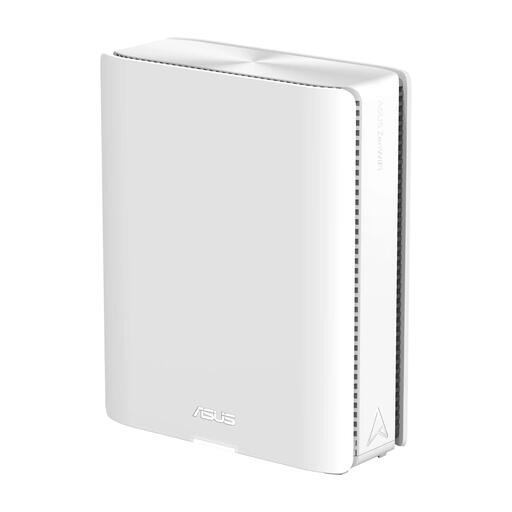 Image unavailable
For anyone looking to extend a compatible ASUS AiMesh setup. Check that your other devices support AiMesh, and keep the device away from moisture and water.
The product name specifies quad-band and Wi-Fi 7 (802.11be).
No, not if you can put a suitable node in a sheltered spot inside the office. An outdoor model is relevant if the actual installation location is outside. If so, check the casing, power supply and connection back to your home.
Check your player’s network requirements. Sonos says that devices using the Sonos app must be on the same Wi-Fi network as Sonos; guest networks aren’t compatible. This is a Sonos requirement, not a confirmed requirement for every music player.
Check that the model actually supplied has the correct CE marking. The Dutch Authority for Digital Infrastructure says that equipment must carry the CE marking. A declaration from TP-Link for the Deco X50-Outdoor V1 doesn’t prove which hardware version or marking will be supplied with a particular listing.
Using designated frequencies for Wi-Fi is licence-free in the Netherlands, according to the Dutch Authority for Digital Infrastructure, provided you comply with the conditions of use. The RDI says that licence-free use of frequencies doesn’t require notification or registration.
No. According to ACM ConsuWijzer, your statutory rights depend on what you could reasonably expect from the product under normal use. If a product develops a fault sooner than expected, the retailer is responsible for providing an appropriate solution free of charge. The manufacturer’s guarantee is separate.