
Viewer with a network cable to the garden office
Wants to connect the home and office via Ethernet, then make Wi-Fi available to the playback device.


Choose based on the connection you can make between your home and garden office. If you can run a suitable network cable, you can connect a mesh point using Ethernet backhaul. A wireless connection, however, depends on the signal at the chosen location. You only need an outdoor unit if the point has to be installed outside. Consider powerline only after checking that the devices are compatible and will work on your electrical circuit. Finally, test the stream on the playback device in your office: the Wi-Fi speeds quoted for a product don’t prove how well the connection will perform there.
Wants to connect the home and office via Ethernet, then make Wi-Fi available to the playback device.
Is considering wireless mesh or powerline, depending on the signal at the chosen location and the electrical connection.
Needs a suitable location, power supply and mounting for a weatherproof outdoor unit. Weatherproofing alone doesn’t guarantee a signal inside the office.
| Consideration | What should you check? | Who is this important for? |
|---|---|---|
| A stable connection between home and office | Check whether Ethernet backhaul is possible and whether you can run the cable to the office. | If I can run a network cable to the garden office, I want to connect the mesh points by cable. Around 36% of consumers prioritise this stable wired connection. |
| Signal without a network cable | Test the connection between the mesh points at the intended location and check the stream on the playback device. | Without a cable, I first want to know whether the mesh point can still communicate reliably with the house from the chosen location. Around 29% of consumers give wireless reception top priority. |
| Installing a mesh point outdoors | Check the exact model’s outdoor rating, power supply and installation instructions. | If the point needs to be mounted outdoors, I want to make sure the housing, power supply and mounting are suitable for that location. Around 21% of consumers prioritise outdoor installation. |
| Powerline as an alternative | Check that the chosen models are compatible with each other, then verify which backhaul is active after installation. | If I don’t have an Ethernet cable, I want to know whether powerline will work between the chosen mesh points on my electrical circuit. Around 14% of consumers give this option top priority. |
Wireless signal strength and channel congestion can vary from one location to another. An extra mesh point won’t help if the connection between the mesh points is weak at that location.
Test the stream where you plan to watch and check the connection between the mesh points too—not just the product specifications.
Outdoor installation calls for a model designed for that purpose, with suitable mounting and power. You’ll need to assess the signal inside the office separately.
For outdoor use, choose only a model specified for that type of installation, and follow the mounting and power instructions. Then check the signal inside the office.
Depending on your setup, you may need suitable PoE equipment or an outdoor socket protected from rain.
According to TP-Link, Deco PX50 does not form a powerline backhaul with Deco PX10, P7 or P9.
Check the exact models and your electrical circuit. After installation, verify that the intended backhaul is actually active.
If the devices aren’t compatible, you may need a different combination of mesh points.
The Deco range includes outdoor models and a model that combines Wi-Fi with G.hn powerline. The right choice depends on where you’ll place it, your cabling and how well your electrical circuit works.
The ZenWiFi BD4 Outdoor is worth considering if you want to install a weather-resistant AiMesh point outdoors.
The FRITZ!Repeater 1200 AX extends a compatible FRITZ! mesh network and can be connected to a FRITZ!Box via LAN.
Below are mesh routers and mesh systems that may suit a setup with multiple points. For each model, check which type of connection is possible between your home and garden office, and whether any additional mesh points are compatible.
 No image available
The product description says that several FG736 units can work together to form a single mesh network.
Dual-band WiFi 7. Check which additional units and connections will suit your setup.
 No image available
The product information describes two included nodes, which may suit anyone looking to build mesh coverage in several locations.
Tri-band Wi-Fi 7. The system is described as expandable with compatible Linksys mesh devices; check that the combination you want is compatible.
 No image available
The product information lists three included nodes and three Ethernet ports on each unit. Check that the connections suit the setup you want to use.
Tri-band Wi-Fi 6E. The listed ports alone don’t tell you how strong the signal will be where you plan to watch.
 No image available
The product information lists three included mesh nodes and three Ethernet ports on each unit.
Tri-band Wi-Fi 6E. Check the connection and test the link between the units where you plan to watch.
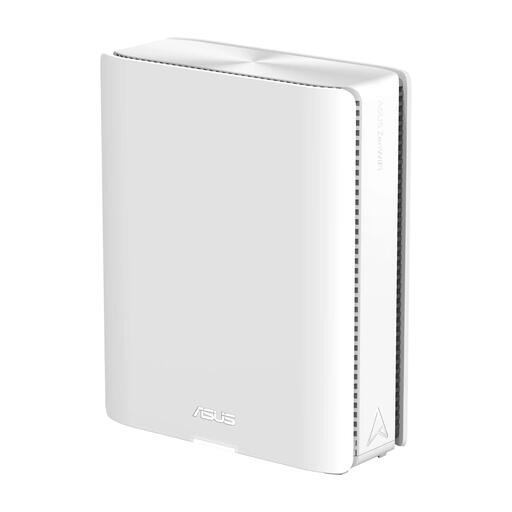 No image available
The product information describes expansion with AiMesh devices. The packaging information lists one item, so you’ll need additional compatible equipment for multiple mesh points.
Quad-band Wi-Fi 7. Check that the expansion you want will work with your existing ASUS AiMesh setup.
Play the recording on the device you intend to use in the garden office and check the connection there. Netflix recommends 5 Mbps for 1080p and 15 Mbps for 4K for its own streams; these aren’t specified requirements for your theatre platform.
That’s possible with a suitable setup. TP-Link describes an access point mode for Deco with Ethernet backhaul, where the main router manages the clients. Some advanced Deco features aren’t available in this mode, so check how to connect the system you choose.
According to TP-Link, this model can be powered using suitable PoE equipment or AC power. For an outdoor AC power supply, the installation guide calls for a waterproof outdoor socket. Follow the mounting instructions too, and check that the connections are protected.
According to TP-Link, you need suitable, mutually compatible points on the same electrical circuit, among other things. The PX50 doesn’t form a powerline backhaul with the PX10, P7 or P9. After installation, check in the Deco app which backhaul is actually active.
Netflix recommends 5 Mbps for 1080p and 15 Mbps for 4K for its own streams. Use this only as a guide for Netflix: these aren’t specified requirements for the platform you’re using to watch the theatre recording.