
Gamer with an ethernet cable upstairs
Wants a wired connection between floors and to connect a PC or console upstairs. Look for ethernet backhaul and check how many ports are left once the cable is connected.


If you can run an ethernet cable upstairs, compare mesh nodes with ethernet backhaul and enough ports for your gaming device. Without a cable, your choice mainly depends on where a node can maintain a good connection and how much space you have for it. Wall or ceiling mounting can free up a crowded shelf, but you’ll need a suitable installation. A stated Wi-Fi speed doesn’t guarantee a particular ping on your floor.
Wants a wired connection between floors and to connect a PC or console upstairs. Look for ethernet backhaul and check how many ports are left once the cable is connected.
Connects the mesh nodes wirelessly and needs a spot where they can communicate reliably, even if the gaming area is further away. The Dutch Consumers’ Association (Consumentenbond) recommends keeping obstacles between Wi-Fi points to a minimum.
Has little room for a node and is comparing compact units with wall or ceiling mounting. Remember to allow space for the plug, cables and any power supply, too.
Start with the connection between floors: with ethernet backhaul, that part is wired, while a wirelessly connected node needs a suitable spot of its own. Then consider how much space and how many connections you need upstairs.
| What to consider | What to look for | Who is this most important to? |
|---|---|---|
| Connection between floors | Check whether ethernet backhaul is available and whether a wireless node can maintain a good connection in the intended position. | When I game upstairs, I want to know whether the mesh point there has a usable connection to the network. Around 33% of consumers prioritise the connection between floors. |
| Space for the node | Measure the space, including room for the plug and cables. For wall or ceiling mounting, check what fixings and power supply are needed. | When my shelf is full, I’m looking for a spot where the node will fit without having to tuck it behind obstacles. Around 27% of consumers prioritise where to place the node. |
| Connecting a PC or console | Count the free ethernet ports once any backhaul is connected; check each connection separately. | I want to connect my gaming device upstairs with an ethernet cable and know how many ports will be left. Around 20% of consumers prioritise a wired connection for their gaming device. |
| Number of units and what you need | Compare the number of mesh points and check whether your setup requires cables, a power supply or mounting hardware. | When working out what my installation needs, I want to take the number of units and any extra parts into account. Around 20% of consumers prioritise the size of the set and the installation requirements. |
An extra mesh point only helps if it can maintain a good connection to the network itself. The Dutch Consumers’ Association recommends keeping obstacles between Wi-Fi points to a minimum.
Try an open spot between the router and your gaming area before settling on a permanent position or mounting the node.
A cable between the console and a node doesn’t make the connection between that node and the rest of the network wired. With wireless backhaul, that part remains wireless.
Map out the route from your modem to your gaming device and check both connections separately. Also count the ports needed for any backhaul.
PoE support and wall-mounting options don’t tell you which parts are included with every version.
Before buying, check what’s included with the exact set and how power and cabling will reach the mounting position.
Your installation may also require a suitable PoE power supply, ethernet cabling or mounting hardware.
Wi-Fi generation alone doesn’t determine performance; placement and the connection between mesh points matter too.
First compare the possible positions and connections in your home. Don’t treat advertised speeds as a prediction of your ping upstairs.
The Deco X50 and Deco X50-PoE offer different connection and placement options.
The ZenWiFi XD5 may suit you if you want to compare a node’s dimensions in advance and can use ethernet backhaul.
The Mesh Set 1600 is worth comparing if you’re looking at a set with several mesh points.
These mesh systems from Joybuy are options to compare for an upstairs gaming area. Focus on the number of units and the connections your setup needs. For the exact version, check that it meets the applicable European product requirements and carries the correct CE marking.
 No image available
A two-unit set to compare if you’re looking for a mesh setup across multiple floors.
Check the product information to see how backhaul can be connected in your setup and how many ports will then be available.
 No image available
A set with three mesh points to compare if you want to connect several areas of your home.
The network ports are rated for a maximum speed of 100 Mbps, so bear this in mind for wired devices or backhaul.
 No image available
A two-unit mesh set to compare if you want to add another mesh point upstairs.
Check that the connections and link between the units suit your planned setup.
 No image available
A set with three mesh points to compare if you want to connect several areas.
Check how many ports are available per unit for your devices and how the units will connect to each other.
 No image available
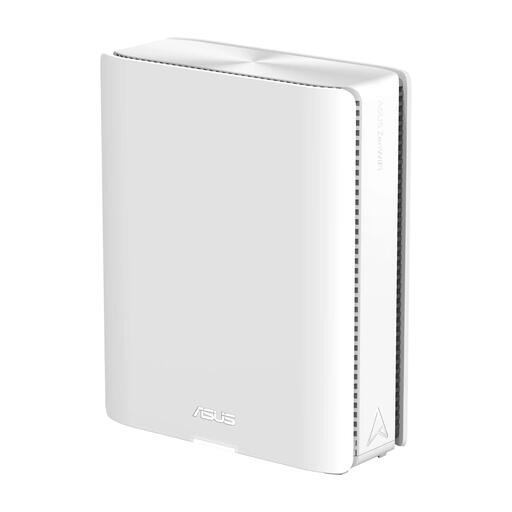
A mesh router to compare if you’re considering an ASUS mesh network.
Before expanding your network, check that the mesh node you want to add is compatible with your setup.
Don’t automatically put it in the furthest spot next to your console. The Dutch Consumers’ Association says Wi-Fi points work best with as few obstacles between them as possible. Try a spot where the node itself gets a good connection, and check it using the setup app or indicator.
Only if the connection from that node to the rest of the network also uses ethernet. If the node has wireless backhaul, that part remains wireless, so check both connections separately.
According to TP-Link, the Deco X50-PoE supports wall and ceiling placement, as well as PoE. Check which mounting parts are included with the set you choose and how the required ethernet cable and suitable PoE power supply are provided.
Yes. According to the Dutch Authority for Digital Infrastructure, equipment such as radio equipment must carry the correct CE marking. Check the marking and the applicable version of the product you’re considering.
No. Wi-Fi generation alone doesn’t guarantee a particular ping. The Dutch Consumers’ Association points out that the Wi-Fi version doesn’t determine performance on its own; placement and the connection between mesh points matter too.