
Seminar attendee with poor Wi-Fi coverage
If your Wi-Fi drops out where you take your seminar, first work out whether you need extra coverage. The Consumentenbond recommends placing Wi-Fi extenders where the signal needs a boost.


Start by testing a wired connection where you take your seminar: Microsoft Support also recommends checking your internet connection if connection problems keep coming back, while mesh can help improve coverage inside your home. Then choose between extra mesh nodes, ethernet backhaul or a wireless system based on where you work, whether you can run cables and how many people use the internet at home at the same time. A higher advertised Wi-Fi speed doesn’t guarantee smoother calls.
If your Wi-Fi drops out where you take your seminar, first work out whether you need extra coverage. The Consumentenbond recommends placing Wi-Fi extenders where the signal needs a boost.
You’re presenting while other people at home are online too, and want to assess your connection during the call rather than relying on the maximum speed shown on the box. Microsoft Support recommends checking your internet connection, among other things, if you’re having call quality problems.
You can connect a work device or mesh nodes via ethernet and want to see whether this suits the layout of your home. A wired test can also help you tell the difference between a Wi-Fi problem and an issue with your internet connection.
First, test the connection where you work at a similarly busy time. Then choose your mesh set-up based on coverage, simultaneous use, cabling options and the level of control you need.
| What to consider | What should you look for? | Who is this more relevant to? |
|---|---|---|
| Coverage where you take your seminar | Test the connection where you work and check whether an extra node can still maintain a usable connection to the rest of the network from there. | If my Wi-Fi drops out where I take my seminar, I want to know whether an extra node can improve coverage there. Around 40% of consumers say coverage in their workspace is their main concern when buying. |
| Call quality when several people are online | Check upload and download speeds and call quality at a busy time; don’t treat advertised combined speeds as measured seminar performance. | When other people at home are online at the same time, I want to assess my call connection during a busy evening. For around 30% of consumers, quality when several people are online is the top priority. |
| Cabling options | Check where cables can be run, whether the nodes you choose support ethernet backhaul and how many ports will be left free. | If I can connect my work device or mesh nodes via cable, I want to know whether that’s practical. A wired connection is the top priority for around 20% of consumers. |
| Set-up and management | Check which app and account the system requires, and test the connection before an important call. | If I don’t have much time to set up the system, I want to know in advance how installation and management work. Easy management is the top priority for around 10% of consumers. |
Poor call quality can also be linked to your upload or download speed, or to your provider’s connection. Mesh can’t fix a problem with your internet connection on its own.
Compare the connection where you work with a wired test, and check your internet connection during a busy period. If problems with your connection keep coming back, contact your provider.
A product specification can’t directly predict how walls, placement and simultaneous use will affect performance in your home.
Choose a suitable spot for each mesh node and test the connection where you actually work. Also compare the system size and version you’re planning to buy.
Radio equipment must carry the required CE marking, and a declaration of conformity must be included, as the Dutch Authority for Digital Infrastructure explains.
Check these details for the specific version you receive before using it.
The Deco X50 is a dual-band Wi-Fi 6 router worth comparing if you’re looking for extra coverage and possibly a wired connection between mesh nodes.
The ZenWiFi XT9 is a tri-band Wi-Fi 6 router worth comparing if your mesh nodes will connect wirelessly.
Nest Wifi Pro is a Wi-Fi 6E mesh option worth comparing if automatic network management and video-call prioritisation are important to you.
The Orbi 770 series is a separate tri-band Wi-Fi 7 router to consider if you’re weighing up wireless or wired backhaul.
These Joybuy product picks are mesh Wi-Fi systems designed to extend coverage around your home. They include dual-band and tri-band models in a range of system sizes. Before use, check that the specific radio device you receive carries the required CE marking and comes with a declaration of conformity, as required by the Dutch Authority for Digital Infrastructure.
 No image available
This 2-pack is a tri-band option worth comparing if several devices are active wirelessly at the same time.
Tri-band: 2.4 GHz, 5 GHz and 6 GHz; Wi-Fi 7 (802.11be).
 No image available
This three-node system is worth comparing if you need more placement options for a workspace with weak coverage.
Dual-band: 2.4 GHz and 5 GHz; Wi-Fi 6 (802.11ax).
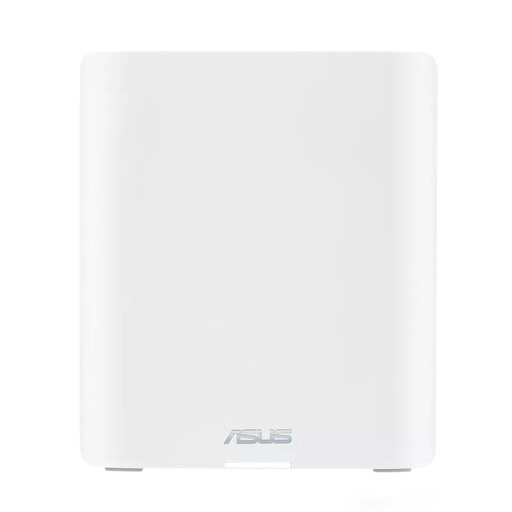 No image available
This tri-band mesh system is worth comparing if several devices are active wirelessly at the same time.
Tri-band: 2.4 GHz, 5 GHz and 6 GHz; Wi-Fi 7 (802.11be).
 No image available
This 2-pack is a dual-band mesh option worth comparing if you want to add extra nodes and explore a wired connection.
Dual-band: 2.4 GHz and 5 GHz; Wi-Fi 6 (802.11ax); PoE.
 No image available
This three-node system is worth comparing if you want more placement options and use several devices wirelessly at the same time.
Tri-band: 2.4 GHz, 5 GHz and 6 GHz; Wi-Fi 6E (802.11ax).
Not necessarily. Check your upload and download speeds, and investigate your internet connection if it’s often slow. Mesh is designed to improve your connection around the home; it won’t fix a problem with the connection itself.
Place an extra node somewhere it can still maintain a usable connection to the rest of the network, rather than only where the signal has already dropped out. Then test the connection where you take your seminar.
Test the connection where you work at a similar time of day and check your upload and download speeds. Update your router and device software and, if possible, make a test call; this can’t guarantee how later calls will perform.
According to ACM ConsuWijzer, most standard online product purchases come with a statutory cooling-off period of up to 14 days after delivery, although exceptions apply. Also check the return policy of the specific seller.
The Dutch Authority for Digital Infrastructure states that radio equipment must carry the required CE marking and be supplied with a declaration of conformity. Check this for the specific device you receive; a product listing alone doesn’t confirm these details.