
A hobby room with a weak signal
Your main aim is to get a usable connection in the room at the back of the house. The Consumers’ Association recommends trying an intermediate position for a Wi-Fi point if the signal is weak at the back of your home.


Start by looking at the connection to your hobby room. Place a wireless mesh point where it can still get a good signal from the rest of the network, or choose wired backhaul if you can run an Ethernet cable between the points. Then compare the number of points, connections and features you need. A higher advertised Wi-Fi speed alone doesn’t guarantee a better connection at the back of the house.
Your main aim is to get a usable connection in the room at the back of the house. The Consumers’ Association recommends trying an intermediate position for a Wi-Fi point if the signal is weak at the back of your home.
You use the hobby room while people elsewhere in the house are streaming, making calls or working. The Consumers’ Association describes Wi-Fi tests involving several connected devices, so don’t judge a system by its advertised top speed alone.
You want to extend your Wi-Fi without replacing your existing router or internet connection unnecessarily. Check how the system connects, which operating mode you’ll use and which features will remain available.
First, work out whether the weak spot is mainly the distance to the hobby room, the connection between mesh points or the number of devices being used at the same time.
| What to consider | What to look for when buying | Who should pay particular attention? |
|---|---|---|
| Coverage at the back of the house | Find a position for an intermediate point and test the connection in the hobby room. | If I need a usable connection at the back of the house, I want to know where an intermediate point can still get a signal; around 36% of consumers give coverage in the back room top priority. |
| Evening use | Compare tests with several connected devices and check performance at home during your usual busy period. | When people elsewhere in the house are streaming or making calls at the same time, I want to know how the network performs in different areas; around 29% of consumers prioritise several people using the network in the evening. |
| Connection between points | Check whether you can run cables and how many Ethernet ports are available on each point. | If running an Ethernet cable between the points is an option, I want to avoid the wireless connection between them becoming the bottleneck; around 21% of consumers put this connection first. |
| Connection and running costs | Check the operating modes, app requirements, available features and power consumption of the full set. | I want to keep my existing router and know which features will remain available; for around 14% of consumers, connectivity and running costs are their main buying concerns. |
The point still needs to connect to the rest of the network. So placing it where the signal is already weak won’t necessarily help.
First, try a position between the router and the hobby room. If that doesn’t provide a usable connection, see whether Ethernet backhaul is possible.
If the connection between the points is too weak, you may still need an extra point or an Ethernet cable.
The Wi-Fi version alone won’t tell you how a device will perform at the back of the house. A speed test on the main Deco also won’t show the speed a device gets from another point.
Compare tests in different locations and, at home, test with a device in the hobby room during your usual busy evening period.
According to TP-Link, some advanced Deco features, including parental controls, aren’t available in this mode.
Decide in advance which router or system will provide the features you need, and check the instructions for your chosen setup.
Deco systems are an option if you want to add to an existing router or connect mesh points to each other by cable.
The Mesh Set 1600 (3-pack) lets you keep an existing router and place several points along the route to the hobby room.
The ZenWiFi BD4 is a Wi-Fi 7 option if you’re specifically looking for wired backhaul or a connection to an existing AiMesh network.
This Joybuy selection includes TP-Link Deco mesh sets for extending coverage to a hobby room at the back of the house. Compare the number of points and connections for each version.
 No image available
The set of three mesh points gives you several possible positions between the router and the hobby room.
The Joybuy product listing mentions Wi-Fi 6 (802.11ax), OFDMA, MU-MIMO and three gigabit ports per point.
 No image available
The set of three points gives you more options for positioning them along the route to the hobby room, although where you place each point still matters.
The Joybuy product listing mentions tri-band Wi-Fi 6E (2,4 GHz, 5 GHz and 6 GHz), QoS, WPA3 and three gigabit ports per point.
 No image available
The described set of three points gives you several positioning options along the route to the hobby room.
The Joybuy product listing mentions tri-band Wi-Fi 6E, QoS and three gigabit ports per point.
 No image available
This version could suit you if you’re comparing mesh sets with three points and the option of a wired installation.
The Joybuy product listing mentions PoE support, Wi-Fi 6, WPA3 and two Ethernet ports per point.
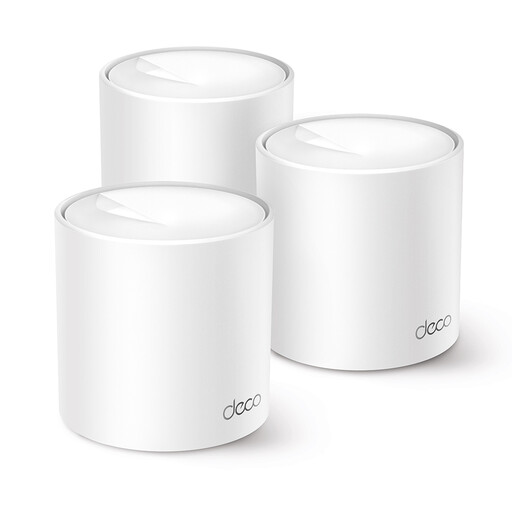 No image available
The described set of three mesh points gives you several possible positions along the route to the hobby room.
The Joybuy product listing mentions Wi-Fi 6, OFDMA, MU-MIMO and two Ethernet ports per point.
First, try a position between the main router and the hobby room where the points can still get a good signal from each other. If the signal is weak at the back of the house, the Consumers’ Association recommends moving a point closer to the middle of the home. Then check the connection in the hobby room.
That may be possible with the systems described here. TP-Link explains how to connect Deco to an existing router; according to the manufacturer, some advanced Deco features aren’t available in access point mode. Check the instructions for the exact set and connection.
Test the connection in several places, using a device in the hobby room during your usual busy evening period. A speed test on the main Deco won’t show the speed a device gets from another mesh point.
Compare the power consumption of all the points together and check the warranty and support for the exact set. If you also need an Ethernet cable, consider the practicalities of installing it.
ACM ConsuWijzer explains the freedom to choose a router, but there may be conditions when connecting your own equipment, so check your provider’s connection requirements. The Dutch Authority for Digital Infrastructure states that retailers may only sell radio equipment that meets the applicable requirements, including CE marking. Check the marking on the specific version.