
Vandaag of morgen in huis

Kwaliteit gegarandeerd

Welkomstaanbiedingen ontgrendelen: GRATIS bezorging | Tot 80% korting | Gratis 30 dagen JoyPlus-proefperiode
Download de app
A full or slow memory card is a familiar frustration. Whether you're in the middle of a photoshoot, downloading a crucial game update on your Nintendo Switch, or recording a long drive with your dashcam, a failing card can ruin your day. However, the memory card market is flooded with technical specs and marketing claims that make it difficult to choose the right one. Many people fall into the same traps and end up paying too much for the wrong card.
As a Product Recommendation Officer at Joybuy, I see where things go wrong every day. These are the most common mistakes and how to avoid them.
Before you buy a memory card, it's essential to understand three core specifications. This will help you see through the marketing jargon and choose a card that actually works for your device.
These symbols are your most important guide. They guarantee a minimum sustained write speed, which is crucial for reliable performance.
high-speed memory card needed for 4K video.4K video memory card. For higher resolutions or bitrates, V60 or V90 cards are available, but for most cameras, drones, and action cams, V30 is sufficient.Nintendo Switch memory card. A1 and A2 indicate how quickly the card can read and write small files, which directly impacts the load times of apps and games. A2 is noticeably faster than A1.The format is straightforward: most cameras use an SD card (the larger format), while smartphones, drones, dashcams, and the Nintendo Switch use a microSD card. Many microSD cards come with an adapter to allow them to be used in SD slots as well.
In terms of capacity, look for the designation:
128GB memory card is a popular SDXC option.Always check your device's manual to see the maximum supported capacity. A 1 TB card will not work in a device that only supports up to 128 GB.
Based on objective specifications, we have selected several cards that fit specific user profiles.
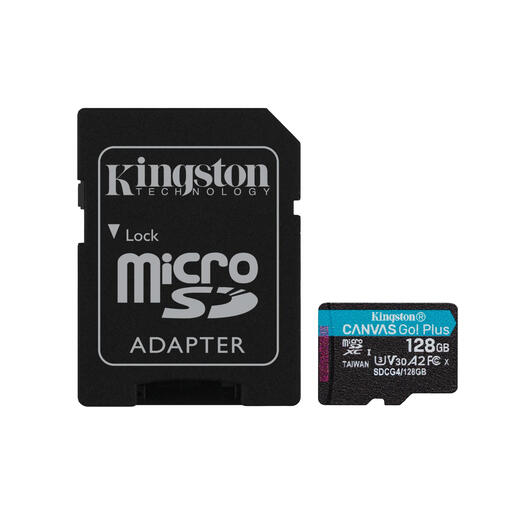
Why This Fits Their Persona: This card offers an excellent balance for gamers. The 128 GB capacity is more than enough for a large collection of games, while the A2 rating ensures fast load times, so you spend less time waiting and more time playing.
This card has an A2 rating, which is specifically designed for app and game performance. This is a detail that's often overlooked but makes a noticeable difference in load times on the Switch.
The combination of U3, V30, and A2 specs makes it a versatile and future-proof choice, not just for gaming but also for 4K recording with a drone or action cam.
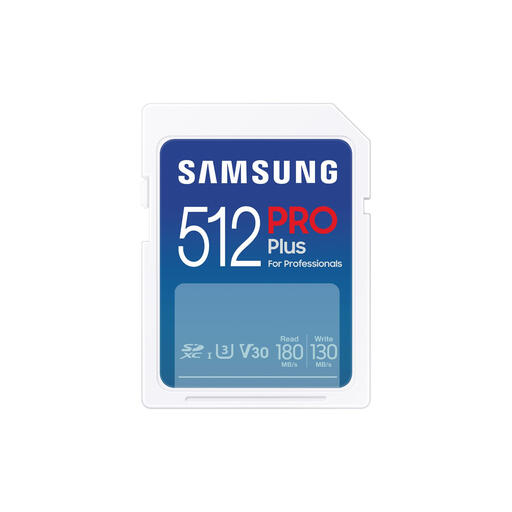
Why This Fits Their Persona: For professionals and serious hobbyists who work with a `camera memory card`. The 512 GB capacity provides room for thousands of RAW photos or hours of 4K video, while the high write speed is essential for burst photography and smooth recording.
This card focuses on what really counts for recording: a high and reliable write speed (130 MB/s) and a V30 rating. This avoids the pitfall of buying a card based only on a high read speed.
According to Samsung, the card offers 7-proof protection (including against water, temperature, and shocks), which provides added peace of mind when shooting in challenging conditions. A reliable choice for valuable footage.
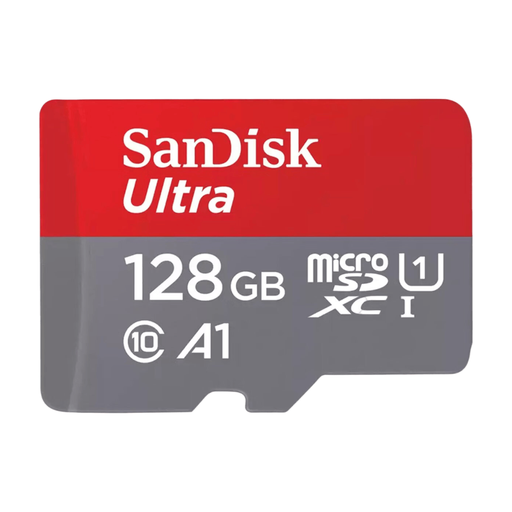
Why This Fits Their Persona: An affordable and reliable `SanDisk memory card` for expanding the storage on an Android smartphone or tablet. Ideal for storing photos, videos, and improving the device's overall performance.
The A1 rating is specifically aimed at accelerating app performance on a mobile device. This ensures your phone continues to run smoothly, an advantage that cards without this rating don't offer.
Offers an excellent price-to-performance ratio. The included SD adapter adds versatility, allowing you to easily transfer files to a laptop or camera as well.
We have compiled a complete, up-to-date list of products that fully meet these strict selection criteria and local regulations.
This depends entirely on your usage.
These are the performance tiers of the popular SanDisk memory card brand.
Not necessarily. The "best" card is the one that matches your device and your use case. Buying an extremely fast and expensive V90 card for a dashcam that only requires V30 is a waste of money. The extra speed won't be utilized. It's more important to check your device's specifications and choose a card that meets them, rather than blindly picking the most expensive option.
