
Staff member using a phone and tablet
You update membership details on more than one device. What matters most is a connection and keyboard layout that work with each device you use.


Your choice largely depends on the device you use to update membership records. A separate Bluetooth keyboard may suit you if you switch between devices, while a keyboard case combines a keyboard and tablet. Check compatibility, keyboard layout and the setup you need on the go. The keyboard itself does not protect membership data.
You update membership details on more than one device. What matters most is a connection and keyboard layout that work with each device you use.
You use the same tablet each time and want a keyboard that suits it when updating records, potentially with a trackpad.
You have limited bag space between visits and are weighing up a slim separate keyboard with protected keys against a case that fits only a specific tablet model.
First, check that the keyboard works with the device you use to update records. Then compare how easy it is to carry and how comfortable it is to type on. Assess the protection of personal data separately.
| What to consider | What should you check? | Who is this important for? |
|---|---|---|
| Connection and compatibility | Note the full device model and operating system. Also check the connection method and keyboard layout of the version you’re considering. | I switch between devices and want to know whether the keyboard will work with them before I take it with me; around 36% of consumers prioritise compatibility. |
| Carrying and setting up | Compare the dimensions of the keyboard when packed away, and consider what your phone or tablet will rest on while you type. | If I have limited space in my bag or workspace, I want to be able to carry and set up the keyboard quickly; around 29% of consumers prioritise portability and setup. |
| Keyboard layout and typing comfort | Check the layout of the version on offer. Pay attention to key spacing and punctuation key positions if you enter a lot of data. | When entering names and addresses, I want a layout that feels comfortable to use, even if another model is more compact; around 21% of consumers prioritise typing comfort. |
| Protecting membership data | Assess how the device and record-keeping system you use are secured, and who has access, separately from your choice of keyboard. | If I handle personal data on the go, I want to know how mobile working and access to that data are managed; around 14% of consumers prioritise risks to membership data. |
Cases may be designed for specific tablets or tablet ranges. A similar screen size on its own doesn’t mean the case will fit.
Compare your tablet’s full model name with the compatibility information for the exact keyboard version.
Choosing the wrong one could mean you still need to find a case that fits.
The Trust Lyra lists Bluetooth connections and a USB receiver as separate connection options.
Check which connection your device supports and which one the version on offer uses.
If the connection isn’t right for your device, you may need a different port or an adapter.
A keyboard lets you enter information, but it doesn’t automatically secure your device or data. The Dutch Data Protection Authority states that organisations must assess the risks of processing data and decide on appropriate measures.
Assess the security of your device, accounts and record-keeping system separately from your choice of keyboard.
Separate mobile keyboards, including the Pebble Keys 2 K380s and Keys-To-Go 2.
Book Cover Keyboard Slim for specific Galaxy Tab models; the version reviewed, EF-DX730UBEGWW, is listed for the Galaxy Tab S11.
Magic Keyboard cases for iPad Air and iPad Pro, with compatibility varying by range.
Surface Pro Flex Keyboard for the Surface Pro models listed by Microsoft.
Lyra is a compact keyboard and mouse set for anyone who wants to take a mouse too and switch between a phone, tablet and computer.
This selection includes keyboard cases for specific Surface and iPad models, as well as separate compact keyboards for mobile use.
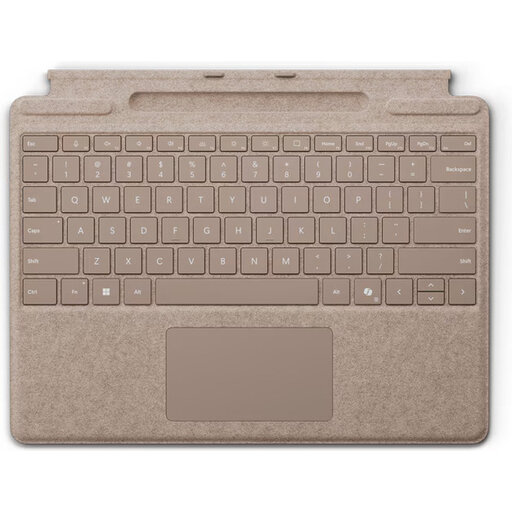 No image available
A good option if you use one of the specified Surface Pro models and want a keyboard with an integrated touchpad.
The product description lists compatibility with Surface Pro 8, 9, 10 and 11, magnetic attachment, backlighting and a storage slot for the Surface Slim Pen.
The stated dimensions are 4,89 mm thick and the weight is 281 g. This isn’t a general-purpose keyboard for other tablets.
A keyboard doesn’t protect membership data; assess the security of your device and record-keeping system separately.
 No image available
A good fit if you use one of the specified iPad Pro models and want a trackpad for typing.
The product description lists a Dutch QWERTY layout, 14 function keys, a trackpad, adjustable positions and a USB-C pass-through charging port.
The stated compatibility covers 11- and 13-inch iPad Pro models from 2024; check the exact tablet version.
The keyboard case doesn’t protect membership data; assess the security of your device and record-keeping system separately.
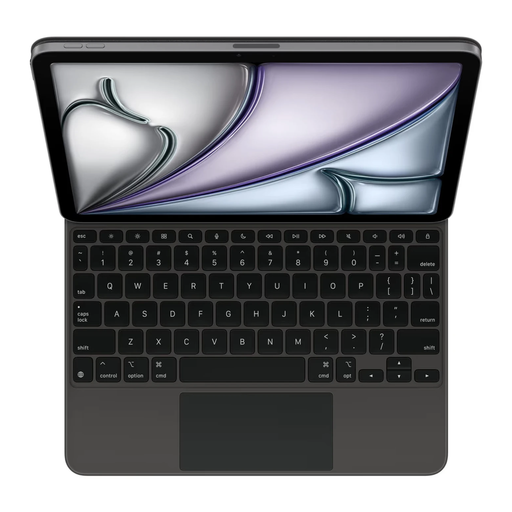 No image available
Worth considering if you use the specified iPad Air 11-inch (M3) and want a keyboard case with a trackpad.
The product description lists a trackpad, adjustable viewing angles and a folding case. The title specifies a US layout.
Check that both the iPad model and layout suit your needs; this version isn’t listed as universal.
The case doesn’t protect membership data; assess the security of your device and record-keeping system separately.
 No image available
A good fit if you want a separate keyboard to take with you and use Bluetooth with a supported device.
The product description lists support for iOS, Android and Windows, a 63-key layout and a touchpad.
The stated folded dimensions are 152 × 97 × 12 mm and the weight is 0,3 kg. No compatibility with other operating systems is listed here.
A keyboard doesn’t protect membership data; assess the security of your device and record-keeping system separately.
 No image available
May suit you if you enter a lot of numbers and value a numeric keypad more than a compact size for travelling.
The product description lists a US QWERTY layout, Bluetooth and a USB receiver for up to four devices, with support for Windows, macOS, iOS and Android.
The stated dimensions are 440 × 130 × 25 mm and the weight is 550 g. Check that the US layout works for the way you enter data.
A keyboard doesn’t protect membership data; assess the security of your device and record-keeping system separately.
A separate Bluetooth keyboard may suit you if you switch between devices; a case is designed for the tablet models specified. For a separate model, check which systems and connections it supports. For a case, compare your tablet’s full model name with the compatibility information.
It varies by model: the Logitech keyboards reviewed use wireless connections, while Apple describes magnetic attachment for its iPad keyboards. Check in advance that the version you choose connects to your device and has the right keyboard layout.
Check whether the version is rechargeable or uses replaceable batteries, and see which accessories are included. According to the Dutch government, extra warranty cover is mainly worthwhile if it gives you more rights than the statutory warranty. For a business purchase, check the applicable terms separately.
Your choice of keyboard alone doesn’t determine whether you may process personal data. According to the Dutch Data Protection Authority, you need a legal basis under the GDPR, and your organisation must assess the risks and decide on appropriate security measures. Whether a particular way of working meets these requirements depends on the data, organisation and systems used.