
Studio that prints lots of forms
You regularly print text forms and want to keep track of paper, consumables and refilling the paper tray. Brother lists a 250-sheet paper tray for the HL-L2445DW.


If you mainly print blank membership forms with black text, start with a black-and-white printer and compare the cost of toner, drum and paper for your expected usage. Choose a multifunction model if the studio also needs to scan or copy completed forms, and a colour printer only if colour is required. If forms contain personal data, the studio must determine appropriate measures to protect that data, in line with guidance from the Dutch Data Protection Authority.
You regularly print text forms and want to keep track of paper, consumables and refilling the paper tray. Brother lists a 250-sheet paper tray for the HL-L2445DW.
As well as printing, you need to scan or copy forms. Consider who can see completed documents in the shared space.
Colour is needed on the printout, and you want to check whether a colour ink tank printer suits how often the studio prints. Epson describes the EcoTank ET-2951 as a multifunction colour printer with refillable ink tanks.
Choose this option: if the studio only prints blank text forms and completed copies are handled elsewhere.
Keep in mind: a model without scanning and copying functions cannot scan or copy; Brother lists a separate drum and toner for the HL-L2445DW.
Choose this option: if the studio also needs to scan or copy completed forms. Brother lists a 50-sheet document feeder for the MFC-L2800DW.
Keep in mind: Canon says the i-SENSYS MF272dw has a flatbed scanner; check whether this suits the way the studio processes documents.
Choose this option: if colour is needed on the forms and the studio also wants to scan and copy.
Keep in mind: if you print infrequently, an inkjet printer may use extra ink for cleaning; the Dutch Consumers’ Association highlights this as a consideration with inkjet printers.
| Consideration | What to look for when buying | Who is this important for? |
|---|---|---|
| Costs and paper capacity | For the same expected number of printouts, compare toner or ink, any separate drum, paper tray capacity and automatic duplex printing. Brother lists a 250-sheet tray and separate toner and drum for the HL-L2445DW. | I regularly print text forms and want to keep track of paper and consumables. Around 31% of consumers say regular text printing is their main purchasing priority. |
| Protecting completed forms | Consider who can access the printer and output tray, and how printouts are collected. The Dutch Data Protection Authority says organisations must determine appropriate security measures themselves. | If forms contain personal data, I want to make sure completed copies are not visible to unauthorised people. Around 31% of consumers prioritise protecting completed forms. |
| Scanning and copying | Decide whether the studio needs these functions and check whether a flatbed or document feeder is suitable. Brother lists a 50-sheet document feeder for the MFC-L2800DW; Canon specifies a flatbed scanner for the MF272dw. | I also need to process completed forms and want this to fit the way the studio works. Around 23% of consumers say scanning or copying is their main requirement. |
| Colour on forms | First check whether colour is needed for practical reasons. Then compare the costs and maintenance requirements of the printer type you choose against your own printing habits. | I need colour on the forms and want a printer that also suits the studio’s usage patterns. Around 15% of consumers say colour is their main purchasing priority. |
Toner or ink, paper and any separate drum also affect running costs. Brother lists a separate drum and toner for the HL-L2445DW.
Compare models based on the same expected number of printouts and note which parts need replacing.
A flatbed scanner and an automatic document feeder work in different ways. Canon specifies a flatbed scanner for the MF272dw; Brother lists a 50-sheet document feeder for the MFC-L2800DW.
Check the scanner on the exact model and decide whether the studio processes individual sheets or stacks.
A network connection does not automatically control who can see completed documents. The Dutch Data Protection Authority says organisations must determine appropriate security measures themselves.
Agree who can access the printer, how printouts will be collected promptly and how completed forms will be stored.
The Dutch Consumers’ Association points out that inkjet printers may run cleaning cycles when used infrequently, which consume ink.
First establish whether colour is needed, then compare costs based on how often the studio prints.
Brother offers both a black-and-white printer without scanning and multifunction black-and-white models.
Canon positions the i-SENSYS MF272dw as a multifunction black-and-white laser printer for printing, copying and scanning.
HP positions the LaserJet Pro MFP 3102fdw as a multifunction black-and-white printer for small teams.
Epson describes the EcoTank ET-2951 as a multifunction colour printer with refillable ink tanks.
Below are Joybuy printer models suited to printing in a shared studio. For each model, check that the features, paper size and connectivity suit your studio’s forms and workflow.
 No image available
Suitable if the studio also wants to scan and copy forms; the product description lists an automatic 50-sheet document feeder.
A3; 1200 x 4800 DPI; 31 ppm; Wi-Fi, Ethernet and USB.
 No image available
A colour model with printing, scanning and copying functions for studios that need colour.
Duplex printing; refillable ink bottles; Wi-Fi and control via the HP Smart app.
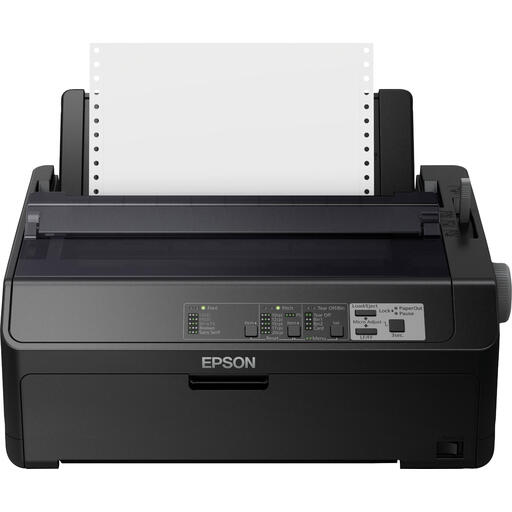 No image available
The product description mentions high-volume document printing, such as reports and invoices; check whether this type of printing suits the studio’s membership forms.
240 x 144 DPI; 612 characters per second; Ethernet and serial connection.
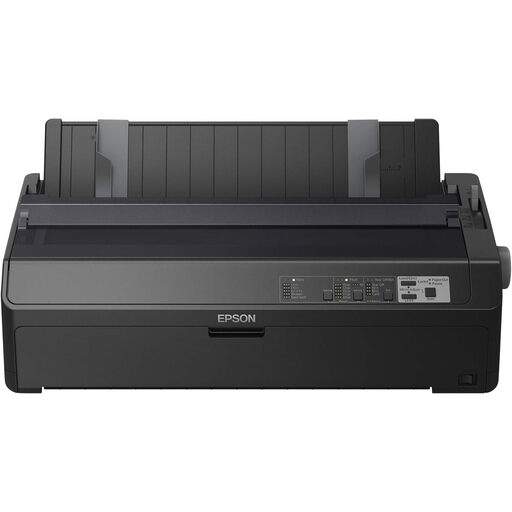 No image available
The product description mentions high-volume document printing, such as reports and invoices; check whether this type of printing suits the studio’s membership forms.
240 x 144 DPI; 738 cps; Ethernet and USB.
 No image available
An A4 model with printing, scanning and copying functions; the product description mentions scanning via software and connecting to a computer via USB.
4800 x 600 DPI; 60-sheet input capacity; USB 2.0.
Not if you only print blank forms. If the studio needs to scan or copy completed forms itself, choose a multifunction model and decide whether a flatbed scanner will do or whether you need an automatic document feeder.
The Dutch Data Protection Authority says organisations that process personal data must determine appropriate security measures themselves, based on the risks. In a shared space, make sure unauthorised people cannot see completed printouts or scans; a printer function alone is not a complete security measure.
No. The Dutch Data Protection Authority states that the GDPR does not set one specific general retention period for personal data. Do not keep data for longer than necessary, and check whether another legal retention period applies to the data in question.
Compare all models based on the same expected number of printouts, and check the cost of toner or ink, any separate drum and the effect of infrequent printing. For example, Brother lists a separate drum and toner for the HL-L2445DW; the Dutch Consumers’ Association highlights ink used for cleaning as a consideration with inkjet printers.
Check in advance which connections and devices the studio needs. Brother lists USB, wired networking and wireless networking for the HL-L2445DW; then set up the connection and preferred print settings to suit how the studio works.