
Quiz host alongside colleagues
You’re presenting from a noisy office and want remote players to hear you clearly. HP and Logitech describe microphones and noise-reduction features for their models; test how clear the audio is in the room itself.


Choose a meeting camera based on where the quiz host and local players sit, then test whether their voices are clear in the actual office. A USB video bar is suitable for presenting from a laptop; a system with a standalone meeting mode may suit a permanent room, but check platform features, any licence requirements and quiz audio sharing first. Noise suppression is a manufacturer feature, not a guarantee that nearby conversations will disappear.
You’re presenting from a noisy office and want remote players to hear you clearly. HP and Logitech describe microphones and noise-reduction features for their models; test how clear the audio is in the room itself.
Several players are sitting with the quiz host. Check that their seats are in view and that answers can be picked up from different positions; the camera’s field of view and microphone set-up are separate considerations.
You’re setting up a room for colleagues to use independently. Decide whether laptop control is sufficient or a room system would suit you, and test how quiz questions and any audio will be shared through your chosen platform.
For a quiz in a noisy office, clear voices, the seating positions of local players, sharing quiz content and managing the set-up are all important considerations.
| Consideration | What to look for when buying | Who should pay particular attention? |
|---|---|---|
| Clear voices | Test the microphone position and noise settings with normal office noise in the background. Jabra warns that Extreme Noise Suppression can make voices sound flat. | If I’m asking quiz questions over normal office noise, I want remote players to be able to hear quiet answers too. Around 36% of consumers prioritise clear speech despite background noise. |
| Group framing and microphone coverage | Check that faces are visible from the mounting position and test the audio separately from every seat. | If several colleagues are taking part around one table, I want to see them on screen and hear their answers. Around 29% of consumers prioritise capturing the local quiz group. |
| Sharing questions and quiz audio | Try screen or window sharing in your chosen platform, and test computer audio in advance if the quiz includes music or video sound. | If I’m presenting questions or audio clips, I want remote participants to be able to follow along. Around 21% of consumers prioritise sharing quiz content and any accompanying audio. |
| Installation and management | Check which licence, connections and components are needed for your chosen mode of use. | If I’m setting up a permanent room, I want to know in advance how colleagues will operate it and what requirements apply. Around 14% of consumers prioritise installation and management. |
Local players may be clearly in view while their answers are still difficult to hear remotely.
Test the picture and sound separately from every intended seat while the office is in normal use.
Sharing computer audio depends on your meeting set-up. Microsoft says that sharing computer audio through a cable to the console of a Teams Rooms device is not supported.
Try a quiz question with audio on your chosen set-up in advance, and ask someone joining remotely to check what they can hear.
How you operate the system and which components you need will vary by set-up. Logitech states that the room software licence for appliance use with the Rally Bar Huddle is not included.
Before ordering, confirm who will present, which device they’ll use, and which licences and components are required for your chosen configuration.
Jabra says that the Extreme Noise Suppression setting can make voices sound flat.
Compare recordings using the noise settings you intend to use, and listen out for quiet spoken answers too.
HP Netherlands describes the Poly Studio R30 as a USB video bar for small meeting rooms and laptop use.
The Logitech MeetUp is a USB meeting camera; the Rally Bar Huddle is a separate model that can also be used as a standalone room system.
Jabra positions the PanaCast 50 Video Bar System for groups seated across a wide area around the camera.
Yealink describes the UVC40 E2 as a USB video bar for small meeting rooms.
Neat describes the Neat Bar Generation 2 as suitable for small to medium-sized rooms and also mentions BYOD use.
This product selection is aimed at showing a wider group and keeping track of a quiz host who moves in front of the camera.
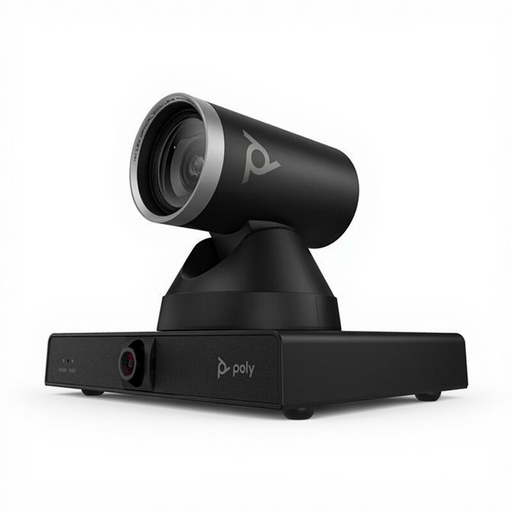 No image available
Suitable for a set-up where you need to keep a moving quiz host and a group in view; the product information lists presenter tracking and Smart Group Framing.
The product information lists 12x optical zoom, PTZ control and automatic framing. The model is described as being for large meeting rooms; check whether that makes it a good fit for your space.
The listed picture features alone say nothing about how clear the audio will be in your office. Test quiz audio and voices separately in your chosen meeting set-up.
No. As well as checking the camera image, test voices from the actual seating positions. HP lists a camera with three microphones for the Poly Studio R30, but that specification doesn’t prove that speech will be clear in your office.
Select ‘Include sound’ when sharing content and test it in advance. Microsoft warns that computer notifications may also become audible. Sharing computer audio through the cable to the console of a Teams Rooms device is not supported; Microsoft describes joining from a personal device with the meeting audio turned off as an alternative.
Check which microphone and speaker are selected in the meeting app, then make a local test recording. Logitech also recommends checking the firmware, software settings and environmental conditions for the MeetUp; for other models, follow the relevant model’s manual.
No. Logitech states that the room software licence for appliance use with the Rally Bar Huddle is not included. According to information from the Dutch government, the statutory consumer cooling-off period does not automatically apply when a business buys for commercial purposes. Check the specific quotation and terms of purchase.
Identifiable images are personal data. The Dutch Data Protection Authority says an organisation must determine the applicable GDPR legal basis before processing them. It also says that permanent camera surveillance of a fixed workplace is generally not permitted. This guidance on surveillance does not mean that every live quiz is prohibited, but don’t use quiz footage to monitor employees without telling them.