
Setting up a new connection to your garden office
You want to connect a media server in a separate building. Start by working out how the connection between the buildings will run and which connections you’ll need at each end.


First, decide how to install a suitable network connection between your home and garden office; a faster switch won’t fix an unsuitable connection route. For devices that use gigabit Ethernet, a basic gigabit switch may be sufficient, while 2.5 GbE is only worthwhile if the relevant devices and connections support that speed. Choose PoE or configurable VLANs only if you actually need those features.
You want to connect a media server in a separate building. Start by working out how the connection between the buildings will run and which connections you’ll need at each end.
You want to know whether 2.5 GbE could make a difference to your media server. Check the network connections on your other devices too, along with the speed of the entire network path you’ll be using.
You want to connect other devices as well as your media server, such as a computer or access point. The number of ports, PoE power and management features may all be worth considering.
First, make sure the connection between your home and garden office is suitable. Then count the ports you need, and only after that choose the speed and any extra features.
| What to consider | What to check | Who should consider this? |
|---|---|---|
| Connection between buildings | Check the existing or planned cable route, the type of connection, its length and the connectors. For a copper Ethernet channel, 100 m is the usual limit; this doesn’t mean that every cable is suitable for outdoor use. Fluke Networks describes this limit for a channel with four connectors. | If you first need to set up the connection to your garden office, you’ll want to avoid relying on the switch to compensate for an unsuitable route. Around 31% of consumers prioritise having a suitable connection between the buildings. |
| Network speed | Compare the connections on your media server and the devices you’ll use to transfer files. The speed of an individual switch port doesn’t guarantee the same transfer speed across the entire network path. | If transferring large files is your main reason for upgrading, check whether all the relevant devices and connections support 2.5 GbE. Around 25% of consumers put this speed check first. |
| Number of ports | Count the connection to your home, as well as the media server and any other wired devices. Also consider whether you might want to add more connections later. | If you want to connect several devices by cable, make sure you’ll still have enough spare ports once the connection to your home is plugged in. Around 19% of consumers prioritise having enough connections. |
| PoE power | Check the PoE standard required by each device, the power per port, the total power budget and the switch’s hardware version. | If, for example, you want to power a compatible access point or camera through the switch, the available power must meet the devices’ requirements. Around 13% of consumers make PoE their main consideration. |
| Management and VLANs | Decide whether you actually want to set up network segments and whether your other equipment supports this configuration. Configurable features need to be set up. | If you want to organise network traffic into separate segments, you’ll need to be able to manage the settings yourself and make sure they work with the rest of your network. Around 12% of consumers prioritise network management. |
A switch can’t make the connection between your home and garden office faster than the route itself allows. For copper, Fluke Networks gives 100 m as the usual limit for an Ethernet channel; outdoor use and electrical protection are separate considerations.
First, check the route’s length, cable type and conditions. If you’re setting up a new connection between buildings, get advice on the right medium and installation.
A new installation may also require suitable cable, connectors and installation work.
The connection back to your home uses a port, just like the media server. This means a switch with just enough ports for the devices in your garden office could still be short on connections.
Make a list of all your wired connections in advance, including the one to your home. Allow for possible expansion too.
Whether several devices can be powered at the same time depends on their requirements and the power available from the specific switch version.
Check the PoE standard and power requirements for each device, then compare them with the power per port, the total power budget and the exact hardware version.
A switch with configurable VLAN features won’t automatically give you a set-up, working network layout.
Choose these features if you have a specific network layout in mind, and check that your other network equipment supports it. Otherwise, a basic switch may be sufficient.
Bear in mind that setting up and maintaining your network layout takes time.
The models mentioned include basic gigabit and PoE switches, a 2.5 GbE model and a configurable gigabit model.
The GS305 is a five-port gigabit switch for a straightforward wired setup.
The MG-105 is an option if you’re looking for five 2.5 GbE ports.
The DGS-105GL is designed for a straightforward wired gigabit setup.
This selection includes wired gigabit and 2.5 GbE switches, including models with PoE or management features. Assess the connection between your home and garden office separately from the switch.
 No image available
Suitable for a wired gigabit connection to your media server and compatible PoE devices.
Five gigabit ports, including four PoE ports. The product information warns against exposure to moisture and rain.
 No image available
Suitable for a setup with several wired devices and compatible PoE-powered equipment.
Eight gigabit ports and four PoE ports. The product information recommends good ventilation and using compatible PoE devices.
 No image available
Suitable for compatible 2.5 GbE devices and a setup that also powers a compatible PoE device.
Five 2.5 GbE ports and PoE+; the stated total PoE budget is 60 W. Don’t exceed this budget or use the switch in a wet or very humid environment.
 No image available
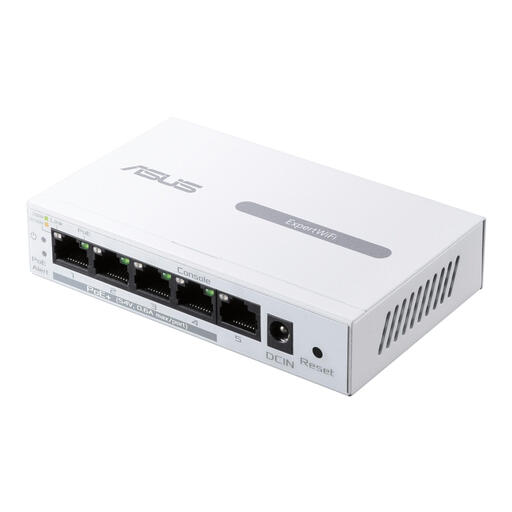
Suitable for a wired gigabit setup where PoE and management features are needed.
Five gigabit ports, including four PoE ports; the stated PoE budget is 60 W. A power adapter is included.
 No image available
Suitable for a wired gigabit setup with several devices and compatible PoE equipment.
Eight RJ45 gigabit ports and PoE support. TP-Link lists four PoE ports for this model; check the hardware version and available power budget. The product information warns against exposure to moisture.
Not if the switch only has RJ45 ports. Choose connections and any converters that are compatible with the fibre connection at both ends, and decide on the setup before choosing your switch.
Not necessarily. Check the connections on your media server and other devices, as well as the network path you’ll be using. Having 2.5 GbE ports on one switch doesn’t, by itself, guarantee faster file transfers.
Follow the operating conditions specified for the exact model. Don’t place a standard desktop switch outdoors or somewhere damp without checking first. Keep the connections and power supply accessible; if there’s a problem, also check the link indicators and negotiated connection speed.
It depends on the route you choose. You may need suitable outdoor cabling and connectors, fibre equipment or PoE power, as well as installation work. Work out what’s needed based on the connection and the devices you’ll be connecting.
Only when the applicable harmonised EU product rules require the specific product to carry one. The European Commission explains that CE marking is mandatory for products covered by these rules; check the product information for the version being offered.