
Writers working alongside colleagues
You write long passages within earshot of others and want to reduce typing noise without giving up the feel of mechanical keys. RTINGS explains how switches, the case and sound dampening affect keyboard noise.


Start with the sound: check which switch the exact version actually has and, where possible, assess the complete keyboard, as the case and stabilisers also affect its sound. Then choose a layout that keeps your writing and navigation keys within easy reach, and decide whether a cable or switching between devices suits your workspace. None of these features makes one keyboard the right choice for every screenwriter.
You write long passages within earshot of others and want to reduce typing noise without giving up the feel of mechanical keys. RTINGS explains how switches, the case and sound dampening affect keyboard noise.
You share your desk and want to leave room for a mouse and notes, while keeping navigation keys easy to reach during revisions.
You switch between computers while working or take your own keyboard with you, so connectivity, layout and easy switching are important considerations.
First compare the switch and the sound of the complete version. Then check whether the layout and dimensions suit your desk, and finally check the connection and keyboard layout.
| What to consider | What should you check? | Who is this important for? |
|---|---|---|
| Sound | Check the exact switch and, where available, read a review of the complete keyboard. The case and stabilisers can also affect the sound. | If colleagues sit nearby, I want to reduce typing noise without giving up the feel of mechanical keys. Around 36% of consumers cite noise for people sharing their desk as their main reason for buying. |
| Space and posture | Measure the available space and check that there is still room for a mouse and notes. Also consider the position of your screen and input devices. | At a shared desk, I want to leave enough room for a mouse and notes. Around 29% of consumers rank this space above the other buying reasons listed. |
| Keyboard layout | Compare the keys on the exact version with your writing software. Check the physical layout and how easy it is to reach the arrow and function keys. | When writing and editing, I want to find my usual punctuation and navigation keys quickly. Around 21% of consumers prioritise the layout and accessibility of the keys. |
| Connectivity | Check which connection types and devices the version supports, and whether you want to use a cable or switch between devices. | If I work on several computers, I want a connection that suits those devices. Around 14% of consumers cite connectivity and switching between devices as their main reason for buying. |
The switch and rattling stabilisers also affect the sound. Sound-dampening layers alone don’t tell you how the complete version will sound.
Check the exact switch and, if available, read a review of the complete keyboard in that version.
On compact layouts, navigation and function keys may be in different positions or accessed using key combinations.
Compare the layout with the tasks you do most often in your writing software.
Allow time to learn any key combinations you may need.
Similar model names and the same size don’t prove that they’re the same version.
Before treating one product as a replacement for another, compare the full model name, switch, layout and any other specifications that matter to you.
The MX Mechanical Mini is a compact, low-profile model for switching between devices. Look out for the Tactile Quiet version.
CHERRY positions the wired KC 200 MX as a keyboard for office work and extensive typing.
The One 3 RGB range includes different sizes and switch options for anyone looking for a wired keyboard.
The K3 Max is a compact, low-profile model for anyone looking for a keyboard they can take with them.
EPOMAKER describes the F75 as a 75% keyboard with wired and wireless connectivity and replaceable switches.
These Joybuy products focus on compact mechanical keyboards. The versions listed differ in layout, connectivity and model variant, among other things.
 No image available
The 75% layout is designed for anyone looking for a more compact board with navigation keys.
US QWERTY layout, tri-mode connectivity via cable, Bluetooth or 2.4 GHz, Gradient Grey and Reaper switches.
 No image available
The compact layout with arrow keys may suit you if desk space is limited and you want those keys within easy reach.
The product title lists Bluetooth, 2.4 GHz and wired use, hot-swap and Star Vector switches. The stated keyboard layout is US.
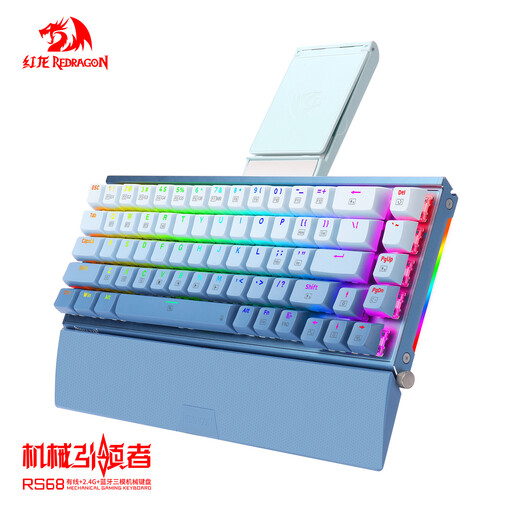 No image available
The 68-key layout is a compact option. Check that the keys you use for writing and editing are easy to reach.
The product description lists Bluetooth, 2.4 GHz and USB-C, a hot-swappable PCB and a detachable wrist rest. The version is listed as Gradient Blue.
 No image available
The 75% layout may suit you if you’re looking for a more compact keyboard. Check that the key positions work for your writing.
The product title lists wireless use, hot-swap, a TFT display and a rotary knob.
 No image available
This version may be worth considering if you’re looking for a 75% layout and need a German QWERTZ keyboard layout.
The product title lists tri-mode connectivity, Flying Fish switches and a volume knob. Check that the German QWERTZ layout suits the way you use your keyboard.
No, the colour of a switch doesn’t tell you that on its own. CHERRY describes internal dampening for MX Silent Red, while RTINGS also highlights the effect of the case and stabilisers. So check the exact switch and the complete keyboard.
Position your screen, separate keyboard and mouse to suit your workspace, and alternate screen work with breaks or other tasks. For employees who spend more than two hours a day working with display screens, Arboportaal describes rules about using a separate adjustable screen or keyboard. These specific workplace rules don’t necessarily apply as product specifications to every buyer.
ACM ConsuWijzer states that consumers generally have a statutory cooling-off period of up to 14 days after delivery for online purchases, subject to exceptions. Before buying, check which version you’re ordering and what returns information the seller provides.
No. According to ACM ConsuWijzer, the law doesn’t set a fixed length for the statutory warranty. With normal use, what matters is what you could reasonably expect from the product. Discuss any fault with the seller, as the warranty period for a particular keyboard depends on what you could reasonably expect from it.