
Yearbook editor with lots of writing to do
Writes and edits extensively, and navigates through documents. Key feel, noise and a practical keyboard layout all play a part in choosing a keyboard.


Choose a layout that suits your work: a compact keyboard can leave more room for your mouse, while a model with a number pad can be useful if you enter figures frequently. Then compare the exact switch type, keyboard layout and connection. Simply changing your keyboard won’t make long periods of standing or screen work healthier.
Writes and edits extensively, and navigates through documents. Key feel, noise and a practical keyboard layout all play a part in choosing a keyboard.
Switches between text and page layout at a sit-stand desk, and considers the space around the keyboard and how the workstation is set up.
Works with figures, budgets or repetitive tasks, and weighs up direct access to number keys against programmable keys.
First decide whether you mainly want a quiet typing experience, need room for your mouse or enter lots of figures. Then check the keyboard layout, switch type and connection on the specific version.
| What to consider | What should you check? | Who is this most relevant to? |
|---|---|---|
| Noise during long typing sessions | Check the exact switch type; don’t compare keyboards based only on the same model name. | When I’m writing for hours, I want keys that don’t draw unnecessary attention in a shared space. Around 33% of consumers make quiet typing their top priority. |
| Mouse space and workstation set-up | Compare the dimensions with your desk and leave enough room for your mouse. Adjust your workstation separately for sitting and standing. | When I’m working on page layouts, I often switch to the mouse and want to keep enough room to work. Around 27% of consumers prioritise space and a comfortable hand position. |
| Shortcuts and devices | Check which keys are programmable, whether the software works with your computer and which connections the version has. | For recurring layout tasks, I want to carry out commands more easily and sometimes switch between devices. Around 20% of consumers make shortcuts and switching between devices their top priority. |
| Direct access to number keys | Consider how often you enter figures, and check the keyboard layout and how much space the keyboard takes up. | If I often enter figures or budgets, I want to type numbers quickly. Around 20% of consumers prioritise entering numbers. |
Switch types can differ in key feel and noise. Damping or a description such as ‘quiet’ doesn’t measure the noise level in your workspace.
Check which version you’re ordering and compare the sound in conditions similar to those in your workspace.
A layout without a number pad won’t give you the same direct access to number keys as a model with one.
Compare how often you enter figures with how much room you want to leave beside the keyboard for your mouse.
Keyboard layouts, switches and connections can vary between versions, even within the same model range.
Check the full model name, switch type, keyboard layout and connection on the product page.
For a consumer purchase in the Netherlands, your statutory rights with the seller are separate from a manufacturer’s warranty or an additional warranty. The Government of the Netherlands states that there is no fixed statutory warranty period in the Netherlands.
Check what additional rights a warranty offer provides, and keep them separate from your statutory rights.
The MX Mechanical Mini is a compact option if you’re looking for a productivity keyboard with a choice of switch types and the ability to switch between devices.
According to Keychron, the K3 Pro combines a low-profile 75% design with programmable keys and a wired or Bluetooth connection.
The F75 and Galaxy100 are different models: the F75 is a compact option, while EPOMAKER says the QMK/VIA Galaxy100 has a layout with a number pad.
According to the brand’s website, the AK820 is a compact, wired 75% model for anyone who doesn’t need a wireless connection.
The ErgoDox EZ is a split mechanical keyboard for anyone who wants to position the two halves of the keyboard separately.
This Joybuy selection includes mechanical keyboards for desk work, with 75% and 96% layouts and a range of wired and wireless versions.
 No image available
The 75% layout is suited to anyone looking for a compact option for writing and page layout work.
The product name lists tri-mode connectivity, VIA compatibility and hot-swappable switches. Check that the US layout suits your preferred key legends and computer layout.
 No image available
The wired 75% layout is an option if you’re looking for a compact keyboard and don’t need a wireless connection.
The product name lists a US QWERTY layout, 83 keys, hot-swappable linear switches and a volume knob. Check that the layout suits your preferred key legends and computer settings.
 No image available
The 75% layout is a compact option for writing and page layout work where desk space is a consideration.
The product name lists wired, Bluetooth and 2.4G connectivity, hot-swappable switches and a TFT display. Check that the US layout suits your preferred key legends and computer settings.
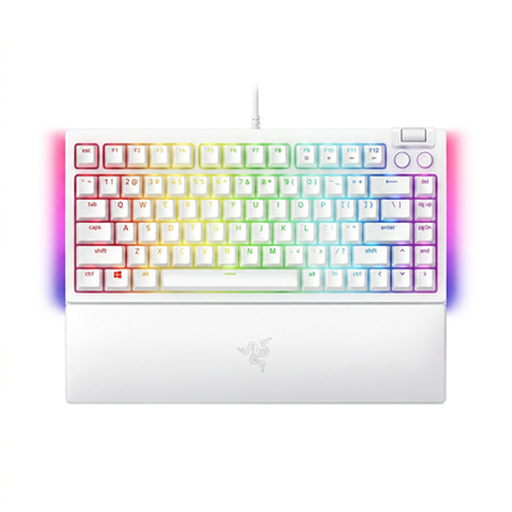 No image available
The 75% layout is a compact option if you work at a desk and want to make room beside your keyboard.
The product name lists a wired connection, hot-swappable switches and a US QWERTY layout. Check that the layout suits your preferred key legends and computer settings.
 No image available
The 96% layout is an option if you want to compare a larger key area with more compact models.
The product name lists 98 keys, a smart display, a rotary knob and Bluetooth, 2.4G and USB-C connectivity.
Before ordering, check both the key legends and the layout set on your computer. The manufacturers list an ANSI layout for the Keychron K3 Pro and EPOMAKER Galaxy100 QMK/VIA; this doesn’t confirm that the key legends are Dutch.
Set up your workstation separately for sitting and standing, and consider the position of your screen, keyboard and mouse. Standing still for long periods can also cause problems; changing your keyboard is no substitute for varying your posture.
For employees who spend more than two hours a day working at a screen, Arboportaal describes a requirement for the screen and keyboard not to be attached to each other. With a laptop, it must therefore be possible to use a separate screen or keyboard; this isn’t a general requirement for every pupil, volunteer or buyer.
For a consumer purchase in the Netherlands, the seller is your point of contact if the product is faulty. The Government of the Netherlands states that there is no fixed statutory warranty period in the Netherlands; the manufacturer’s warranty and any additional warranty are separate from your statutory rights.
No. According to Keychron, hot-swap is available on the RGB Backlight Hot-Swappable version. Check the exact version and which switches it supports before ordering.