What should you look for when choosing?
First, measure the space available on your desk. Then decide which keys you need direct access to and which layout, switches and connection will suit you.
| What to consider |
What to look for |
Who should pay particular attention? |
| Space for your keyboard and other items |
Measure the available width and depth, then compare them with the dimensions of the exact version. |
If I need a mouse, book and notes alongside my keyboard, I want to know how much desk space the case takes up. Around 33% of consumers give the space available on their desk top priority. |
| Editing keys available at a touch |
Check the layout of the exact version and make sure it suits the shortcuts you use. |
When I often navigate around a review, I want keys I can use directly while editing. Around 27% of consumers prioritise navigation and function keys. |
| Sound and typing feel |
Check which switch is fitted to the version on offer; don’t judge its noise level by the switch name alone. |
If I work in a shared space, I want a typing feel I enjoy without unnecessarily disturbing others. Around 20% of consumers put suitable typing sound and feel first. |
| Keyboard layout and connection |
Check the physical key legends, the connection you want and whether it works with your device. |
If I need specific key legends or a particular connection, I want to know which version I’m getting before I buy. Around 20% of consumers give this compatibility top priority. |
Joybuy products
This selection mainly features mechanical keyboards with a 75% layout, plus one 65% model. For each version, check the physical keyboard layout and applicable CE marking; wireless versions must also meet the applicable requirements for radio equipment.
 No image available
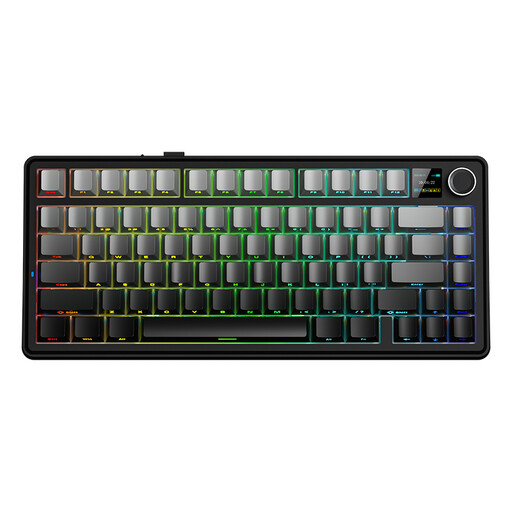
AULA F75 MAX, 75%, US QWERTY, tri-mode, Gradient Grey
The 75% layout is one way to save desk space; check that the US QWERTY layout suits you.
Tri-mode: wired, Bluetooth and 2.4 GHz. US QWERTY layout; Reaper Switch.
View at Joybuy
 No image available
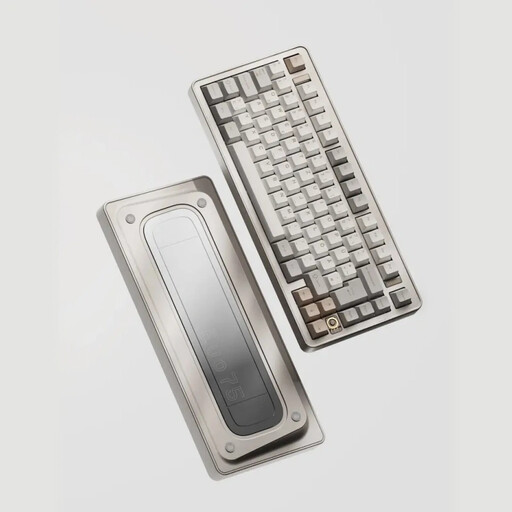
Ticktype EVO75, US QWERTY, tri-mode, Creamy Rye switches
The 75% layout is designed for anyone looking to save space; check that the US layout suits your editing work.
The title lists tri-mode, hot-swappable switches and Creamy Rye switches. This version has a US layout.
View at Joybuy
 No image available
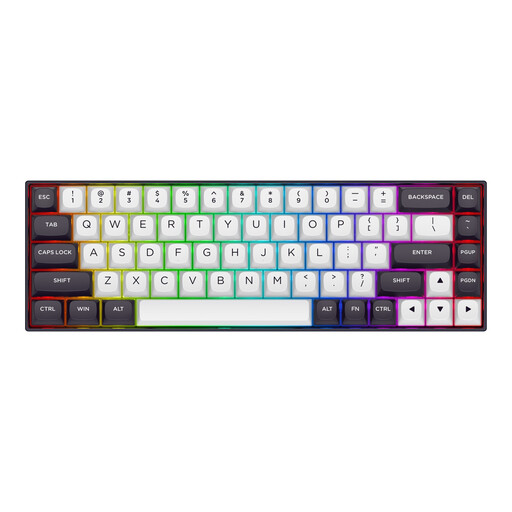
Redragon M68, 68 keys, magnetic switches, US layout
The 65% layout with 68 keys is a compact option if you can work without a separate function row.
Wired version with magnetic switches. US layout.
View at Joybuy
 No image available
AJAZZ AK820 MAX, 75%, US QWERTY, tri-mode
The 75% layout is designed for anyone looking for a compact keyboard who wants to keep navigation and function keys.
The description lists a layout with 82 keys, arrow keys and function keys. Tri-mode: wired, Bluetooth and 2.4 GHz. US QWERTY layout.
View at Joybuy
 No image available
AJAZZ AK820 Pro, 75%, US QWERTY, tri-mode
The 75% layout is an option for anyone looking to save space without losing the function keys; check that the US QWERTY layout suits you.
The description lists a layout with 82 keys, arrow keys and function keys. Wired, Bluetooth and 2.4 GHz; hot-swappable.
View at Joybuy
Frequently asked questions
Is 65% or 75% better for editing a review?
Choose based on the keys you want to use directly while editing. According to Keychron, the K3 Version 3 has a 75% layout with 84 keys; Ducky also offers the One 3 RGB in a 65% version. Check the layout of the exact version and consider how you’ll access functions that don’t have their own key.
How should you set up a keyboard on a small desk?
Measure the space you need for your keyboard, mouse and reading material, then set up your workspace so you can sit comfortably. Arboportaal recommends a relaxed posture, with neutral joint angles at the shoulders, wrists and forearms. This workplace advice does not guarantee that a particular keyboard will prevent discomfort.
What should you check about the connection and use?
Check the connection and instructions for the exact version. CHERRY lists a detachable USB-A-to-USB-C cable for the KC 500 MX LP TKL; Keychron lists Bluetooth and wired use for the K3 Version 3. Follow the instructions for your specific product.
What are your rights if a keyboard bought online disappoints or is faulty?
For online consumer purchases in the Netherlands, you generally have a 14-day cancellation period after delivery; exceptions may apply. ACM ConsuWijzer explains the cancellation period. The seller is also responsible for the statutory guarantee if a product is faulty; this is separate from the cancellation period.
What conformity requirements apply to a keyboard in the Netherlands?
According to the Dutch Authority for Digital Infrastructure, electrical and electronic equipment must carry the applicable CE marking. Wireless radio equipment must also meet the applicable requirements for radio equipment. Check this for the specific version; the word ‘wireless’ alone does not confirm compliance.


