Mechanical keyboards at Joybuy
This Joybuy selection includes mechanical keyboards with compact and larger layouts, as well as a range of connection options. Compare the exact version with your preferences for layout, switches and desk set-up.
 No image available
AJAZZ AK980 V2, 98% QWERTY, Gift Switch V2, Starry Night Grey
The 98% QWERTY layout may suit you if you’re looking for a larger keyboard with a QWERTY layout.
The product information lists linear switches, hot-swappable switches, a display with a rotary knob, and wired, Bluetooth and 2.4 GHz connections.
View at Joybuy
 No image available
REDRAGON 94-key mechanical keyboard, Full Metal
This wired model may suit you if you’re looking for a mechanical keyboard with a 94-key layout.
The product information lists a detachable wrist rest and customised Redragon switches.
View at Joybuy
 No image available
AULA F108 Pro, full-size, Light Blue
This full-size model may suit you if you’re looking for a standard-size keyboard.
The product information lists Reaper linear switches, hot-swappable switches, Bluetooth, 2.4 GHz and USB-C connections, an LCD screen and a rotary knob.
View at Joybuy
 No image available
AULA S75 Pro, 75%, Star Vektor switches
The 75% layout may suit you if you’re considering a more compact keyboard.
The product information lists hot-swappable switches and 2.4 GHz, Bluetooth and USB-C connections.
View at Joybuy
 No image available
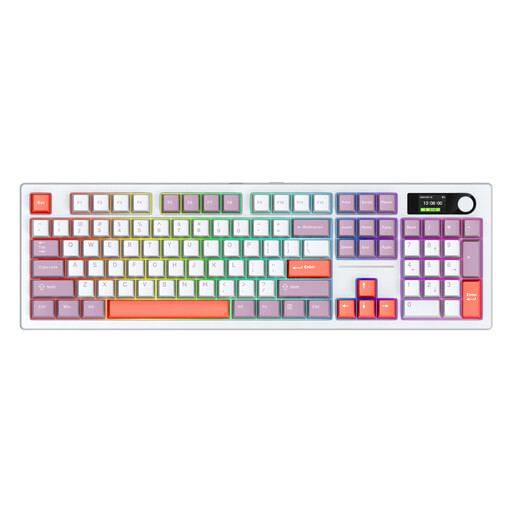
Siukie ACH105, 104 keys, Blue switch mechanism
This model may suit you if you’re looking for a 104-key keyboard with an audible click.
The product information lists a Blue switch mechanism, three connection modes, and the Pastel Purple and White version.
View at Joybuy
Frequently asked questions
How should I position my keyboard if I alternate between sitting and standing?
Adjust the desk at each height so your shoulders, forearms and wrists stay relaxed, and alternate between sitting and standing. Arboportaal describes alternating between sitting and standing at work; a mechanical keyboard is no substitute for doing so.
Can I replace the switches on any mechanical keyboard later?
No, this isn’t automatically possible with every model or version. For the K3 Max, Keychron specifies hot-swapping only for the RGB Backlight Hot-Swappable Version. Before buying, check which version and switches apply.
How do I clean a mechanical keyboard?
Switch the keyboard off or unplug it first. Logitech lists this as the first step in its cleaning instructions. Check your model’s manual too before removing keycaps or using cleaning products.
What are my rights if a keyboard I bought online doesn’t meet my expectations or breaks too soon?
For an online purchase by a consumer in the Netherlands, there is generally a statutory cooling-off period of up to 14 days after delivery, with some exceptions. ACM ConsuWijzer also distinguishes this cooling-off period from the statutory guarantee: if a product used normally doesn’t meet what you could reasonably expect, the seller is responsible for providing an appropriate solution.
Do Dutch rules on display screen work apply to my writing session?
The rules referred to are aimed at employers and employees; the fact that you’re writing doesn’t in itself tell us whether you’re doing so as an employee. If you are, Arboportaal states that when you work with a screen for more than two hours a day, the screen and keyboard must not be attached to each other. This is not a general product specification for every writer using a personal computer.


