
Vandaag of morgen in huis

Kwaliteit gegarandeerd

Welkomstaanbiedingen ontgrendelen: GRATIS bezorging | Tot 80% korting | Gratis 30 dagen JoyPlus-proefperiode
Download de app
Tired of typing on a standard, mushy-feeling keyboard? Whether you're an avid gamer, write extensively for work, or simply want to upgrade your desk setup, switching to a mechanical keyboard can be a game-changer. The precision, the feedback with every keystroke, and the endless customisation options are a revelation for many.
But the mechanical keyboard market is vast and can be overwhelming. With terms like 'hot-swappable', '60% layout', and various types of switches, it's easy to get lost. This guide is here to help. As a Joybuy Product Recommendation Officer, I'll filter the options and provide practical information to help you make a choice that fits your needs, without the marketing fluff.
Before we look at specific models, here are a few key points to consider.
A keyboard's layout determines not only how much space it takes up on your desk but also which keys are immediately accessible.
The heart of a mechanical keyboard is the switches beneath each key. These determine how a keystroke feels and sounds. A hot-swappable keyboard is a huge advantage here. It allows you to easily swap out the switches yourself without any soldering. This gives you the freedom to try different switches or replace a faulty one.
How do you want to connect your keyboard? A wired model offers a stable, fast connection. A wireless mechanical keyboard gives you more freedom and a cleaner desk, often with options for Bluetooth or a 2.4Ghz dongle.
Additionally, there are extra features that enhance usability. An RGB keyboard lets you customise the lighting for each key, which not only looks great but can also be useful in the dark. A keyboard with a volume knob is a small but convenient addition that allows you to adjust the sound quickly and easily.
Based on specifications and functionality, we've highlighted a few interesting models from RK ROYAL KLUDGE for you.
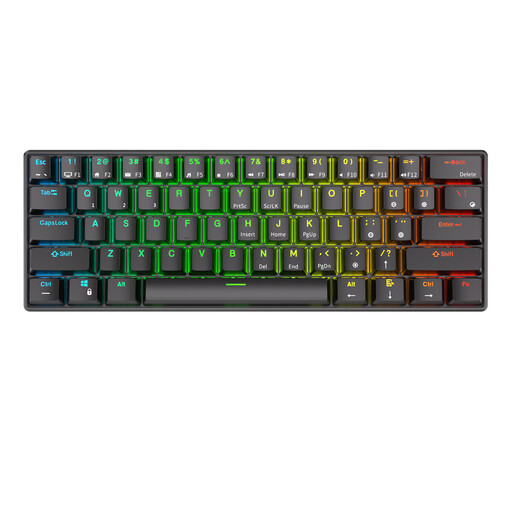
Why this model stands out: The RK61 is an extremely compact 60% keyboard that excels in versatility. With its tri-mode connectivity, you can switch between a wired USB-C connection, 2.4Ghz wireless, and Bluetooth. According to the manufacturer, you can connect to and easily switch between up to three devices simultaneously via Bluetooth. The hot-swappable PCB makes it an ideal entry-level model for those who want to experiment with different switches.
Pros:
Who is this keyboard for? This model is perfect for users with limited desk space, minimalists, and people who are often on the go and need a compact, versatile keyboard for their laptop, tablet, and phone.
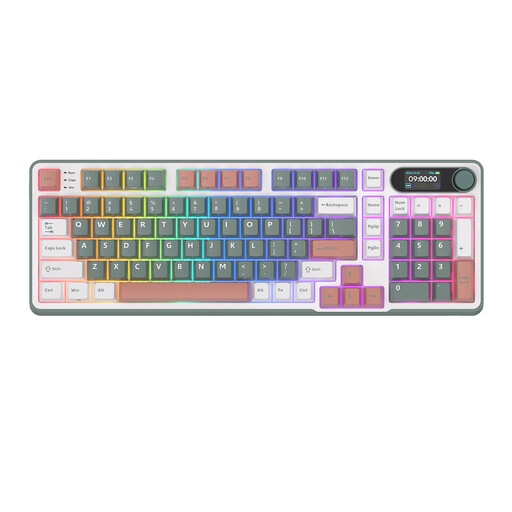
Why this model stands out: The S98 is a feature-rich keyboard in a 96% layout, which strikes a good balance between compactness and functionality. Its most notable feature is the smart display with a metal volume knob. This not only lets you control the volume but also adjust the connection mode and lighting. According to the manufacturer, the internal structure with 5 layers of sound-dampening material provides a pleasant, muted typing sound.
Pros:
Who is this keyboard for? The S98 is aimed at the keyboard enthusiast looking for a premium feel and advanced features without the premium price tag. Ideal for both work and a high-end gaming keyboard setup.
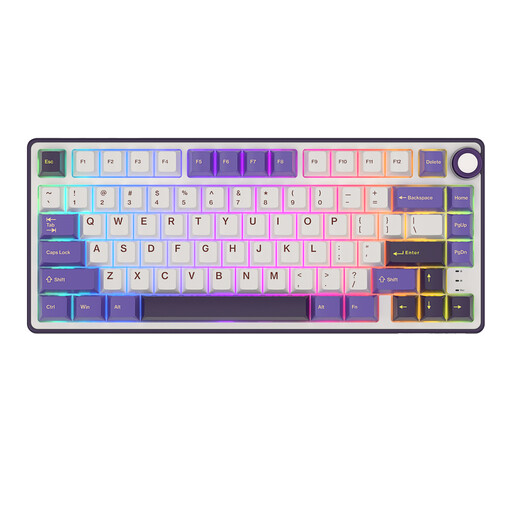
Why this model stands out: The R75 combines a popular 75% keyboard form factor with features typically found in more expensive, custom keyboards. The 'gasket mount' design, where the PCB is mounted between gaskets, provides a more flexible and softer typing feel. This model supports QMK and VIA open-source software, allowing you to fully program every key and function to your liking. The addition of a keyboard with a volume knob makes it a practical choice.
Pros:
Who is this keyboard for? This keyboard is ideal for programmers, content creators, and gamers who want deep control and customisability. The combination of the 75% form factor and advanced features makes it a powerful tool for intensive daily use.
Choosing a mechanical keyboard is a very personal decision. The feel and sound are largely determined by the switches. Whether you prefer a quiet, linear actuation for the office or a tactile click for gaming, the right switch makes all the difference.
Want to learn more about the different types of switches and other keyboard options? Check out our extensive selection of switches and accessories.
A hot-swappable keyboard allows you to remove and replace the mechanical switches without needing to solder. This makes it very easy to customise your typing experience by trying out different types of switches, or to quickly replace a faulty switch.
Yes, for many people it is. A compact keyboard saves desk space and can contribute to better ergonomics by keeping your mouse closer. It might take some getting used to if you're accustomed to a full-size model, as some keys (like the numeric keypad or the function row) are accessed via a key combination (Fn key). For writers and programmers, a 75% layout is often a great middle ground.
The line is often blurry. A gaming keyboard typically has features focused on speed and responsiveness, such as faster switches, anti-ghosting (so multiple keystrokes are registered simultaneously), and programmable macros. Visually, they often stand out with extensive RGB lighting. However, many of these features are also pleasant for general use and typing.
