
Vandaag of morgen in huis

Kwaliteit gegarandeerd

Welkomstaanbiedingen ontgrendelen: GRATIS bezorging | Tot 80% korting | Gratis 30 dagen JoyPlus-proefperiode
Download de app
A mechanical keyboard can be comfortable for gaming, programming and long working days, but the product page doesn’t always tell the whole story. An RGB keyboard may look appealing, but the lighting says nothing about the switches or typing experience. Terms such as “waterproof”, “quiet” and “gaming” can also create the wrong expectations.
Use this buying guide to compare the key features and find models suited to different needs.
Some affordable models use membrane keys with a mechanical feel. The MageGee TS91, for example, is described as a keyboard with a “mechanical feeling”. That’s different from a mechanical keyboard with individual switches beneath every key. If you want to replace switches or adjust the feel of each keystroke, you’ll need a model with genuine mechanical switches and, ideally, a hot-swappable keyboard.
The MageGee TS91 has an IPX4 rating listed for its circuit board. At the same time, the product information warns that the connection isn’t waterproof and that the keyboard must not be submerged. So treat this as protection against limited splashes, not permission to pour a drink over the keyboard.
A 60% keyboard saves space, but usually lacks dedicated arrow keys, a function row and a number pad. A 75% keyboard generally retains the arrow keys and function row. A 96% or full-size layout is more practical for working with numbers, spreadsheets and office tasks. Check the layout too: a US QWERTY keyboard has a different Enter key, Shift key and punctuation layout from a Dutch or QWERTZ model.
Choose a keyboard to suit your workspace and habits:
Also check the position of the keys and whether remapping software is available. If you do a lot of programming or typing, you’ll soon notice whether the layout suits your habits.
A mechanical switch determines how a key feels and sounds. Linear switches generally feel consistent, while tactile or clicky switches provide more feedback. A quiet mechanical keyboard will still make some noise, depending on the switches, keycaps, stabilisers and construction. So “quiet” isn’t a standardised noise rating.
A hot-swappable keyboard lets you replace compatible 3- or 5-pin switches without soldering. Check that the supplied switches are compatible with the sockets. According to the product information for various models, PBT keycaps are designed to resist wear; that doesn’t mean they’ll never develop a shine or discolour.
For PC gaming, many users choose USB-C or 2.4 GHz. Bluetooth is handy for laptops, tablets and phones, but check that your device supports the right profile. A tri-mode keyboard usually combines USB, Bluetooth and 2.4 GHz.
Check the following:
RGB lighting, a rotary knob or a TFT display are useful extras, but they don’t automatically make a keyboard more suitable for your needs.
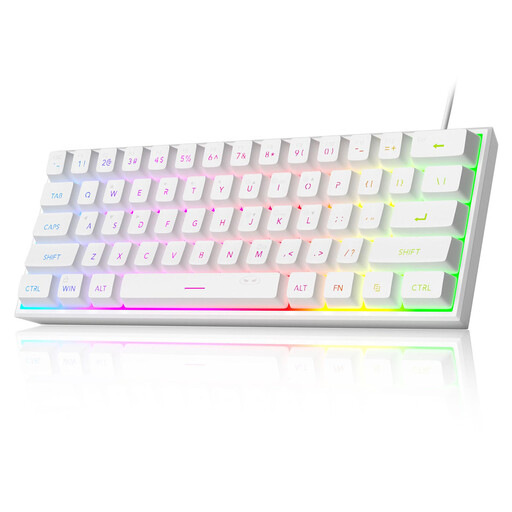
Why it suits this user: An affordable, wired 60% model for anyone short on desk space who wants RGB lighting. Please note: according to the product information, this model uses membrane keys with a mechanical feel, not genuine mechanical switches.
The specifications make the 60% layout and wired connection clear. Don’t mistake the IPX4 rating for a fully waterproof casing.
61 keys, US QWERTY layout, USB connection and adjustable RGB modes.
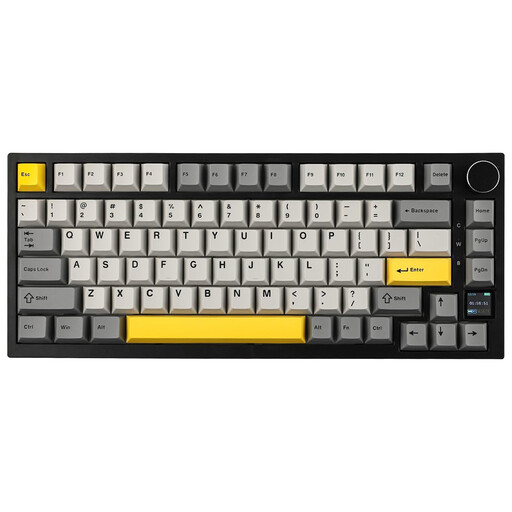
Why it suits this user: For enthusiasts who want a compact size combined with customisation, wireless connectivity and extra controls.
The product information explicitly lists hot-swap, gasket mount, USB-C, Bluetooth and 2.4 GHz. This lets you check the key claims feature by feature.
82 keys, TFT display, rotary knob, PBT keycaps and a stated battery capacity of 4000 mAh.
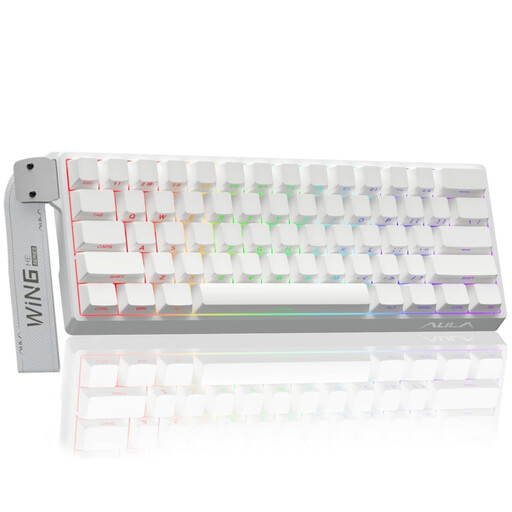
Why it suits this user: Designed for gamers looking for a compact keyboard with adjustable magnetic Hall Effect switches.
The product title lists Hall Effect, Rapid Trigger, 8K polling and an adjustable actuation point. Check beforehand that the software and features suit the games you play.
60% size, RGB lighting, Hall Effect switches and a wired connection.
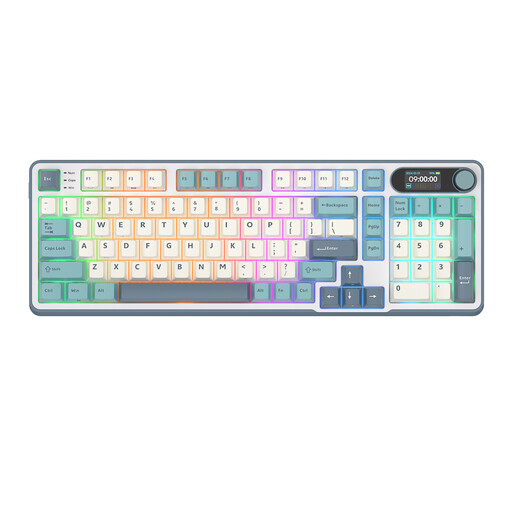
Why it suits this user: The 96% layout keeps many practical keys, while Bluetooth, 2.4 GHz and USB-C offer flexibility at home and in the office.
The specifications list 98 keys, hot-swap and three connection options. That means you’re less reliant on a single device or fixed layout.
Wireless and wired connectivity, rotary knob, smart display, RGB and five layers of internal padding according to the product description.
We’ve put together a full, up-to-date list of products that meet these strict selection criteria and the applicable European safety regulations.
It can be, but consider the noise level and choice of switches. Linear or dampened switches are often less noticeable than clicky switches. For shared spaces, a quiet membrane or scissor-switch keyboard may be more practical.
Its lifespan depends on the quality of the switches, how it’s used, and its exposure to dust and liquids. Manufacturers sometimes state an expected number of keystrokes, but this doesn’t guarantee the lifespan of the entire keyboard. Clean it carefully and only replace switches if the model is designed for it.
Not always. Check the listed operating systems, software support and key layout. A model may work physically with both PC and Mac, while remapping or RGB control features may only be available through Windows software.
