
Vandaag of morgen in huis

Kwaliteit gegarandeerd

Welkomstaanbiedingen ontgrendelen: GRATIS bezorging | Tot 80% korting | Gratis 30 dagen JoyPlus-proefperiode
Download de app
A great mechanical keyboard can completely change the way you type, game, or work. However, the market is flooded with models that promise a lot but don't always deliver. Many buyers fall into marketing traps and end up with a keyboard that doesn't suit their needs. As a Product Recommendation Officer at Joybuy, I'm here to help you cut through the noise so you can make an informed decision.
Before you pull out your wallet, it's important to recognise a few common pitfalls:
To avoid these traps, focus on the specifications that truly matter. Here are three crucial points to consider when purchasing a mechanical keyboard.
The switches determine the feel and sound of every keystroke. The choice is personal and depends on your use case. The three main types are:
Don't want to be locked into one type? Look for a hot-swappable keyboard. This allows you to easily change the switches yourself without soldering, giving you the freedom to experiment and customise your keyboard.
Think carefully about which keys you actually use. A smaller form factor can significantly increase your productivity and comfort.
How do you want to connect the keyboard? A wireless mechanical keyboard offers a clutter-free desk, while a wired model guarantees a stable, lag-free connection.
Extra features like a keyboard with a volume knob can enhance usability, while a custom keyboard with VIA/QMK compatibility allows you to fully program every key to your liking.
Below are some models that score well on the above criteria, matched to different user profiles.
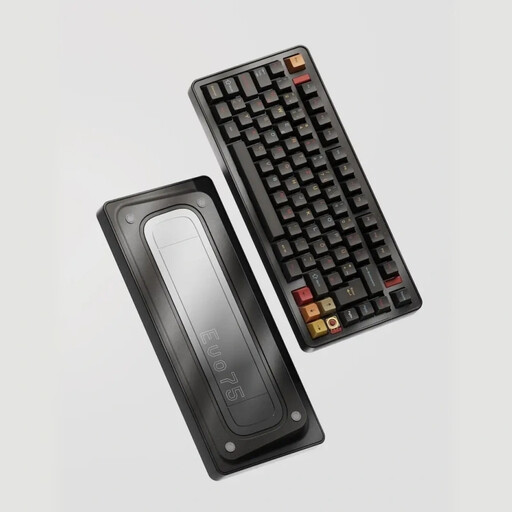
Why This Fits Their Persona: For those who want complete control. This keyboard is an excellent foundation for a custom keyboard. The combination of an aluminium case, tri-mode connectivity, and VIA compatibility provides a premium starting point for further modifications.
It's hot-swappable, so you're not locked into the included switches. You can easily swap to a different type if your preference changes, completely sidestepping the pitfall of a fixed typing experience.
Full aluminium case for a solid feel and durability. Tri-mode connectivity (Bluetooth, 2.4GHz, USB-C) for maximum flexibility.
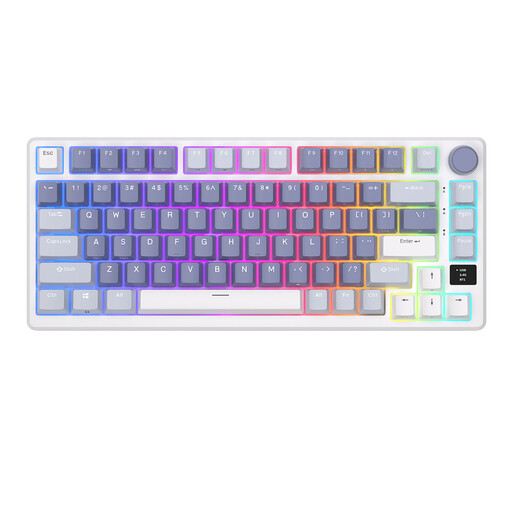
Why This Fits Their Persona: This gaming keyboard combines performance with convenient features. The 75% layout provides more mouse room, while the OLED screen and volume knob allow for quick adjustments without leaving the game.
This model goes beyond just RGB lighting. The gasket-mount construction and hot-swappable switches provide a superior typing experience and customisability, avoiding the trap of a superficial 'gaming' label.
OLED smart display for status information. Gasket-mount for a soft and quiet typing feel. Hot-swappable PCB for easy switch customisation.
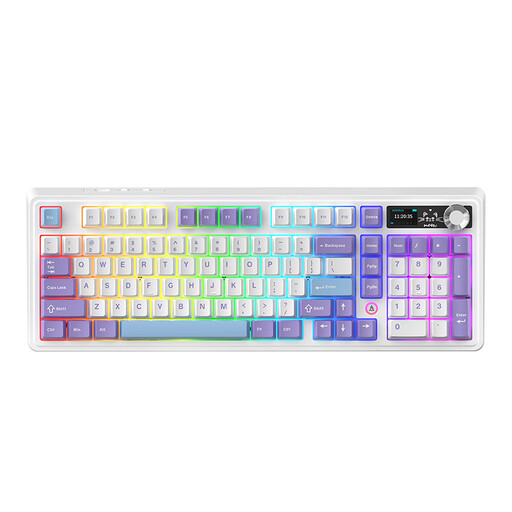
Why This Fits Their Persona: Perfect for professionals and hobbyists who want a functional layout without sacrificing modern features. The 98% layout retains the numpad in a compact form factor, ideal for both spreadsheets and gaming.
This model avoids the pitfall of an impractical form factor. It offers the functionality of a full-size keyboard in a more efficient layout, while the hot-swap feature and sound dampening ensure a high-quality experience.
Five-layer sound dampening for a quiet and pleasant sound profile. Large battery and tri-mode connectivity for long-lasting wireless use.
We have compiled a complete, up-to-date list of products that fully meet these strict selection criteria and quality standards.
A mechanical keyboard uses individual mechanical switches under each key. This provides more distinct tactile feedback, a longer lifespan, and greater consistency. A membrane keyboard, like those often included with standard computers, uses a rubber layer that pushes the keys back up. This often feels 'mushy' and wears out faster.
The lifespan of a mechanical keyboard is usually expressed in the number of keystrokes per switch. Most switches are rated for 50 to 100 million keystrokes. With normal use, a good mechanical keyboard can last for many years, significantly longer than a standard membrane model.
For most enthusiasts and serious users, yes. The ability to replace switches without soldering offers huge advantages. You can customise the typing experience, easily replace faulty switches, and experiment with different types. It's an investment in flexibility and a longer lifespan for your keyboard.
