Start by considering the switch type and how noisy it is, then check that the layout suits the navigation and shortcuts you use while editing. A compact model can free up space, while a larger keyboard gives you direct access to more keys. And a manufacturer's claim that a keyboard is quiet doesn't guarantee your colleagues won't hear it.
Who is this buying guide for?
Editor mindful of noise
You write or proofread close to other people, so you check the exact switch type first, then consider how it feels to type on. Manufacturers offer versions they describe as quiet, but that doesn't measure how noisy they'll be at your desk.
Frequent text editor
You navigate through text a lot and want to check before buying that the available navigation and function keys suit the shortcuts you use.
Flexible workspace user
You want to leave room for your mouse and documents, or you switch between work devices. So compare the dimensions and connectivity options of the exact model.
What should you look for?
| What to consider |
What should you check? |
Who is this important for? |
| Noise around colleagues |
Check the exact switch type. Don't treat a manufacturer's claim that a keyboard is quiet as a guarantee of how noisy it will be at your desk. |
If I type repeatedly while others are working nearby, I want to know exactly which switch I'm choosing. Around 33% of consumers say noise is their top priority. |
| Text navigation |
Compare the exact key layout with your shortcuts and check whether you need key combinations for frequently used functions. |
If I often navigate through text while editing, I want my editing keys to be easy to reach. Around 27% of consumers prioritise direct text navigation. |
| Space and posture |
Check the dimensions and whether the keyboard, mouse and documents fit comfortably on your workspace. |
If I want to keep room for my mouse and documents, the keyboard's size matters a lot. Around 20% of consumers prioritise clear desk space. Arboportaal recommends setting up your workspace to support a relaxed posture with neutral joint angles. |
| Switching between devices |
Check which connection types and device-switching features the model you choose supports. |
If I want to use the same keyboard with different work devices, the connections and switching options are key. Around 20% of consumers say switching between devices is their top priority. |
Common buying mistakes
-
Choosing based on the model name alone
The Logitech MX Mechanical Mini is available with different switches. The version you choose affects both the sound and the feel when typing.
Check the full name of the switch type on offer before you order.
-
Assuming every Keychron K3 Max supports hot-swapping
Keychron says hot-swapping is only available on the version specifically labelled as the RGB hot-swap variant.
Check the exact version if you want to be able to swap switches.
-
Choosing a compact keyboard without checking your shortcuts
A more compact layout can free up space, while a full-size keyboard may give you direct access to more keys.
Compare your most-used shortcuts with an image of the exact key layout.
Brands to compare
Logitech
The MX Mechanical Mini is a compact mechanical keyboard range for anyone considering desk space and switching between devices.
- Logitech lists Tactile Quiet, Clicky and Linear versions, with switching between up to three devices.
- Check the switch type and key layout of the exact version. The different switches don't offer the same noise levels.
Keychron
The K3 Max is a compact 75% version for anyone looking for a choice of connection types.
- Keychron lists 84 keys and Bluetooth, 2.4 GHz and wired connectivity.
- According to Keychron, hot-swapping is only available on the version labelled as the RGB hot-swap variant. Check the key layout too; the global product page we consulted doesn't confirm availability in the Netherlands or a local layout.
Razer
The Pro Type Ultra is a larger, office-focused option for anyone who wants more keys readily available.
- Razer lists quiet switches, dampening foam, and wired, Bluetooth and 2.4 GHz connectivity.
- The description of a quieter typing experience is a claim by Razer, not an independent measurement at your desk. Check the regional key layout.
CHERRY
According to CHERRY, the KW 300 MX combines a compact design with replaceable switches.
- CHERRY lists Bluetooth and wired use, a dampened casing, and versions for Windows and Mac.
- A dampened casing doesn't mean every switch type is equally quiet. Check which switches and layout are included.
Joybuy keyboards
These Joybuy models are mechanical keyboards with a range of compact layouts and features. Check each model to make sure it suits your text navigation, workspace and connectivity needs.
 Image unavailable
AULA WIN60HE 60% wired keyboard
The 60% layout is a compact option if you want to use less desk space and a wired connection suits you.
Hall effect magnetic switches; adjustable actuation point, listed as 0.01 mm in the product name; wired.
View at Joybuy
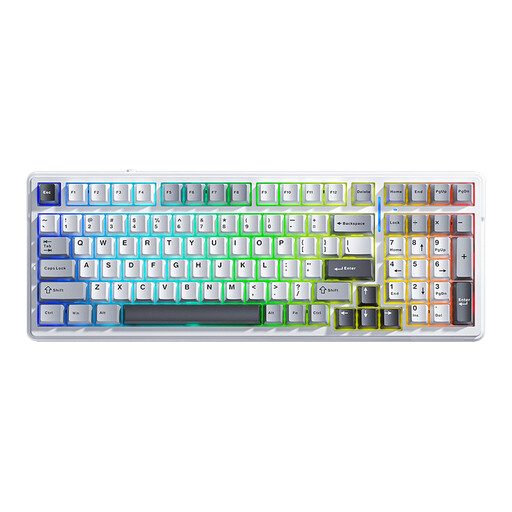 Image unavailable
AULA F99, 99 keys, hot-swappable, RGB, US QWERTY
This version may suit you if you're looking for a compact keyboard with multiple connection options. Check that the US QWERTY layout works for you.
99 keys; hot-swappable; Bluetooth, 2.4 GHz and wired; US QWERTY layout. The product description mentions a quieter typing experience, but this isn't a measurement at your shared desk.
View at Joybuy
 Image unavailable
Royalaxe X68 65%, 68 keys, wired, US layout
According to the product description, the 65% layout retains essential arrow and function keys. Check that the US layout suits the way you edit text.
68 keys; wired; US layout; Gateron HE magnetic switches.
View at Joybuy
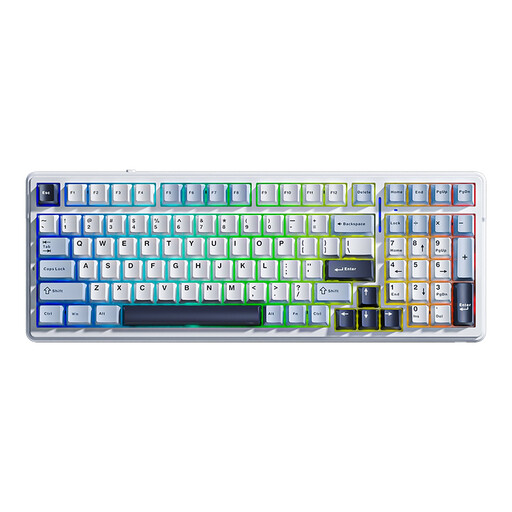 Image unavailable
AULA F99 with LEOBOG Greywood V3 switches, US QWERTY
The compact layout and the listed arrow and number keys may be useful if you want to save desk space but still use those keys.
99 keys; hot-swappable; LEOBOG Greywood V3 switches; Bluetooth, 2.4 GHz and USB-C wired; US QWERTY layout. The product description mentions sound dampening, but that doesn't establish how noisy it will be around colleagues.
View at Joybuy
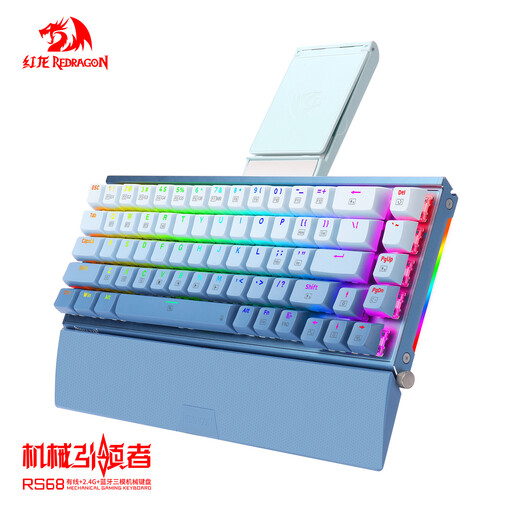 Image unavailable
RS68 The Third Mock Examination Wireless
This model may suit you if you're looking for a compact layout and want a choice of connection types.
65% layout; hot-swappable; Bluetooth, 2.4 GHz and wired; detachable wrist rest.
View at Joybuy
Frequently asked questions
Is a mechanical switch described as quiet silent?
No. That description doesn't mean a switch is silent. Logitech offers different switch types for the MX Mechanical Mini, and Razer describes a quieter typing experience. Check the exact version if you work alongside someone.
How can I clean my keyboard without accidentally pressing keys?
Switch off the keyboard or unplug a wired model before cleaning it. Then follow the care instructions for your model.
What can I do in the Netherlands if an online keyboard purchase doesn't suit me or develops a fault too soon?
For eligible online consumer purchases, the statutory cooling-off period usually ends 14 days after delivery; ACM ConsuWijzer lists exceptions. If a product is faulty despite normal use, the seller is responsible for offering an appropriate solution under the statutory guarantee. According to the Netherlands Authority for Consumers and Markets, the statutory guarantee in the Netherlands doesn't automatically have a fixed duration of two years.
Do I need a separate keyboard for screen-based work?
For employees who work with screens for more than 2 hours a day, Arboportaal states that the screen and keyboard must not be attached to each other. Laptop users must therefore be able to use a separate screen or keyboard. This requirement doesn't mean that everyone needs a mechanical keyboard.


