
Vandaag of morgen in huis

Kwaliteit gegarandeerd

Welkomstaanbiedingen ontgrendelen: GRATIS bezorging | Tot 80% korting | Gratis 30 dagen JoyPlus-proefperiode
Download de app
A mechanical gaming keyboard can help keep your desk tidy and offers plenty of possibilities for gaming, typing and programming. Even so, comparing product pages properly can be difficult. Terms such as RGB, hot-swappable and tri-mode only become meaningful when you know what you actually need in practice.
The biggest purchasing mistakes usually come down to three pitfalls:
The size determines how much space you save and which keys are immediately available.
Also pay attention to the language layout. A QWERTY US keyboard has a different Enter and Shift key shape from a Dutch or German layout. A QWERTZ model is primarily designed for the German keyboard layout. So check both the keycaps and your computer’s software settings.
Mechanical switches determine the keystroke, sound and force required. Red or linear switches do not have a tactile click halfway through the keystroke. They are often chosen for rapid repeated presses, but personal preference remains the deciding factor.
Look out for these terms:
A hot-swappable keyboard is appealing if you may want to try a quieter, lighter or more tactile switch later on. However, check that replacement switches are physically and electrically compatible. Hot-swappable does not mean that every switch will automatically fit.
Some models mention gasket mounting, foam layers or pre-lubricated stabilisers. According to the product information, these can affect the keystroke and resonance, but the final sound also depends on the keycaps, desk and how you use the keyboard.
A wired connection via USB-C is straightforward and does not require a battery. Some users therefore deliberately choose a cable for competitive PC gaming. A wireless mechanical keyboard offers greater flexibility on a desk or when used with a tablet.
A tri-mode keyboard usually combines:
Check how many devices you can actually pair and how you switch between them. Bluetooth is useful for a MacBook, tablet or phone. 2.4GHz is particularly practical on a gaming PC. A built-in battery also needs to be recharged periodically. The stated battery life varies by model and is affected by RGB brightness and connection mode.
The selection below is based on the stated layout, connection, switch technology, compatibility and additional features. Always check the current product page and included manual before buying.
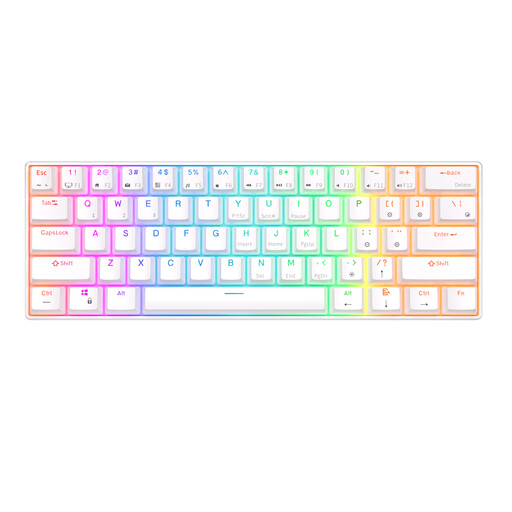
Why it suits this profile: This 60% model saves desk space and offers Bluetooth alongside a detachable USB cable. The product information states that it supports Windows, iOS and Android.
The product name and description mention mechanical, hot-swappable switches; however, check the included switch variant and the Fn functions required by the compact layout.
61 keys, RGB lighting, a hot-swappable design and a stated battery capacity of 1450 mAh.

Why it suits this profile: The 75% layout retains the arrow keys and essential controls. The USB-C connection is well suited to a permanent work or gaming setup.
This is not a membrane model with merely a mechanical feel: the product information mentions hot-swappable linear switches and a gasket construction.
PBT keycaps, a volume knob, multiple damping layers and support for Windows and Mac.
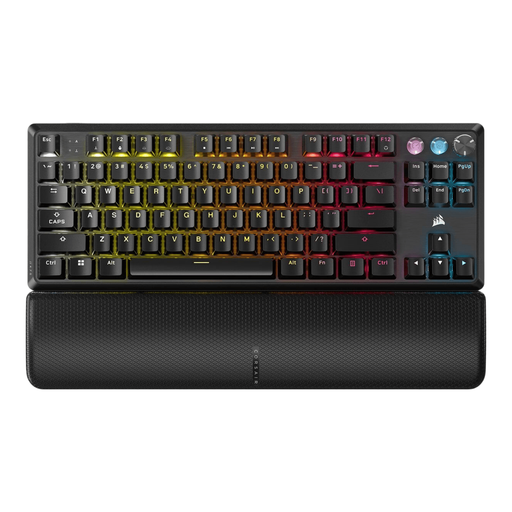
Why it suits this profile: This wired TKL model is aimed at players who value adjustable actuation and direct control, with support for PC, Mac and multiple consoles.
The specifications state an adjustable actuation range of 0.1 to 4.0 mm, Rapid Trigger and a polling rate of up to 8000 Hz. These features are mainly relevant to specific gaming setups, not every user.
Magnetic Hall Effect switches, per-key RGB, programmable keys, a multimedia button and a detachable wrist rest.
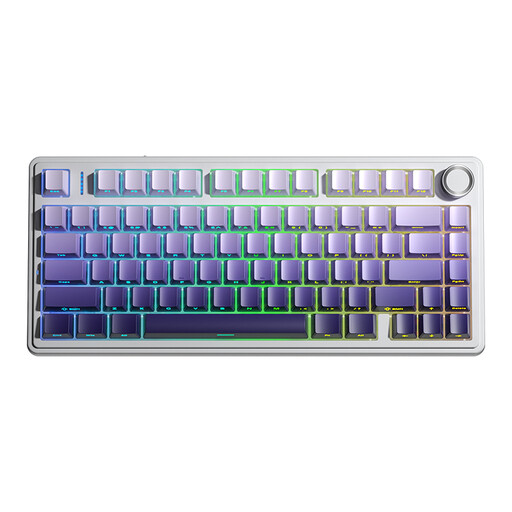
Why it suits this profile: This 75% gaming keyboard combines Bluetooth, 2.4GHz and USB. This makes it suitable for use with a PC, laptop, tablet or compatible console.
The three connection modes provide an alternative when Bluetooth is not desirable. However, the battery needs to be charged and the correct mode must be selected manually.
4000mAh battery, hot-swappable support for 3-pin and 5-pin switches, RGB and a multifunctional knob.
Use this short checklist:
We have compiled a complete, up-to-date list of products that fully meet these strict selection criteria and the applicable European safety regulations.
It can be, but you will often need to use Fn combinations for the arrow keys, F keys and navigation functions. For intensive programming or administrative work, a 75% or TKL model is usually more practical.
Its lifespan depends on the switch type, usage, dust, moisture and maintenance. Manufacturers sometimes specify a number of keystrokes, but this is a product specification under certain conditions and not a guarantee for every user. A hot-swappable keyboard may remain useful for longer when individual switches can be replaced.
With a wired model, you will mainly notice this as a limited effect on the computer’s energy consumption. With a wireless model, bright RGB generally shortens the usage time per charge. Turn the lighting down or off if you want to work for longer without recharging.
