What should you consider when choosing?
All-in-one
A good fit when: you need both a computer and a screen and want to set them up as a single device.
Bear in mind: you choose the screen and computer together. Also check which accessories and power supply come with the configuration.
Mini PC with a separate screen
A good fit when: you already have a suitable screen or would prefer to choose the computer and screen separately.
Bear in mind: a mini PC does not power a separate monitor by itself, so count the power connections needed for both devices.
Tower or small-form-factor PC
A good fit when: interchangeable configurations, connections or manageability matter more than having the most compact workspace possible.
Bear in mind: the computer and screen are separate devices. Consider how many connections the complete setup will need.
First decide whether you also need a screen. Then check the software, the power connections required by all the devices and what’s included with the configuration you choose.
| What to consider |
What should you check? |
Who is this important for? |
| Number of sockets |
Count the power connections needed for the computer, screen and other equipment in the complete workspace. |
If I have only one free socket and need a screen too, I want to know in advance how many devices need power. Around 36% of consumers in this buying context prioritise the number of connections above all else. |
| Readability |
Compare the screen size and resolution with the way you view assignments and feedback. |
If I want to be able to assess assignments and feedback side by side, I pay attention to the screen setup. Around 29% of consumers prioritise readability and comparing content on screen above all else. |
| Software and pupil data |
Check the requirements for the marking software and operating system. If pupil data is being processed, also discuss the school’s measures and requirements in line with the GDPR. |
If I use mandatory school software, I want to know whether it works on the computer I choose and how pupil data is handled. Around 21% of consumers prioritise their software and data-processing requirements. |
| Upgrades and included items |
Check whether a screen, keyboard and mouse are included, and whether the configuration you choose can be upgraded later. |
If I already own some components or want to upgrade the computer later, I want to know what else I need and what upgrades are possible. Around 14% of consumers mainly value included items, upgrade options and the total purchase cost. |
Joybuy products for an all-in-one setup
These products are all-in-ones with a built-in screen. Check each configuration to make sure it suits your marking work, including the software you need and all the components required.
 No image available
HP 24-cr0050nd 895R0EA#ABH
An all-in-one to consider if you need a screen too. The product information lists a built-in 23.8-inch FHD IPS screen and Windows 11 Home; the power adapter must be purchased separately.
View at Joybuy
 No image available
LG AIO 24CQ651N-6N
This all-in-one thin client could be a good fit if your marking work is done through a cloud or VDI environment. Check with your IT administrator that the configuration you choose and any operating system option are suitable for that environment.
View at Joybuy
 No image available
MSI Modern AM273QP AI 1UM-061EU
According to the product information, this all-in-one has a built-in 27-inch QHD IPS screen and Windows 11 Pro. The listed configuration includes an Intel Core Ultra 5 125H, 16 GB DDR5 memory and a 1 TB SSD.
View at Joybuy
 No image available
MSI Modern AM273Q AI 1UM-058EU
According to the product name, this configuration has an Intel Core Ultra 7 155H, 32 GB DDR5 memory and a 1 TB SSD. Check that the built-in 27-inch QHD screen and Windows 11 Pro suit your software and way of working.
View at Joybuy
 No image available
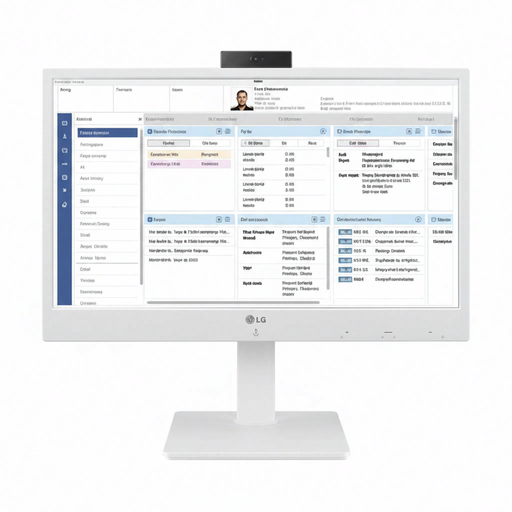
LG 24CR670N-6P
An all-in-one thin client to compare if your workspace uses cloud or VDI applications. Check with your IT administrator that the configuration is suitable for the school environment.
View at Joybuy
Frequently asked questions
Is an all-in-one always the right choice when you have one free socket?
No. A built-in screen makes an all-in-one a logical starting point if you need a screen too. Also check which other devices need power, and whether the screen, connections and software are suitable for your marking work.
What should you check before connecting an existing monitor to a mini PC?
Check the video connections on both devices and count the power connection needed for the monitor. Apple specifies support for external displays with the Mac mini, but that doesn’t mean the monitor is powered by the Mac mini.
Is an older Windows 10 PC still an obvious choice for marking work?
No. According to Microsoft, standard support for Windows 10 ended on 14 October 2025. Microsoft advises upgrading to a supported version of Windows or, subject to certain conditions and for a limited time, using Extended Security Updates. Make your choice in line with the school’s software and IT requirements.
Which privacy rules are relevant for a computer at school?
If the school processes pupils’ personal data through digital systems, the relevant GDPR rules apply. The Dutch Data Protection Authority points out that schools must be able to demonstrate that they have taken appropriate technical and organisational measures. Choose a workstation that complies with the school’s policies.
Which warranty rules apply to purchases in the Netherlands?
For consumer purchases, ACM ConsuWijzer says that the legal guarantee applies alongside any manufacturer’s warranty. The seller is your point of contact if a product doesn’t do what you could reasonably expect under normal use. Consumer protection does not necessarily apply to a purchase made mainly for business use. In that case, check the contract and service terms.


