What should you look for?
First decide how you’ll save and restore versions. Then check the connection and folder size, and consider encryption if you carry confidential files.
| What to consider |
What should you check? |
Who is this important for? |
| Finding earlier versions |
Check that there’s enough space for the whole project folder and decide how you’ll save versions separately. Also test restoring an earlier version. |
If I want to go back to an earlier text after making a change, I don’t want to rely on a single file that’s continually overwritten. Consumers who prioritise version recovery make up around 36% of consumers in this breakdown. |
| Being able to restore a copy |
Keep another copy somewhere else and periodically try restoring a file. |
If my computer or USB stick fails, I want to be able to restore my manuscript from a separately stored copy. This is the main reason for consumers who want to protect against losing a single copy; they make up around 29%. |
| Confidential files |
Consider whether encryption is suitable for the documents you carry, and check how unlocking the device and regaining access works. |
When I carry sensitive files, I want to be able to restrict access to them if the USB stick is lost. Consumers who prioritise confidentiality make up around 21%. |
| Connection and file system |
Check whether your devices have USB-A, USB-C or both. If you switch between Windows and macOS, also check whether both systems can write to the file system. |
If I want to use the same project folder on devices with different ports, the connection needs to work with them. Consumers for whom compatibility is the main reason make up around 14%. |
USB sticks at Joybuy
This selection includes USB sticks with USB-A and models with both USB-A and USB-C, for storing and transferring manuscript copies.
 No image available
SanDisk Ultra Flair, 64 GB, USB 3.0
A USB-A option for keeping an extra copy on devices with that connection.
The product information lists 64 GB of storage and software-based AES 128-bit password protection.
View at Joybuy
 No image available
SanDisk Ultra Dual Drive Go, 512 GB
For transferring manuscript files between devices with USB-A and USB-C.
The product information lists 512 GB of storage and both connections.
View at Joybuy
 No image available
Kingston DataTraveler Exodia M, 64 GB, Black + Blue
A USB-A option for keeping an extra copy on devices with USB Type-A.
The product information lists 64 GB of storage, USB Type-A and a sliding protective cap.
View at Joybuy
 No image available
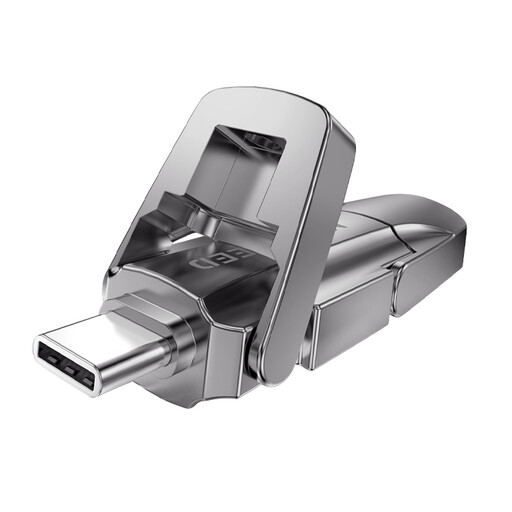
MOVESPEED YSUYVP10-256GSR, 256 GB
For keeping a project copy on devices with different ports.
The product information lists 256 GB of storage and USB-A and USB-C connections.
View at Joybuy
 No image available
MOVESPEED YSUYVP10-512GSR, 512 GB
For transferring manuscript copies between devices with different ports.
The product information lists 512 GB of storage and USB-A and USB-C connections.
View at Joybuy
Frequently asked questions
Does a USB stick automatically save earlier versions of your manuscript?
No. Copying files to a USB stick doesn’t create a version history by itself. Save versions separately or use a suitable backup feature; Microsoft Support explains that File History in Windows can restore earlier versions of files. Test that you can restore your own project.
How should I look after a USB stick containing my backup?
Make a recent copy regularly, keep another copy somewhere else and periodically try restoring a file. Microsoft Support advises safely ejecting USB sticks in Windows before disconnecting them.
Which file system should I use to transfer files between Mac and Windows?
Apple lists exFAT as a format that’s compatible with Windows. Apple says a Mac may be able to read NTFS, but not write to it. Check the current format and make another copy of your files before changing anything.
What does the warranty cover if the USB stick fails?
For a consumer purchase in the Netherlands, ACM ConsuWijzer says you’re entitled to a statutory guarantee that the product will do what you can reasonably expect; the retailer is your point of contact. Retailer and manufacturer warranties have their own terms and don’t replace this right. A warranty on the USB stick won’t recover lost files, so keep a separate copy.
Does the law in the Netherlands require manuscript backups to be stored on an encrypted USB stick?
Not for every manuscript: government guidance says the GDPR doesn’t apply to processing that is solely for personal or household purposes. However, there are security requirements when processing personal data for professional purposes. The Dutch Data Protection Authority mentions an encrypted USB stick for sensitive work documents when storing them on the work server isn’t possible; this isn’t a general requirement to use a particular type of USB stick for every manuscript.


