
Vandaag of morgen in huis

Kwaliteit gegarandeerd

Welkomstaanbiedingen ontgrendelen: GRATIS bezorging | Tot 80% korting | Gratis 30 dagen JoyPlus-proefperiode
Download de app
A magnetic portable 1TB SSD is handy for videographers, photographers and iPhone users who want to store large files on the go. You attach the SSD to a compatible phone, plug it in via USB-C, and keep your internal storage free. Even so, a high claimed transfer speed or a magnetic ring doesn’t tell the whole story.
Most disappointing purchases come down to three misunderstandings:
For large video files, a USB-C external SSD is more practical than a traditional external hard drive. An SSD has no moving disk, so it’s compact and suited to mobile use. Do watch for the difference between:
A USB 3.2 Gen 2x2 SSD with a quoted read speed of up to 2000 MB/s will only get close to that figure if the connected device, cable and software support it. So don’t just check the SSD; check the specs of your laptop, tablet, camera or games console too.
For an SSD for iPhone 15 and iPhone 16, the right combination of phone, cable and app matters. According to DigiEra’s product information, the LPS2000M-2/-3 is intended for iPhone 15 and newer models, and not for iPhone 14 or earlier. The product info also mentions support for direct recording of 4K ProRes to external storage on specific Pro and Pro Max models.
Before you buy, check:
An SSD for 4K ProRes video is especially useful if you regularly create long, large video files. For everyday photos and short clips, a simpler portable 1TB SSD may well be enough.
A compact enclosure fits in a coat pocket or camera bag, but small SSDs can get warm during prolonged transfers. That can temporarily throttle speed. So avoid covering the drive under clothing or a thick case while you’re offloading large files.
According to the product specifications, the DigiEra models feature an aluminium housing, 3D NAND TLC flash and a quoted shock resistance of 1500G at 0.5 ms. Treat this as a product specification, not a licence to drop the SSD on purpose. Keep the USB-C connector clean and dry, and avoid prolonged exposure to high temperatures.

Why this suits the profile: A practical choice if you’re buying a magnetic SSD for the first time and want 1TB of extra storage for photos, documents and mobile video.
The product spec clearly states the USB 3.2 Gen 2x2 interface and the compatibility limitation for iPhone 15 and newer. Do check that your own device supports Gen 2x2.
1TB capacity, magnetic mounting, USB-C and a quoted read speed of up to 2000 MB/s. Weight is listed at 1.62 oz.
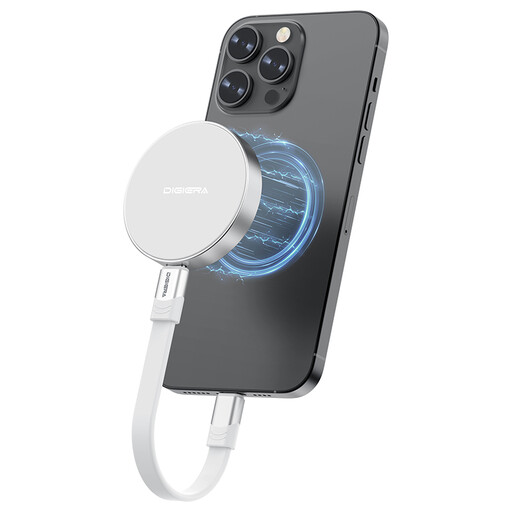
Why this suits the profile: Ideal for users looking for a compact external SSD for a laptop, tablet, camera or compatible iPhone, and who value high quoted speeds.
The stated write and read speeds are listed separately: up to 1800 MB/s write and up to 2000 MB/s read. That makes it easier to compare than just looking for ‘fast’.
Aluminium enclosure, 3D NAND TLC flash, 1TB storage and support for USB-C devices. According to the product information, the model is CE and RoHS certified.
Why this suits the profile: The magnetic mount is handy for filming with a compatible iPhone, while 1TB gives you room for large video files and project folders.
The product information specifically names the supported iPhone series and the ProRes features. Still check your exact iPhone model, case and recording settings before you build a full workflow.
Magnetic ring, USB 3.2 Gen 2x2, quoted read/write speeds up to 2000/1800 MB/s and a compact size of around 2.28 × 0.46 inch.
We’ve compiled a complete, up-to-date list of products that fully meet these strict selection criteria and comply with current European safety regulations.
No. The magnetic attachment and the data connection are two separate things. Check that your iPhone has USB-C, that the model supports external storage, and that your case doesn’t weaken the magnetic connection. According to the DigiEra product information, iPhone 15 and newer models are intended; iPhone 14 and older models are not supported.
You can on compatible iPhone models with the right settings. According to DigiEra’s product information, direct ProRes recording to external storage is mentioned for specific Pro and Pro Max models. Actual performance also depends on the cable used, free storage space and software. Test the entire combination in advance.
Lifespan depends on write volume, heat, usage and storage conditions. An SSD isn’t a permanent archiving solution. Keep important files on a second drive or in another backup environment as well. Keep the connector clean, avoid moisture, and disconnect the SSD properly to minimise unnecessary data issues.
