Who is this guide for?

Detail photographer

You want to show stitching, edges and the grain of the leather separately. Start with the magnification you need and check that the lens fits your camera mount. For example, Sony lists 1.0× magnification for the FE 90 mm F2.8 Macro G OSS.

Photographer at a shared workbench

You have limited space for your camera, wallet and lighting. Compare the working distance with the space available for your lights, and also allow for the distance behind the camera when taking a wider shot.

Creator of a consistent product series

You photograph several wallets with a similar crop and colour. A fixed set-up and careful control of the lighting help you repeat these choices for every shot.

What should you look for when choosing?

Your current lens for wider shots

Choose this if: you mainly photograph the whole wallet and your current lens can capture the framing you want at close range.

Bear in mind: small stitches may need more magnification than your current lens offers.

Shorter macro lens, around 50 mm

Choose this if: you want to take both wider shots and detail shots with a compatible camera, and can work close to the wallet.

Bear in mind: Nikon lists around 5 cm of space in front of the NIKKOR Z MC 50 mm f/2.8 at its closest focusing distance; check whether your lighting set-up will fit.

Longer macro lens, around 90–105 mm

Choose this if: you regularly photograph small details individually and want to leave space in front of the lens for lighting.

Bear in mind: also check that you have enough space behind the camera to photograph the whole wallet.

What to consider What should you check? Who is this most relevant to?
Small leather and stitching details Check the mount and maximum magnification of the exact model. Sony lists 1.0× for the FE 90 mm F2.8 Macro G OSS; Canon specifies a maximum of 1.4× for the RF 100 mm F2.8L Macro IS USM. I want to show stitching or the grain of the leather in close-up; around 31% of consumers prioritise small details.
Space for lighting Compare the working distance at the magnification you need and test your lighting set-up. Sony lists around 13 cm for the FE 90 mm F2.8 Macro G OSS; Nikon lists around 5 cm in front of the NIKKOR Z MC 50 mm f/2.8 at its closest focusing distance. These figures apply to different models and conditions. I want enough room at the workbench to position my light or diffuser; around 31% of consumers prioritise having this working space.
Wider shots and details Check the mount, angle of view and available space for the camera. Also see whether your current lens can capture the framing you want for the whole wallet. I usually want to photograph the whole wallet and only highlight a detail occasionally; around 23% of consumers prioritise wider shots.
Consistent focus and colour Allow space for a stable set-up and check the white balance when the lighting changes. For details at different depths, focus stacking may be useful if your shot and editing workflow are suitable. I want to photograph a series of wallets with similar sharpness and colour; around 15% of consumers prioritise consistency.

Common mistakes when choosing

  • Confusing minimum focusing distance with space for lighting

    Minimum focusing distance is measured from the image sensor, while working distance is measured from the front of the lens to the subject. So the first measurement alone does not tell you how much room you will have left for a diffuser.

    Compare the working distance at the magnification you need, then test where your light will sit in the workshop.

    A different working distance may mean repositioning your lighting set-up.

  • Looking only for the word ‘macro’ or the highest magnification figure

    Magnification describes how large a detail appears on the sensor; on its own, it does not tell you whether you can fit the whole wallet into the frame from your available set-up space.

    First decide on the smallest detail you want to capture and the wider framing you need. Then check the mount, angle of view and available working space.

  • Expecting a new lens to fix changing light or out-of-focus shots

    A different lens will not automatically even out changing lighting conditions. Depth of field can also be limited in macro photography.

    As well as choosing a lens, plan a repeatable set-up and check your lighting and focus. Canon explains the benefits of keeping the camera in a fixed position for consistent product framing, and checking the white balance when the lighting changes.

    Setting up and adjusting the camera, exposure and focus can take extra time when photographing a product range.

Brands to consider

Sony

The FE 90 mm F2.8 Macro G OSS is a Sony E-mount lens for those looking to combine 1.0× magnification with space for lighting.

  • Sony lists a minimum focusing distance of 0.28 m and a working distance of around 13 cm for this model.
  • Check that your camera has a Sony E mount; minimum focusing distance and working distance are different measurements.

Nikon

The NIKKOR Z MC 50 mm f/2.8 offers a shorter macro option for Nikon Z; the NIKKOR Z MC 105 mm f/2.8 VR S is a longer 1:1 option.

  • For the 50 mm, Nikon lists around 5 cm of space in front of the lens at its closest focusing distance. Nikon specifies built-in VR for the 105 mm.
  • The space available with the 50 mm may be limited for your lighting set-up. VR does not automatically make a tripod unnecessary for every detail shot.

Canon

The RF 100 mm F2.8L Macro IS USM is a Canon RF option if magnification beyond 1:1 is important for the details you want to capture.

  • Canon specifies a maximum magnification of 1.4× for this model.
  • The stated minimum focusing distance of 0.26 m is not the same as the space available in front of the lens.

Sigma

The 105 mm F2.8 DG DN MACRO | Art offers a 1:1 option for compatible Sony E-mount or L-mount cameras.

  • Sigma lists a working distance of 141 mm at 1:1 for this model.
  • The listed mounts are Sony E and L-mount; check the version before choosing.

Tamron

The 90 mm F/2.8 Di III MACRO VXD is a 1:1 option for compatible Sony E-mount or Nikon Z cameras.

  • Tamron lists a minimum object distance of 0.23 m and a magnification ratio of 1:1 for this model.
  • Check the mount on the specific version and whether the working distance suits your lighting.

Joybuy product selection

This Joybuy selection includes a lens for product and close-up photography. Consider separately whether its magnification suits the small details you want to capture.
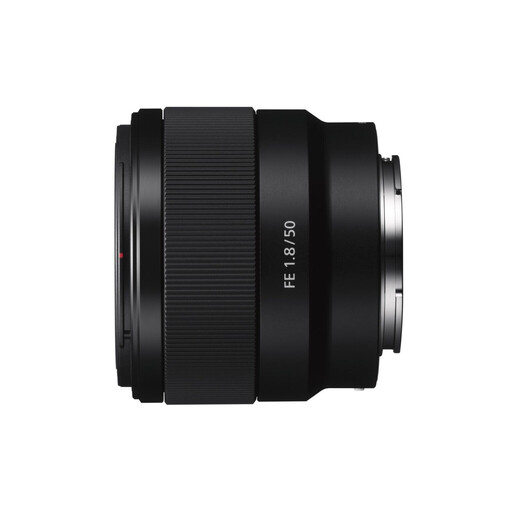
Sony E 50mm f/1.8 OSS black lens

Sony E 50mm f/1.8 OSS (black)

An option for product and close-up shots; it is a limited choice for very small stitching details. Compare the magnification you need before ordering.

Joybuy

Frequently asked questions

Do you need 1:1 magnification to photograph the whole wallet?

Not necessarily. First check whether a compatible lens can capture the wider framing you want from your available set-up space; maximum magnification matters most when you want to show small details individually in close-up.

How can you check whether a lens will fit your set-up?

First check the exact camera mount and lens version. Then measure the space in front of the lens for lighting and the space behind the camera for your wider framing separately; minimum focusing distance is measured from the sensor.

What helps with changing light and dust in a shared workshop?

Keep the camera set-up as consistent as possible throughout a product series, and check the white balance when the lighting changes. Sony recommends changing lenses in a dust-free environment where possible, and replacing the cap when a lens is not in use.

What cancellation period and warranty apply to a purchase in the Netherlands?

For a typical online consumer purchase, the Netherlands Authority for Consumers and Markets says you generally have up to 14 days to change your mind after the product has been delivered or the agreement confirmed, subject to legal exceptions. If a consumer product is faulty, the seller is responsible for providing an appropriate solution under the statutory guarantee. If you buy mainly or exclusively for business use, consumer rights do not necessarily apply; the Netherlands Authority for Consumers and Markets distinguishes between agreements according to their purpose.
