
Portfolio creators using a single camera system
If you photograph vintage cameras and their details with the same camera, start with the mount: the lens version you choose must fit your camera body.


Start with your camera’s mount, then choose based on the kind of image you want. You don’t automatically need 1:1 magnification for a full-camera shot, while tiny engravings or signs of wear may call for greater magnification. For close-up work, also compare the working distance in front of the lens with the space you need for lighting; Sony Netherlands distinguishes between working distance and minimum focusing distance. If your subject has details at different depths, a stable setup and, if needed, focus stacking are separate considerations. Adobe describes this technique for macro and product photography, among other uses.
If you photograph vintage cameras and their details with the same camera, start with the mount: the lens version you choose must fit your camera body.
For small inscriptions, buttons and surface marks, it’s important to know how large the subject can appear on the sensor and how precisely you can focus.
For a fixed setup photographing metal and glass, you’ll also need to consider the space in front of the lens, where to position the light and how to achieve consistent focus.
First check that the lens fits your camera mount, then compare the magnification you need with the space required for your setup.
| What to consider | What to check before buying | Who is this important for? |
|---|---|---|
| Mount and version | Compare your camera model and mount with the full model name and the exact lens version. | If I use one camera system, I want to check first that the lens fits my body. Around 31% of consumers prioritise the correct mount and version. |
| Full-camera shot | Check that you can fit the whole camera into your desired composition from your available shooting distance. | I want to show the shape and character of the entire vintage camera; I can always photograph the small details separately. Around 25% of consumers prioritise a full-camera shot. |
| Tiny details | Decide how small the detail is that you want to show on its own, then compare the maximum magnification of the exact lens version. | For engravings, small buttons or signs of wear, I want to know whether those details will appear large enough in the frame. Around 25% of consumers prioritise these kinds of close-ups. |
| Lighting and focus | Compare the working distance and see whether you can position lights and a tripod around your subject. Also decide whether you’ll need several focus-stacked shots. | In my studio, I want to light shiny parts well and focus consistently between shots. Around 19% of consumers consider this setup their main priority. |
Canon specifies a maximum magnification of 0.5× for the Canon RF 85mm F2, compared with up to 1.4× for the RF 100mm F2.8L. These models therefore serve different needs when it comes to high magnification.
Before you buy, note how small the detail is that you want to photograph on its own, then compare the maximum magnification of the exact lens version. For very tiny details, you may need a second lens or another solution.
Minimum focusing distance is measured from the sensor, while working distance is measured from the front of the lens. If there’s little room in front of the lens, it can be harder to light a shiny detail.
Compare the working distance at the magnification you need, and try out your lighting setup around the subject.
You may need to adjust your existing lighting setup if there’s little room around the lens.
Stabilisation and depth of field solve different problems. For subjects with details at different distances, focus stacking—combining shots taken at different focus points—may be an option.
Set your camera up securely and first see whether one shot is enough. Canon recommends a tripod for product photography, and Adobe describes focus stacking for macro photography, among other uses.
Combining several shots taken at different focus points takes extra shooting time and post-processing.
The Tamron 90mm F/2.8 Di III MACRO VXD is available in separate Sony E and Nikon Z versions, so the full version name must match your camera.
Before buying, check your camera model, its mount and the full name of the lens on offer.
For compatible EOS R cameras, the RF 85mm F2 and RF 100mm F2.8L offer different maximum magnifications.
For Nikon Z cameras, the Z MC 50mm f/2.8 and Z MC 105mm f/2.8 VR S are both 1:1 macro lenses, with different focal lengths.
The FE 90mm F2.8 Macro G OSS is a 1:1 option for compatible Sony E cameras.
The XF80mmF2.8 R LM OIS WR Macro is a 1× option for the Fujifilm X system.
The 90mm F/2.8 Di III MACRO VXD is a 1:1 option available in separate Sony E and Nikon Z versions.
The 90mm f/2.8 2x Ultra Macro APO is an option for details that still appear too small at 1:1.
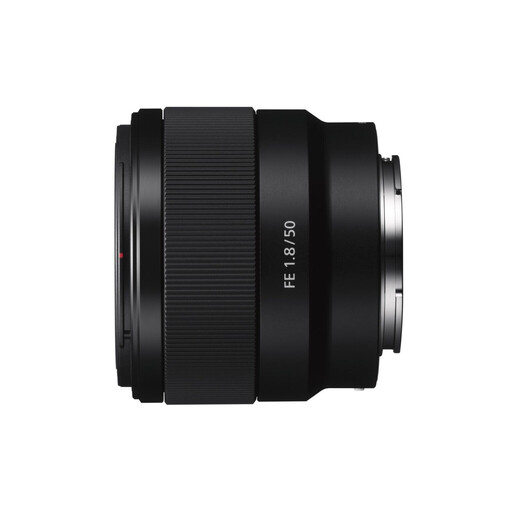
This Joybuy selection is suited to full-camera shots and general close-ups of vintage cameras.
 No image available
This version is suited to full-camera shots and general close-ups. For tiny details, check whether its magnification is enough.
Its stated maximum magnification is 0.16×, not a 1:1 reproduction ratio. Check that it suits the details you want to capture separately.
No, not for a full-camera shot. First decide whether you want to capture the whole camera or fill the frame with a small part. For example, Canon specifies a maximum magnification of 0.5× for the RF 85mm F2. A ratio of 1:1 or higher is most useful when a detail would otherwise appear too small on the sensor.
No. Minimum focusing distance is measured from the sensor, while working distance is measured from the front of the lens. For the FE 90mm, Sony Netherlands specifies a minimum focusing distance of around 28 cm and a working distance of around 13 cm.
Set your camera up securely and first check which parts are in focus in a single shot. If that isn’t enough, you can combine shots taken at different focus points. Adobe also describes focus stacking for product and macro photography. Make sure the shooting and editing steps suit your workflow.
Take a test shot and, if necessary, try a different angle or light position. Sony notes that the photographer or camera may appear reflected in a reflective subject; changing lenses alone won’t automatically solve the problem.
According to the Government of the Netherlands, in many cases consumers buying remotely from a business have a 14-day cooling-off period. The Government of the Netherlands lists exceptions and notes that buying online from a private individual isn’t covered by the distance-selling rules. You should also not assume that the same consumer rules apply when buying in a business’s name.